

Before You Begin
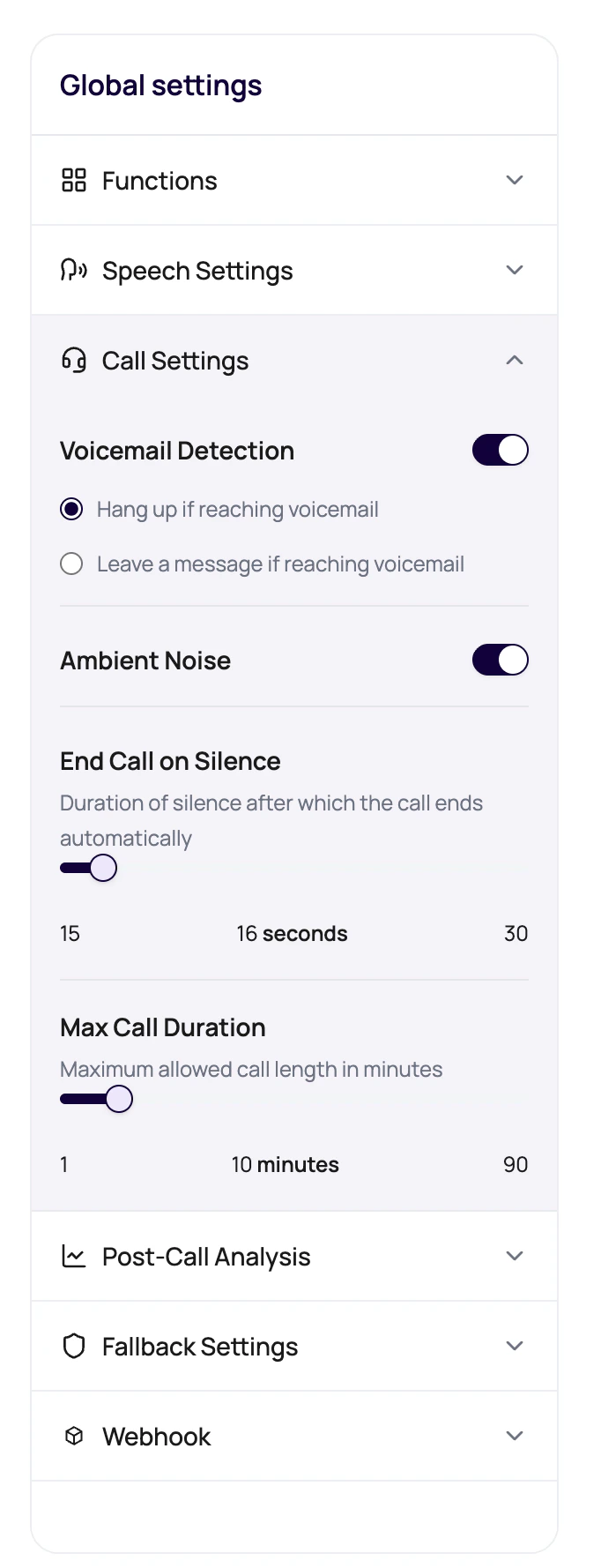
Decide whether voicemail should receive a message, route to a retry, or end without a message. Prepare a short approved voicemail message and test recipient numbers with known voicemail behavior.What Voicemail Detection Supports
DialNexa voicemail detection recognizes some automated call paths and applies your hangup or leave-message settings. It does not treat every device that can record a message the same way.If a call reaches an answering machine, DialNexa may not classify it as voicemail. Test numbers from your target list before you launch a batch campaign.
Voicemail Options
Voicemail behavior is configured per agent version.Prepare Voicemail For A Campaign
1
Decide whether voicemail is useful
For some reminders, leaving a short message is useful. For other use cases, hanging up is cleaner.
2
Keep the message short
Voicemail should identify the reason for the call without sounding like a full script.
3
Check variables
Add fallback values for every placeholder used in the voicemail message.
4
Test with a voicemail inbox
Confirm the message sounds natural when recorded.
Voicemail Problems
Message says a placeholder
Message says a placeholder
Add or fix the default dynamic variable.
Voicemail gets long
Voicemail gets long
Move details into follow-up channels and keep voicemail concise.
Wrong behavior for campaigns
Wrong behavior for campaigns
Check hangup versus leave-message selection before batch launch.