

Before You Begin
Confirm the document is current, permitted for agent use, readable without missing context, and free of secrets or content the agent should not disclose.Manage DialNexa Knowledge Base Documents
These actions keep knowledge content current.Knowledge Base Page Actions
The Knowledge Base page shows workspace knowledge bases in the sidebar. Selecting a knowledge base opens its details, document list, and actions.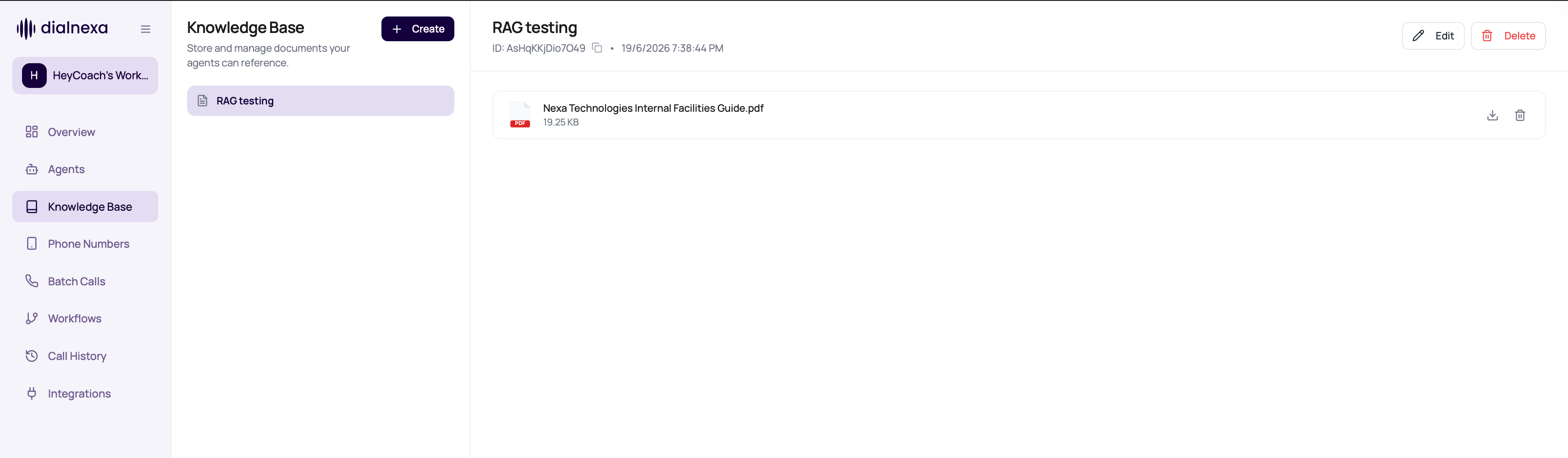
Knowledge base deletion is blocked while any agent still references it in the current draft or latest published version. The conflict response lists the affected agent IDs. Remove the knowledge base from those agent versions, publish any replacement draft when needed, then retry deletion.
Wait For Document Processing
An accepted upload is not yet ready for retrieval. DialNexa processes and indexes the document after accepting the file. Keep the Knowledge Base page open until processing finishes before relying on the document in agent answers.
The visible page refreshes processing status about every five seconds. Background tabs pause these checks and refresh when you return. A tab that has been hidden may therefore show an older state briefly.
Record any failure message before reloading or leaving the page. Upload notifications are tracked in the tab that started the upload and may not remain after a reload. If a document disappears after a failed upload, do not assume it is available to the agent. Review document formats and limits, correct the cause, and upload the corrected file.
Maintain Knowledge Quality
1
Review content owner
Know who approves each document.
2
Replace stale documents
Update or delete documents when policies change.
3
Check affected agents before deletion
Review the affected agent IDs before deleting a knowledge base. Unlink the knowledge base from each current draft or latest published version first.
4
Retest agent answers
Ask questions covered by changed documents.
5
Use call evidence
If the agent answered incorrectly, compare transcript and knowledge content.
Document Management Mistakes
Uploading duplicates
Uploading duplicates
Duplicate content can confuse review and maintenance.
Deleting without retesting
Deleting without retesting
The agent may lose an answer path.
Using vague titles
Using vague titles
Reviewers need to know what each document contains.
Ignoring source
Ignoring source
Add source labels when documents come from different teams or systems.