

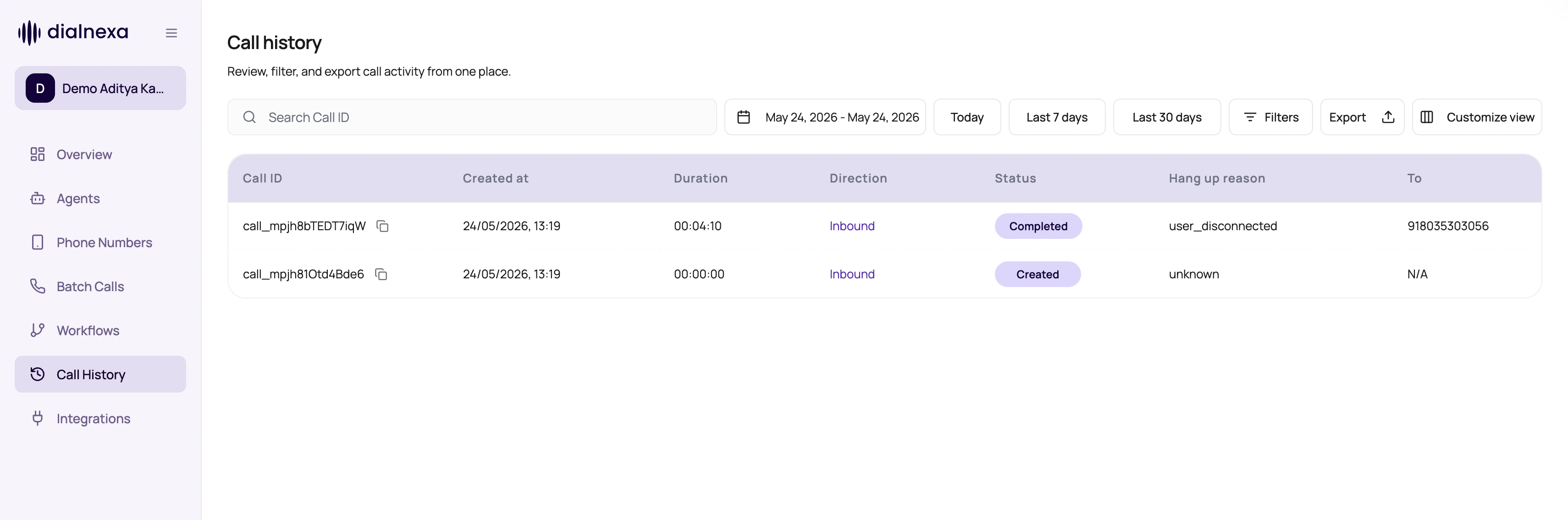
Call History Controls
These controls shape the visible call set.Filter And Detail Controls
Call History is built for repeated investigation work. Use the newer controls to keep the table and detail drawer focused.Filter IVR Calls And Lead Tags
Open Filters > Agent type. Under Dynamic, choose Single Prompt Agent, Conversational Flow Agent, or Speech to Speech Agent. Under Static, choose IVR Agent. IVR results include calls that remained in the menu and calls handed to a conversational agent. Remove the filter to see all types. Call type is a separate filter for the kind of call, rather than the kind of agent that handled it.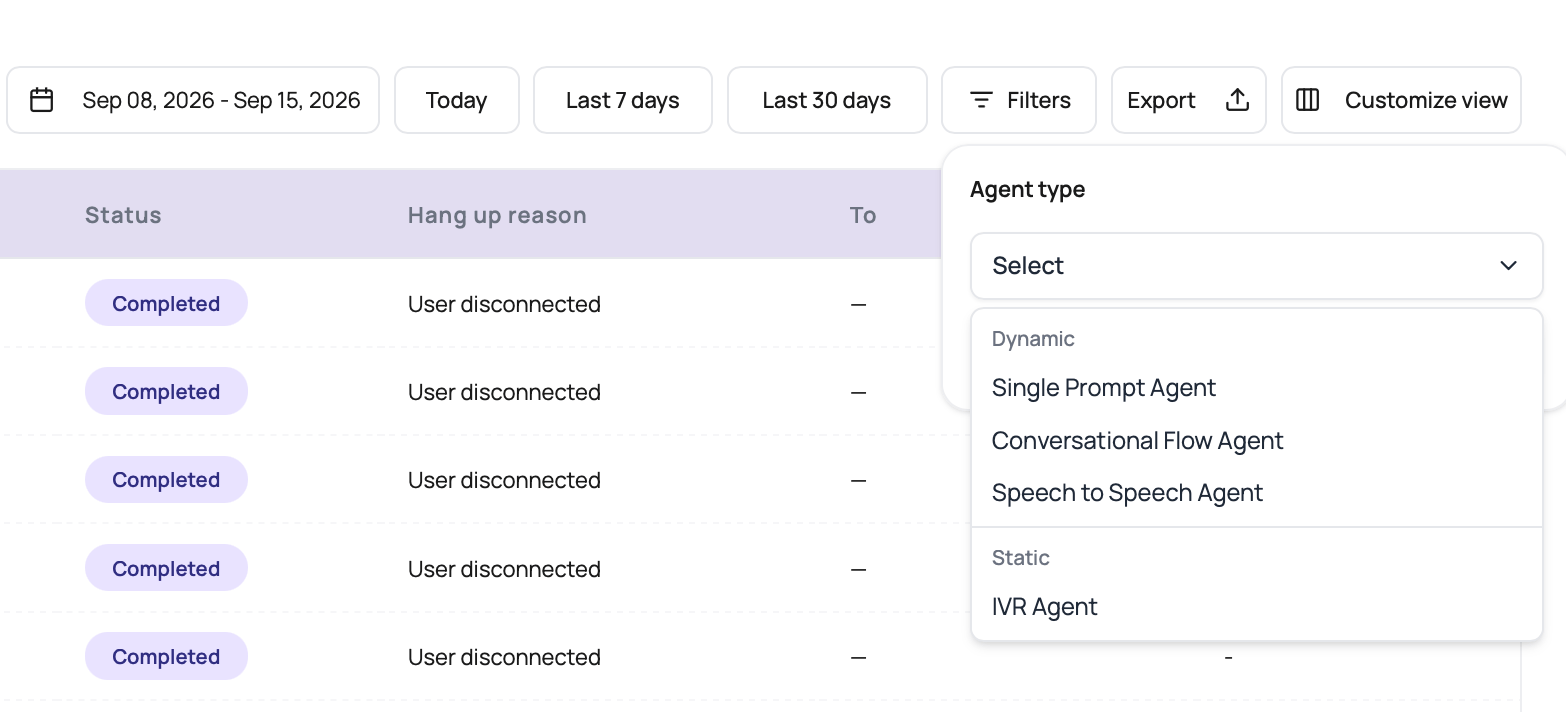
agent_type, tags, and tags_match. The existing is_ivr filter remains supported. See List Calls by agent type.
Review Transfer Outcomes In DialNexa Call History
Open Customize view when transfer performance needs to be visible in the table. The four transfer columns answer different questions:
Calls that never reached a transfer do not have transfer data, so the table shows a dash. Open the call detail page when you need leg-by-leg timing, failure reasons, or the original conversation context.
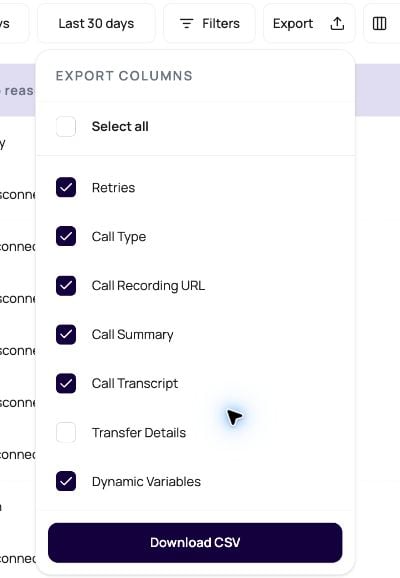
To include transfer fields in a CSV, open Export and select Transfer Details. That single option expands into the same four transfer columns in the downloaded file. Calls without a transfer use
NA in those CSV fields.
Call Status Filters
Call History status filters use call log statuses. In-progress statuses show calls that are still waiting for provider or runtime updates. Final statuses are ready for outcome review and export.Hang Up Reason Filters
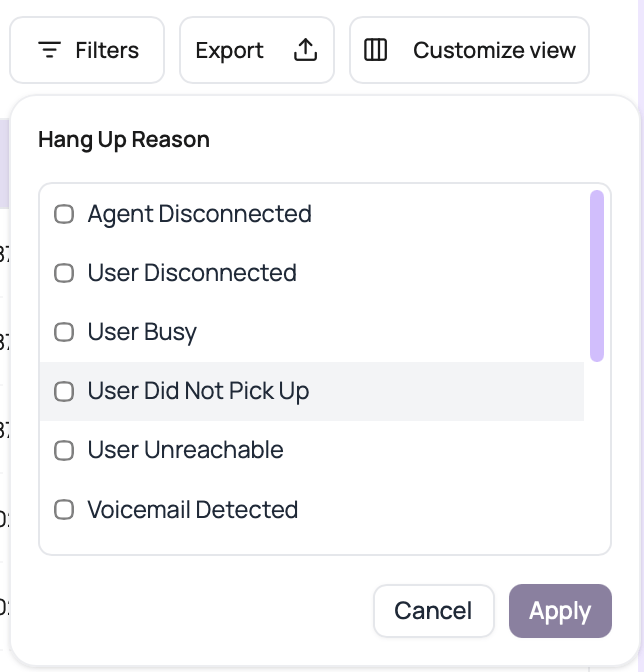
Use the Hang Up Reason filter when status is too broad. It filters the storedend_reason value, so it is useful for separating user behavior from route, wallet, and provider problems.
Batch-Aware Monitoring
Call History also supports campaign review.Batch id filter
Live updates
Status exports
Retry expansion
Call History Confusions
A call disappeared after filtering
A call disappeared after filtering
Clear filters or search by exact call id.
Date range seems ignored
Date range seems ignored
Call id search intentionally bypasses date and other filters.
Campaign keeps refreshing
Campaign keeps refreshing
Live updating is enabled while the batch campaign is running or waiting.
Duration sort looks odd
Duration sort looks odd
Confirm whether you are sorting duration or created time.
The export is over the row limit
The export is over the row limit
Narrow the date range or add filters. If you do not need conversation text, clear both Call Transcript and Call Summary to raise the single-export limit from
5,000 to 10,000 rows.Transfer columns are blank
Transfer columns are blank
A dash means the call has no stored transfer object. Confirm that the agent reached a transfer action, then open the call detail page to review the transfer tab and leg evidence.