

Mixed-language callers do not wait for your architecture diagram. They switch languages because that is how they speak. The agent should keep up.
DialNexa Multilingual And Hinglish Call Stack
Language Selection Details
The dashboard sorts English first, Hindi second, Indian languages next, and then other languages alphabetically. That ordering keeps common India-focused Voice AI setups close to the top without hiding other supported languages.Short Replies Keep The Conversation Language
Short replies such as “good morning” or “no, thank you” do not by themselves force an established Hindi conversation into English. Turns of up to three syllables carry forward the previous language decision. Test a complete sentence when checking an intended language switch, and make sure the new language is configured for the agent.Soniox Versus Deepgram For Multilingual Calls
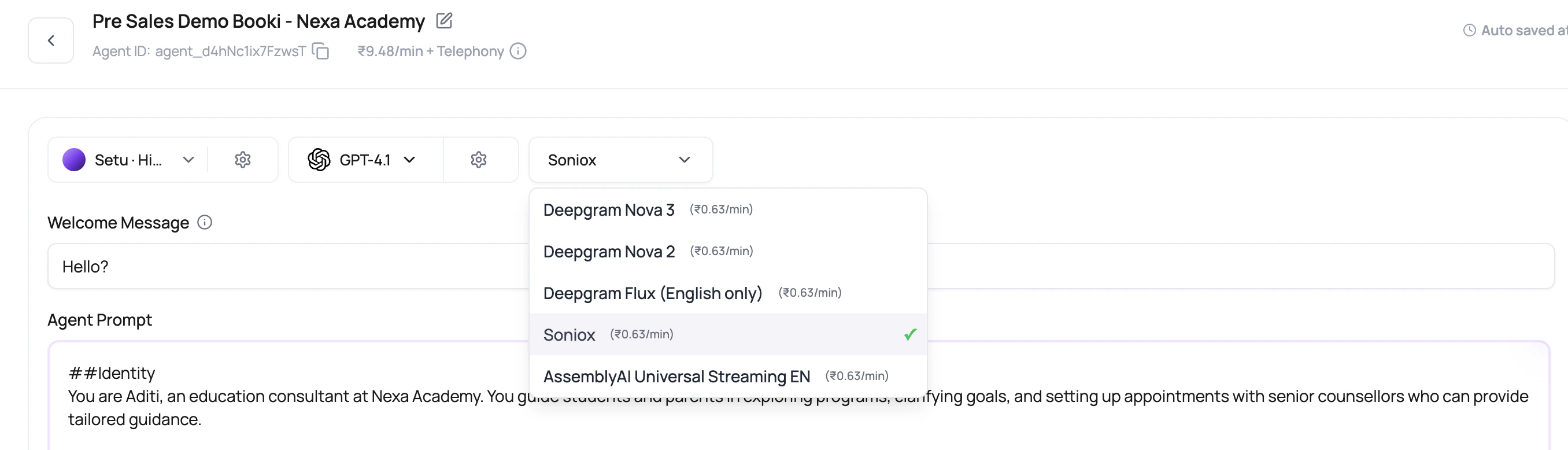
For Hindi-English agents, DialNexa sends Soniox the valid language hints
en and hi. It does not send combined hint codes such as hi-en. For supported single-language Soniox calls, DialNexa sends the selected language code together with English. For broad or unsupported language choices, it avoids strict hints instead of passing an invalid code.
Deepgram Flux multilingual uses repeated language hints rather than one combined language value. When the selected language is Hindi-English, DialNexa derives hi and en hints. When a language is unsupported or intentionally broad, Flux can run without strict hints and let the provider auto-detect among supported languages.
Requests To Switch Language
Configure the primary language and up to three secondary languages before testing language changes. With a supported configured language, the agent can follow an explicit request such as “Please speak Hindi” and keep that reply language until the caller asks otherwise. A request does not add a new language to the configured voice or transcriber. If the caller uses an unsupported language, the agent falls back to its primary language and can explain which languages it supports. Test this with your real prompt, voice, and caller phrases rather than assuming every language can be detected correctly. Questions about the agent’s identity or supported languages are allowed even when unrelated topics are restricted.Test Numbers In Multilingual Replies
Number speech now uses language-aware conversion for Hindi, Kannada, Marathi, Gujarati, Bengali, Telugu, and Tamil, with Punjabi using the Hindi number tables. Test dates, times, currency amounts, phone numbers, and one-time codes separately. Phone numbers and codes should be spoken digit by digit; preserve identifiers and email addresses rather than rewriting them into ordinary number words. For Soniox, English is included alongside configured language hints to help with mixed vocabulary. Language hints improve recognition but do not expand the languages your voice is configured to speak.Hinglish Map
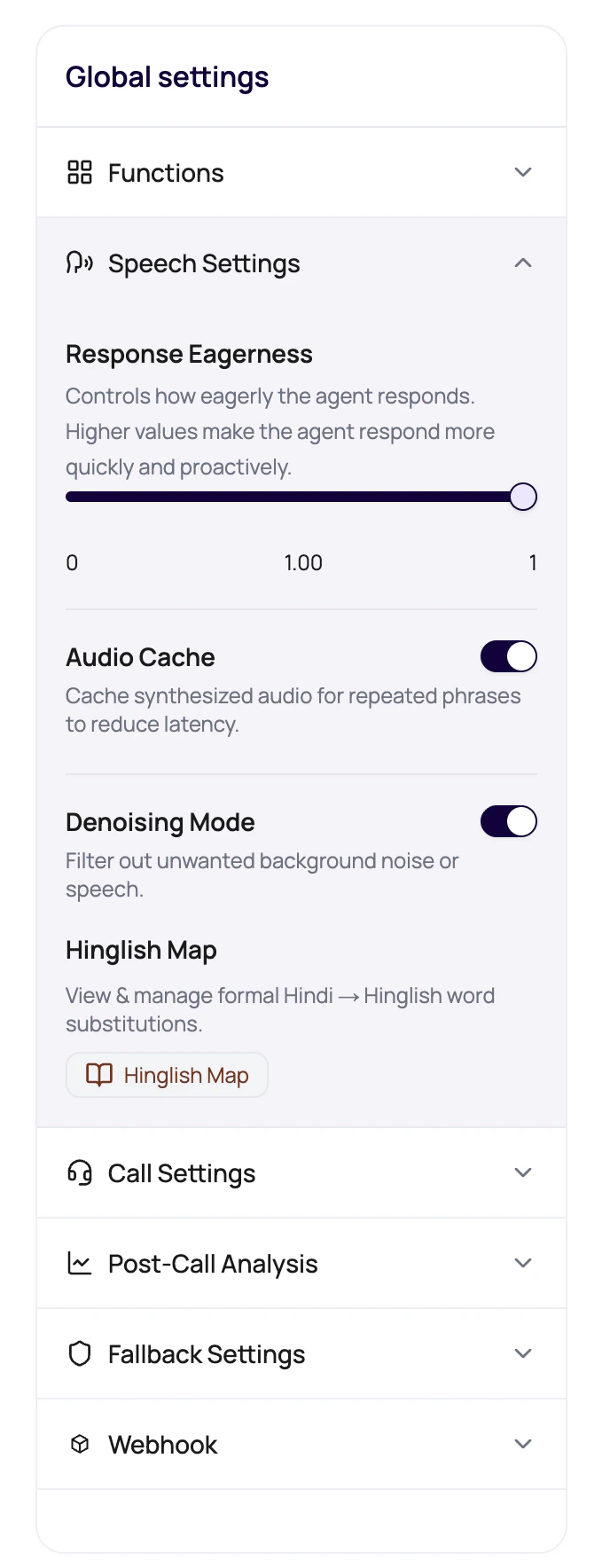
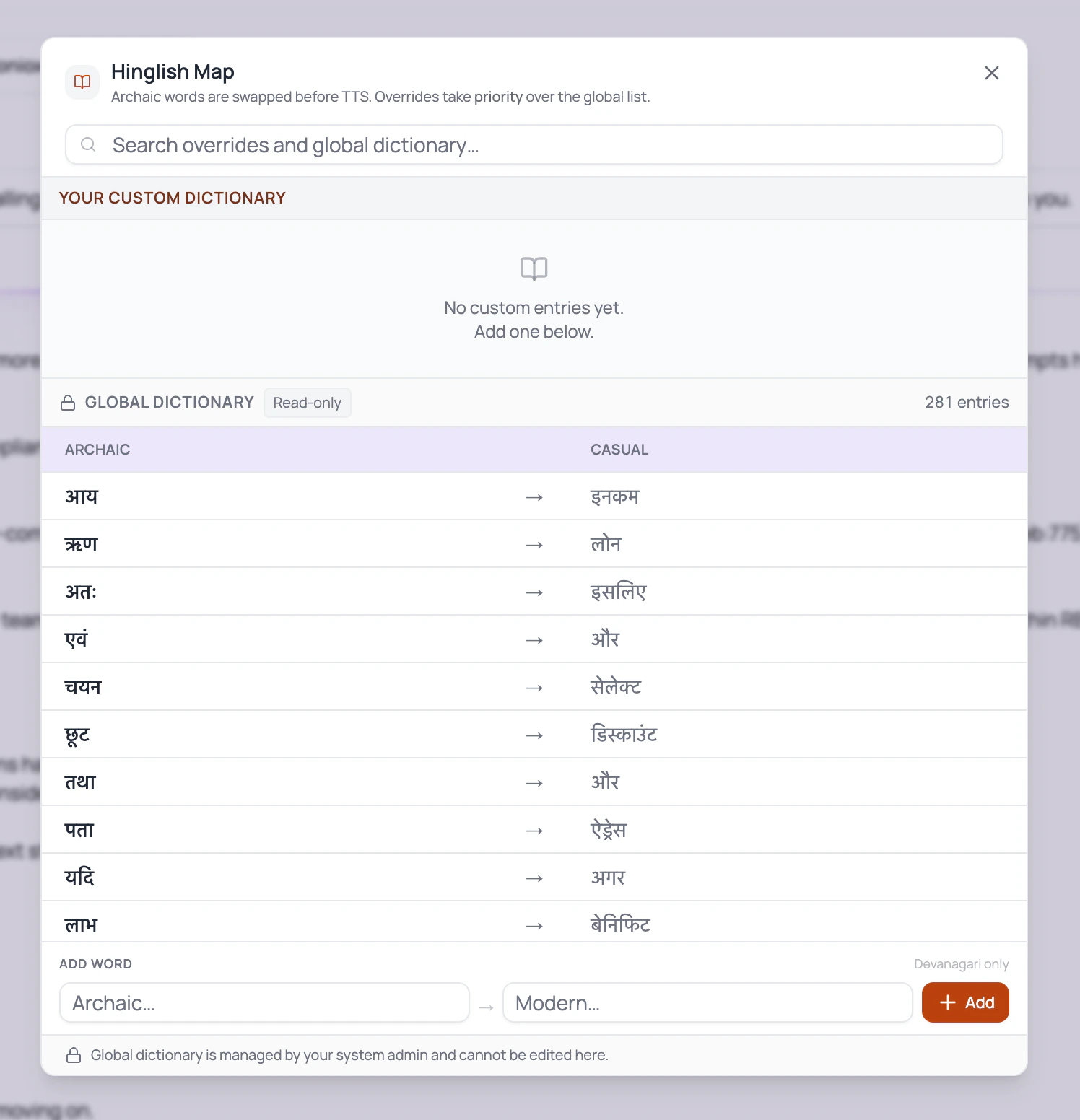
Hinglish Map is for phrasing, not translation of the whole agent. Use it to replace formal Hindi terms with natural mixed-language words that your callers actually use. Language tracking runs independently of whether you added Hinglish Map entries. DialNexa uses the selected languages and available transcript-language evidence to guide each reply. For Hindi-English configurations, this includes English, Devanagari Hindi, Romanized Hindi, and mixed Hinglish. Formal-Hindi substitutions apply when Hindi or Hinglish is selected and the reply is Hindi or Hinglish. They do not rewrite an English reply or activate simply because a dictionary exists. The language sent to a compatible speech provider follows the reply language, which may differ from the caller’s language when your agent cannot support the requested language.Language tracking helps the agent choose the response style. It does not change the selected TTS voice. Use a voice that can speak the language and script you expect callers to use.
Write Prompts For Mixed Language
1
Name the expected language behavior
Tell the agent whether it should start in Hinglish, mirror the caller, or stay mostly English with Hindi support.
2
Include sample caller phrases
Add phrases that callers actually say, including short replies, local terms, city names, and English product words.
3
Include sample agent replies
Show the tone you want. One good example can prevent twenty awkward formal sentences.
4
Protect important terms
Keep legal, medical, financial, or compliance terms precise. Natural language is good. Sloppy meaning is not.
Review Checklist
Common Multilingual Mistakes
Prompt is English only
Prompt is English only
The model may answer in English even when the caller expects Hinglish. Add explicit language instructions and examples.
Voice sounds formal
Voice sounds formal
Use Hinglish Map and test another voice or model. The selected speaker matters as much as the text.
Variables are not language-aware
Variables are not language-aware
A city, plan, date, or payment amount injected through variables may need wording around it so it sounds natural.
Post-call fields depend on translated wording
Post-call fields depend on translated wording
Field descriptions should describe the business meaning, not the exact language used during the call.