Before You Begin
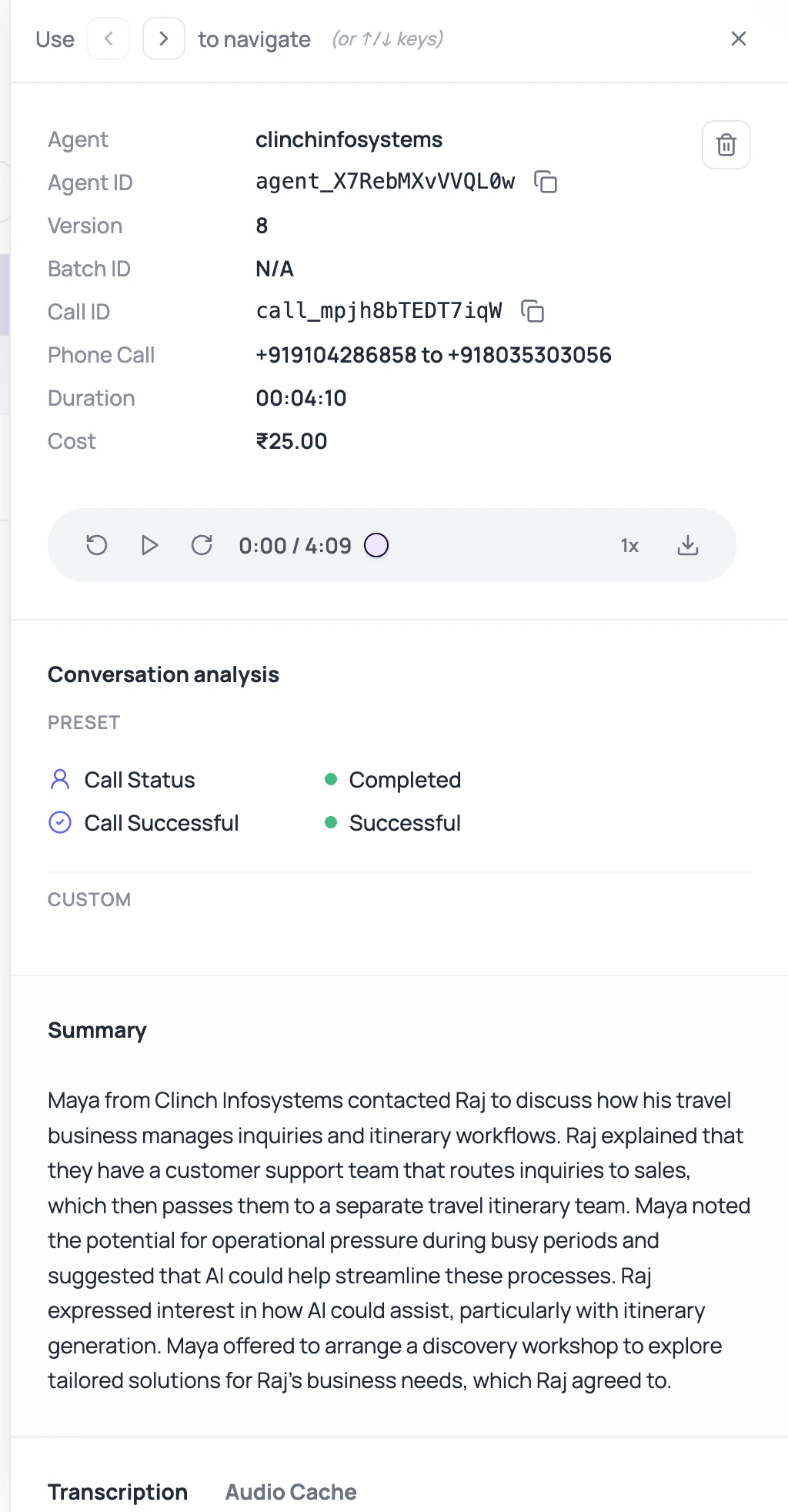
Open a specific call from Call History and know what you are trying to explain: routing, conversation quality, outcome, transfer, retry, extracted field, or cost.DialNexa Call Detail Page Sections
| Section | Question it answers |
|---|---|
| Header and metadata | Which call, agent, status, duration, and cost are we reviewing? |
| Audio player | What did the caller and agent actually sound like? |
| Summary | What was the short outcome of the call? |
| Custom fields | What did post-call analysis extract from the call, including typed fields such as DateTime values? |
| Transcription tab | What did the live or accurate transcript say? |
| Transfers tab | Did the agent attempt a human handoff and what happened? |
| Audio Cache tab | Did repeated speech use cached audio or create new entries? |
Transcript Tabs
| Tab | Use it when |
|---|---|
| Live Transcript | Debug what the agent heard before replying. Best for interruptions and timing issues. |
| Accurate Transcript | Review cleaner post-call transcript text where available. Best for audits and summaries. |
Useful Actions
Download recording
Download audio when available and allowed.
Copy transcript
Copy transcript text for review.
Annotate turn
Create prompt improvement notes from a specific transcript turn.
Review One Call Thoroughly
Compare transcript and recording
Spot transcription errors, interruptions, overlap, noise, or silence.
Check extracted fields
Confirm structured outputs match what happened in the call. DateTime fields can be shown as readable dates and times while keeping ISO 8601 values for exports.
Verify Your Call Review
Before closing the investigation, record the call id, agent version, route, final status, end reason, evidence supporting the conclusion, and the owner of any follow-up.Related Reading
Transcripts And Recordings
Review audio and text.
Post-Call Results
Read extracted values.
Retries Transfers And Audio Cache
Inspect special call behavior.