

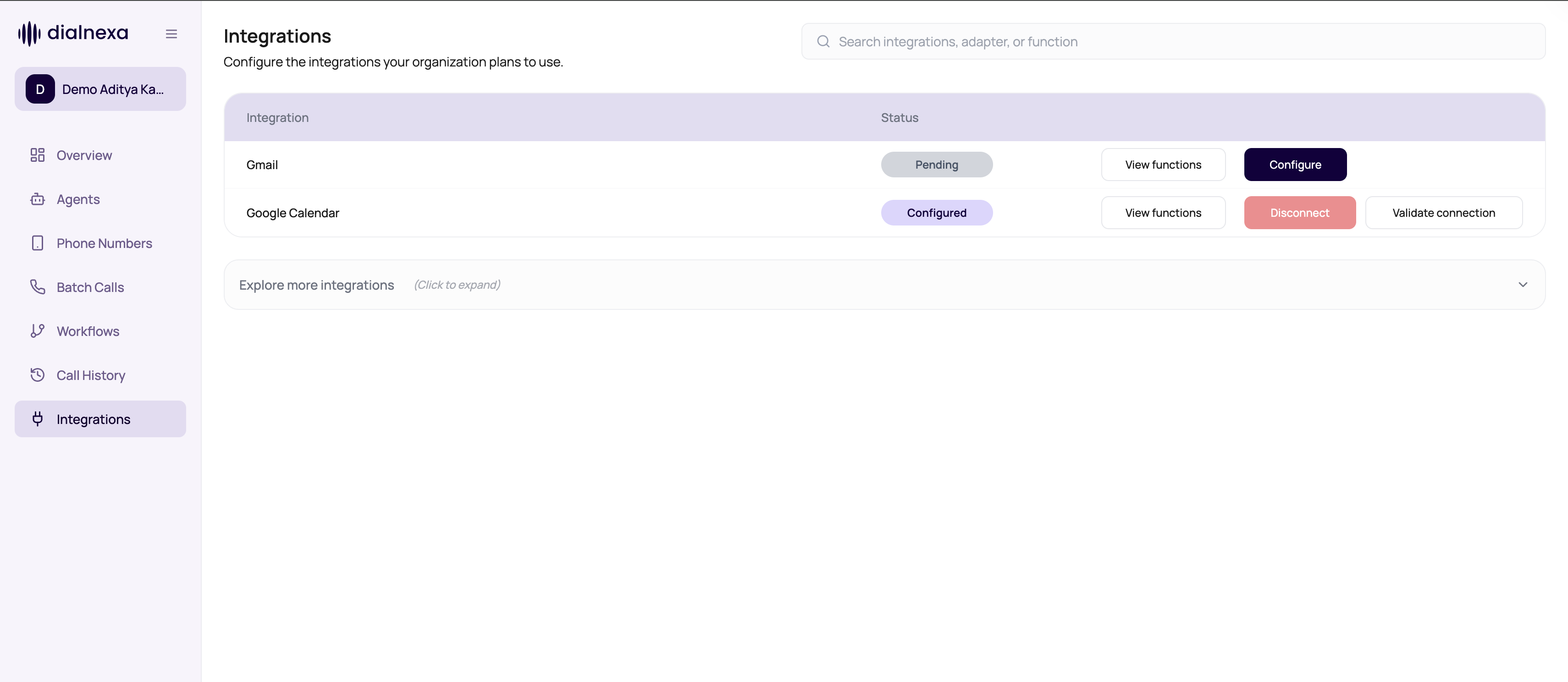
The Integrations page in your workspace is the source of truth for current availability. A public catalog page does not guarantee that a provider or action is enabled for your organization.
DialNexa Integration Availability
DialNexa integrations can be native, workspace-enabled cloud connections, or catalog guidance. Check the provider row and supported functions in the dashboard before designing a production workflow. | Availability type | What it means | How to verify | | --- | --- | --- | --- | | Native dashboard support | DialNexa provides a first-class connection and action path. Wati and Resend are the documented native examples. | Find the provider in Integrations, connect it, and inspect supported functions. | | Workspace-enabled cloud provider | The provider and actions appear only when enabled for your organization and adapter. | Use the provider row and View functions in your workspace. | | Public catalog guidance | The page explains possible voice AI workflow patterns. It does not prove availability or an exact action contract. | Check the dashboard before relying on the page. | | Requested integration | The provider or required action is not currently available to your workspace. | Submit the provider, action, inputs, trigger, result, and failure behavior. | For planning ideas, browse the Integration Catalog. Treat the dashboard’s current provider and function list as authoritative for implementation.Integration Concepts
Where Integrations Are Used
Workflow Application nodes
Agent functions
Connection validation
Invocation review
Voice AI provider selection
Integration catalog
Voice Call Examples
These examples depend on the providers and actions enabled in your workspace.Integration Decision Guide
Use An Integration Safely
1
Connect credentials
Enter required fields or complete the hosted connection flow.
2
Validate connection
Confirm the provider accepts the credentials before wiring production workflows.
3
Map action fields
Use lead variables, call attributes, or static values for every required input.
4
Wire success and failure
Workflows should handle both outcomes. Provider errors, missing fields, and timeouts need an explicit failure path.
5
Review invocation evidence
Use redacted payloads, missing fields, provider errors, message ids, and latency to fix issues.