

Who This Is For
Use this page before you create or rebuild an agent. It helps product owners, operations teams, and developers decide which agent structure fits the call goal, compliance requirements, latency target, and debugging workflow.Types Of DialNexa Agents At A Glance
Choose An Agent Type In The Dashboard
Open Agents and select Create agent. The guided Agent Builder appears first. Choose it when you want DialNexa to build a structured draft from your answers, or select Manual Build to choose a type manually. In manual creation:- The type screen shows Single Prompt, Conversational Flow, and Speech to Speech cards.
- Select Show the IVR agent under Need a classic keypad menu? to reveal the IVR Agent card, marked Beta.
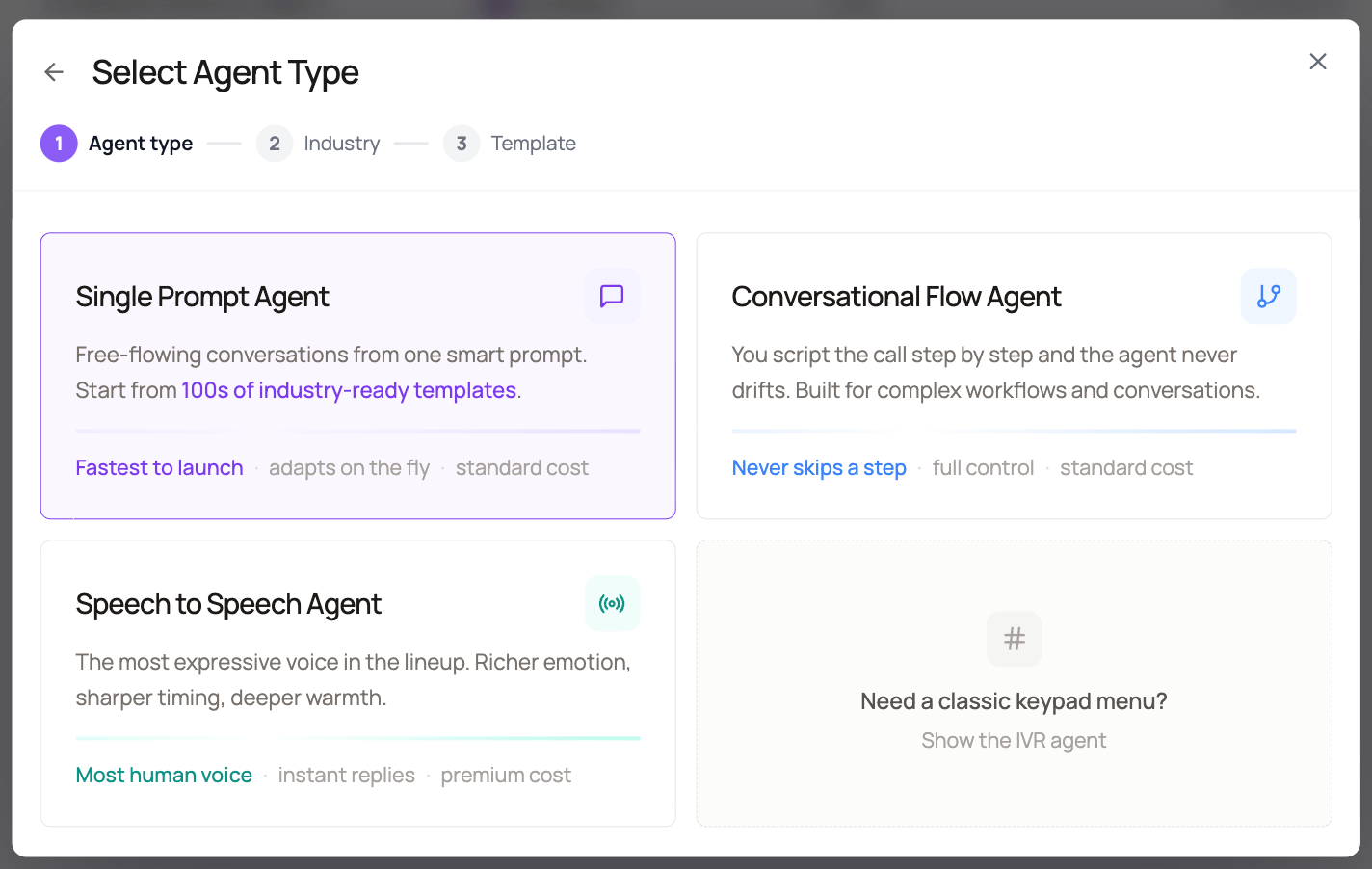
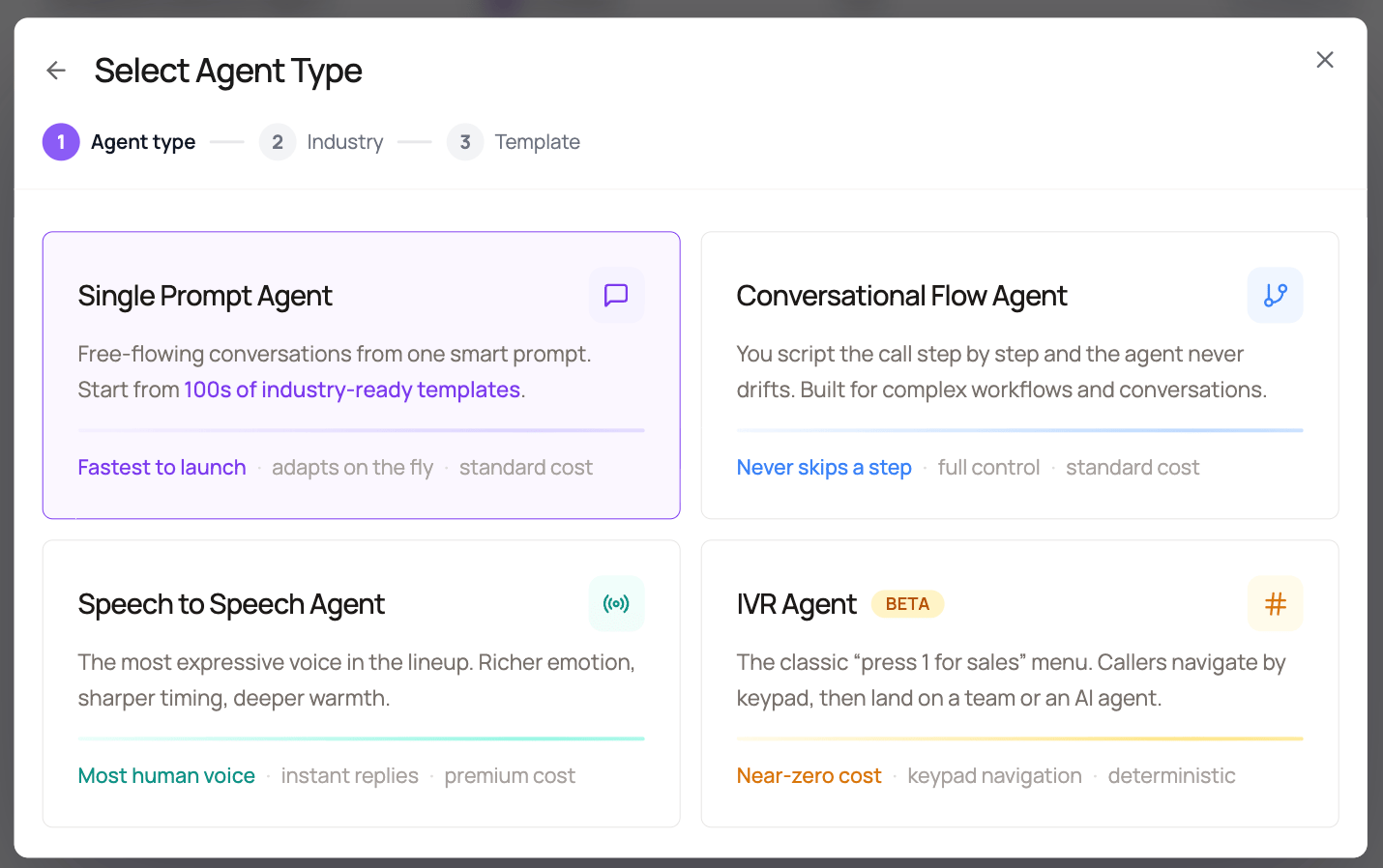
- Selecting IVR creates a blank IVR draft directly because IVR does not use conversational templates.
Choose IVR Agents For Keypad Routing
An IVR Agent gives callers a predictable keypad menu before a conversational agent takes over. It can speak static prompts, route0 to 9, *, and #, collect a digit sequence, connect the current call to another published agent, or hang up.
IVR Agents are available through Manual Build > Show the IVR agent in every workspace and are currently marked Beta. They do not use an LLM, transcriber, tools, or knowledge base while the caller is in the menu. See Build IVR Agents for graph rules, publishing, testing, and billing behavior.
Choose Single Prompt Agents For Focused Calls
A Single Prompt Agent is the fastest way to build a production voice agent when the call has one main outcome. The prompt explains the role, goal, boundaries, call flow, tool usage, and closing behavior. Good use cases include:- Appointment reminders
- Payment nudges
- Lead qualification with one simple script
- Feedback collection
- Support intake where the agent collects details and creates a follow-up
Choose Conversational Flow Agents For Explicit Paths
A Conversational Flow Agent is the right structure when the conversation needs a visual map. Each node can have its own prompt, branch rules, function calls, transfer behavior, and ending. Use a flow when:- Compliance requires a specific disclosure at a specific point
- The caller’s answer must move to a defined next step
- Different paths need different transfer destinations or handoff context
- Your team needs to review the call path visually
- Debugging requires node-level history instead of prompt-level reasoning
Choose Speech To Speech Agents For Realtime Voice
A Speech to Speech Agent uses a realtime speech model instead of a cascaded speech to text, text LLM, and text to speech pipeline. This can reduce turn latency because the model processes audio and returns audio directly. DialNexa supports Speech to Speech model paths such as OpenAI realtime models and Gemini models where they are enabled for your workspace. Use the dashboard model selector and pricing preview as the source of truth for the models available to your account. Speech to Speech is a good fit when:- Callers interrupt often and fast turn taking matters
- You are testing web calls where first audio timing is very visible
- You want to compare OpenAI realtime behavior against Gemini realtime behavior
- The call can accept the realtime model’s voice and model constraints
How To Decide
1
Write the call outcome first
Define what the call should accomplish, what result should be stored, and what should happen next.
2
Estimate the branching complexity
If the path is mostly linear, start with Single Prompt. If the caller can move through many defined states, start with Conversational Flow.
3
Decide how much stack control you need
If you need separate transcriber, TTS, Audio Cache, and fallback STT controls, use a cascaded Single Prompt or Conversational Flow setup. If realtime turn taking is more important, test Speech to Speech.
4
Test the hardest caller behavior
Use interruptions, silence, wrong-person responses, objections, and missing variables before publishing.
5
Publish and route intentionally
A draft agent does not receive live traffic until you publish a version and assign it to a phone number, workflow, batch call, or web call.
Common Selection Mistakes
Using one huge prompt for a multi-stage script
Using one huge prompt for a multi-stage script
If the prompt contains many numbered branches, transfer paths, and exception rules, the user experience will usually be easier to control in a Conversational Flow Agent.
Choosing a flow for a simple reminder
Choosing a flow for a simple reminder
A simple reminder or survey often works better as a Single Prompt Agent. Avoid node complexity when one clear prompt and post-call fields can do the job.
Comparing Speech to Speech against a cascaded stack unfairly
Comparing Speech to Speech against a cascaded stack unfairly
Keep the prompt, route, caller script, and test conditions the same. Otherwise you are comparing the setup, not the model path.
Publishing before assigning the route
Publishing before assigning the route
Publishing creates a version. It does not automatically move every phone number, batch, workflow, or web call to that version.
Recap
Choose Single Prompt when one instruction set can complete the call. Choose Conversational Flow when the path must be explicit and reviewable. Choose Speech to Speech when realtime turn taking is the main reason to change the stack. Choose IVR Agent when the caller should use a keypad menu before any conversational handoff.Related Pages
Single Prompt Agents
Build one prompt around one clear call objective.
Conversational Flow Agents
Build explicit call paths with nodes and branches.
Speech To Speech Agents
Configure OpenAI realtime and Gemini Speech to Speech model paths.
IVR Agents
Build keypad menus and hand callers to a published agent.
Languages Voices Models And Transcribers
Choose the conversation stack for the selected agent type.