

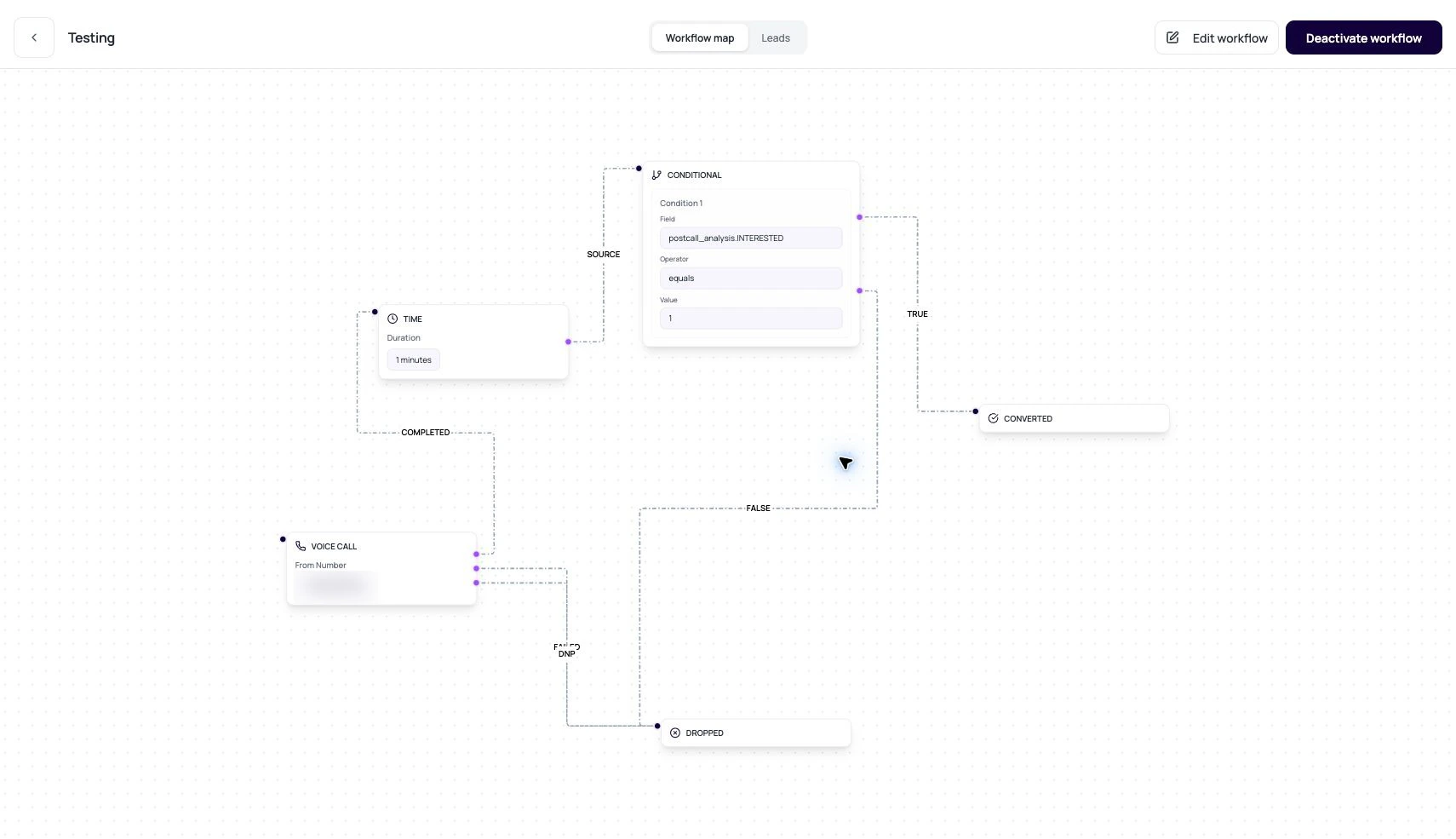
The canvas is the drawing. The config is the contract. Review both.
DialNexa Workflow Builder Concepts And Data Model
These fields explain what the builder stores.Outputs Are The Important Part
Outputs decide where a lead moves next.Voice Call outputs
Condition outputs
Time output
Application outputs
Custom Function outputs
Review A Builder Graph
1
Scan terminal states
Every path should be able to end in converted, dropped, or another intentional final path.
2
Check node configs
Open each node and read settings, not just labels.
3
Check edges by label
A completed call should not route to the failed path by accident.
4
Validate before activation
Use workflow validation and small lead samples before activating.