
Inquiry Form Template: A Strategic Blueprint for Executive-Level Lead Capture
An inquiry form template isn't just a set of fields on a webpage; it’s the structured beginning of a strategic relationship. For a C-suite executive, it's the first and most critical tool for transforming a visitor's casual interest into actionable business intelligence that directly impacts the bottom line.
Why Your Generic Inquiry Form Is a Conversion Killer
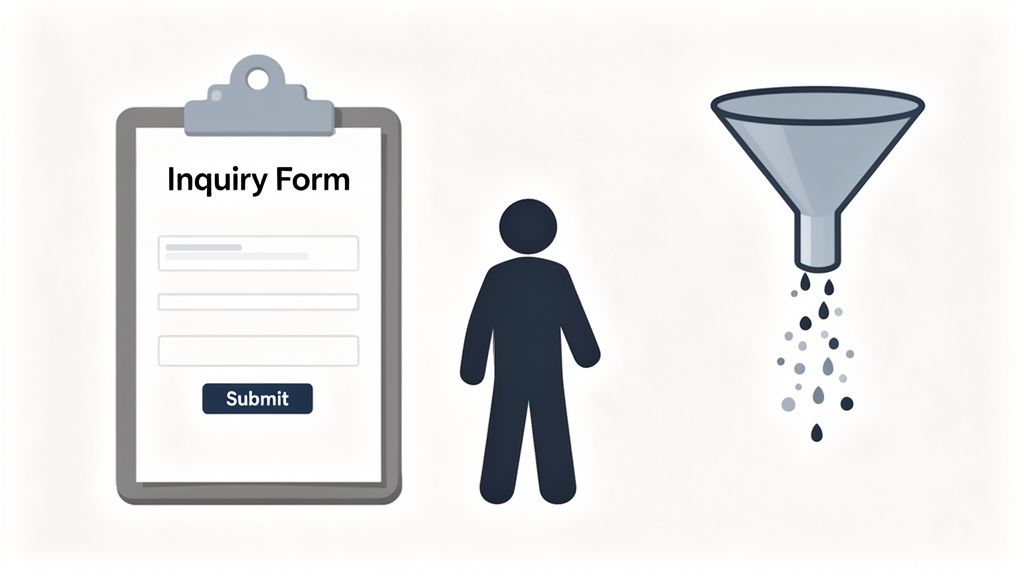
Let’s get straight to the point: that standard, out-of-the-box inquiry form on your website is actively costing you leads. It's a hard truth. In a market where 90% of customers expect an immediate response, a clunky or generic form creates friction, and that friction leads directly to lost revenue.
Many business leaders I’ve worked with initially see their forms as a simple utility, a box to be ticked. But it's a strategic touchpoint. Every single field you add increases the chance a potential customer will abandon the process. The data is clear: trimming a form from 11 fields down to just 4 can boost conversions by an incredible 120%. For a VP of Marketing, this isn't just about getting more submissions; it’s about optimizing the conversion funnel to maximize ROI on marketing spend.
The Real Business Cost of Form Friction
From a leadership perspective, the problem goes far beyond a few lost leads. A poorly designed form damages your brand's perception from the very first interaction and silently inflates your cost-per-acquisition (CPA). If your marketing spend is bringing people to your site only for them to drop off before even talking to you, that budget is being wasted.
A strategically crafted inquiry form template transforms a leaky lead funnel into a high-efficiency conversion engine. It’s your first opportunity to demonstrate that you value your customer's time and are organised enough to handle their business professionally.
This level of efficiency is vital for scaling up. Take India's contact centre as a service (CCaaS) market, which relies heavily on efficient inquiry management. It generated a robust USD 229.5 million in 2024 and is projected to skyrocket to USD 821.7 million by 2030. This growth is fuelled by a need for speed, which starts the moment a customer hits 'submit'. You can explore more insights on this rapidly expanding market to understand its reliance on streamlined interactions.
Shifting from Data Collection to Lead Qualification
A high-performing inquiry form isn't a passive data collector; it's an active qualifier. It's designed with intent, asking just enough to qualify and route a lead correctly without overwhelming the user.
For any executive focused on the bottom line, the business case for optimising your forms is compelling. Small changes to your form fields have a direct and measurable impact on crucial business metrics.
How Form Field Optimization Impacts Business Metrics
This table showcases the direct impact of specific form field changes on key lead generation metrics, providing executives with a clear business case for optimisation.
| Optimization Tactic | Average Lead Abandonment Rate Reduction | Average Improvement in Lead Quality Score | Applicable Industry |
|---|---|---|---|
| Reducing total fields to 5 or less | 30-40% | 10-15% | E-commerce, EdTech |
| Implementing conditional logic | 15-20% | 25-30% | BFSI, Healthcare |
| Using dropdowns instead of open text | 10-15% | 5-10% | Real Estate, SaaS |
| Adding an autofill/address lookup API | 20-25% | 5% | All |
The data speaks for itself. Investing time in form design directly translates to better leads and a healthier sales pipeline.
Here’s what that really means from a VP's standpoint:
- Higher Lead Quality: A well-designed form pre-qualifies leads with one or two strategic questions. This ensures your sales team spends their valuable time engaging with high-intent prospects, not chasing dead ends. For example, a financial services form that asks "What is your primary investment goal?" immediately segments leads for wealth managers vs. retirement planners, increasing sales efficiency by an estimated 20-30%.
- Lower Cost-Per-Acquisition (CPA): When you increase the conversion rate on your existing website traffic, you inherently lower the cost of acquiring each new customer. If a company spends $100,000 on ads to get 10,000 visitors and converts 100 leads (1% rate), the CPA is $1,000. Improving the form to convert at 2% doubles the leads to 200 and cuts the CPA in half to $500, without any additional ad spend.
- Accelerated Speed-to-Lead: When forms are integrated with automation, a new lead can be routed to the right agent in minutes. This speed dramatically improves your chances of winning the business. Studies by Harvard Business Review show that firms that contact potential customers within an hour of receiving a query are nearly 7 times as likely to have a meaningful conversation with a key decision-maker.
The objective is clear. It’s time to stop thinking of your inquiry form as a passive data field and start seeing it for what it is: an active engagement tool and a primary driver of your lead generation strategy.
The Anatomy of a High-Converting Inquiry Form
Let's move past the generic advice. A high-converting inquiry form isn't just a list of questions; it's a strategic touchpoint designed around user psychology. For leaders, optimising this journey is a direct path to revenue, often boosting quality submissions by over 50%. A smooth, intuitive form respects your prospect's time and, more importantly, delivers clean, high-intent data to your teams.
The guiding principle here is simple: reduce the mental effort required. This is rooted in Hick's Law, a core design concept which states that the more choices you present, the longer it takes to make a decision. An inquiry form with ten fields, even if five are optional, forces a user to make ten micro-decisions. That friction is a major reason people abandon forms.
Single-Step vs Multi-Step Forms
One of the most common debates I hear among marketing leaders is whether to use a single-page layout or break it into a multi-step process. While the old wisdom often championed short, single-page forms, our experience shows a more complex picture.
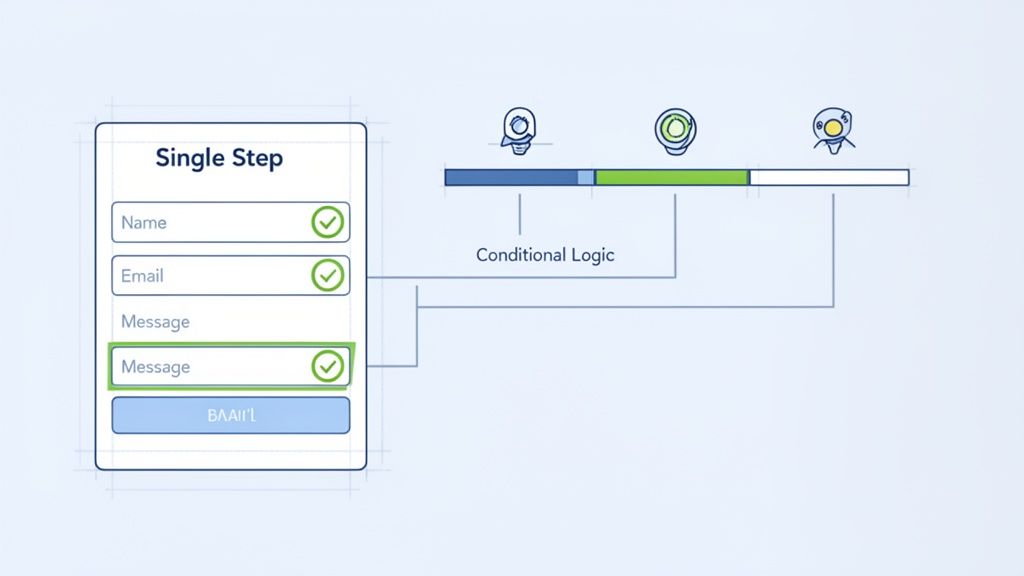
Single-Step Forms: These are perfect for low-commitment actions like a newsletter sign-up. They work best when you only need two or three pieces of information, like a name and email.
Multi-Step Forms: For more complex inquiries, such as project quotes or mortgage applications, these are vastly more effective. They tap into a psychological principle called the Zeigarnik effect—our natural urge to finish what we've started.
By showing a progress bar and splitting a long form into smaller, manageable chunks, you build momentum. We saw this firsthand with a real estate client whose 9-field 'Book a Visit' form was underperforming. By switching to a 3-step process that first asked only for 'Property Type' and 'Location', they engaged users immediately and saw a 28% increase in completed forms.
The goal isn’t just to get the form filled out; it’s to start a conversation. A multi-step form feels more like a dialogue and less like an interrogation, which is critical for high-value B2B leads.
This guide on creating a high-converting legal client intake form dives even deeper into the specific elements that turn a standard form into a powerful conversion tool.
The Power of Conditional Logic
If there's one tool that can truly transform your inquiry form, it's conditional logic. It lets the form adapt in real-time based on how a user answers, showing only the fields that are relevant to them. This simple feature makes a massive difference in user experience and the quality of data you collect.
Take an EdTech inquiry form, for example. Instead of listing every course you offer, you can start with a single question: "What are you interested in studying?"
- If a user chooses 'Technology', the form can then ask about their 'Preferred Programming Language' and 'Experience Level'.
- If they select 'Business', it might instead show fields for 'Leadership Experience' and 'Career Goals'.
This kind of personalisation makes your prospects feel heard. A SaaS client of ours implemented conditional logic to split 'Sales Inquiry' from 'Support Request' at the very first step. This one change cut down their unqualified sales leads by 40% and drastically improved support response times by routing tickets to the right team instantly.
Optimising Form Fields and CTAs
Every single element on your form matters, right down to the labels and buttons. Placeholder text like 'Email' that disappears when someone starts typing is a common mistake that causes confusion. Always use clear, persistent labels that stay visible.
For fields like phone numbers, real-time validation is a must. Guide the user as they type instead of showing an error message only after they've hit submit. You can get really precise with this by learning how to properly format phone number fields. Our guide on using Regex for phone numbers offers some practical steps.
Finally, your call-to-action (CTA) button is the last, most important step. Our A/B tests consistently show that specific, value-driven text wins out over generic words every time.
| Button Copy A/B Test | Conversion Lift |
|---|---|
| "Submit" vs "Get My Free Quote" | +31% |
| "Send" vs "Schedule a Demo" | +24% |
| "Contact Us" vs "Talk to an Expert" | +18% |
These aren't just small copy changes; they are strategic decisions that reframe the value exchange. By designing with human psychology in mind, you can turn a simple form into one of your most effective conversion assets.
Industry-Specific Blueprints for High-Converting Inquiry Forms
Using a generic inquiry form is like having a one-size-fits-all key for every lock—it simply doesn't work. For business leaders, treating all inquiries the same is a massive missed opportunity. The context behind an inquiry is everything, and tailoring your forms to match specific industry needs is what truly separates a low-quality lead from a high-value prospect.
A smart inquiry form anticipates a user’s intent from their very first click. It’s not just about grabbing contact details; it’s about starting the right conversation, qualifying the lead on the spot, and routing it with precision. This level of strategic customisation is how you turn website traffic into real revenue.
This approach is becoming mission-critical. Service leaders in India, for example, are already dealing with a huge influx of inquiries. As of 2026, AI-powered inquiry forms are automating 30% of all incoming queries, a figure expected to jump to 50% in the next two years. For DialNexa's clients in EdTech and BFSI, these intelligent forms are not only ensuring compliant KYC guidance and program counselling but also cutting costs by up to 19% through AI-driven processes. You can see more on these service trends in India and how they're reshaping customer interactions.
So, let's get into the specifics of how to design these strategic templates for a few key industries.
EdTech: The Program Counselling Request
In the EdTech space, the first point of contact is rarely transactional. It's aspirational. A potential student isn't just buying a course; they're exploring a new career path or a lifelong passion. Your form needs to reflect that by focusing on their goals.
A basic "Name, Email, Message" form is a dead end. It forces the user to articulate complex needs in a blank text box, which often results in vague, unhelpful queries. A much better approach is a guided "Program Counselling Request" form.
What to ask for:
- Primary learning goal? (Use a dropdown: Career Change, Skill Upgradation, New Hobby)
- Which subject area interests you? (Dropdown: Technology, Business, Creative Arts)
- Current experience level? (Radio buttons: Beginner, Intermediate, Advanced)
These structured fields do the heavy lifting for you, immediately segmenting your leads. A user who selects "Advanced," "Career Change," and "Technology" is a high-intent lead who should be fast-tracked to a senior admissions counsellor. Your form instantly becomes a powerful qualification tool, not just a data collection box.
Real Estate: The Site Visit Booking Template
When it comes to real estate, speed and location are everything. A prospect looking for a property is almost certainly looking at multiple options at once. Your "Site Visit Booking" form needs to be ruthlessly efficient, capturing just enough information to schedule a relevant viewing—and fast.
The biggest mistake here is asking too many open-ended questions. A well-designed form makes it effortless for the user to give you the exact details you need to act.
A quick rundown of essential fields:
- Preferred Location(s): Use a multi-select field or tag input so they can list specific neighbourhoods.
- Property Type: Checkboxes work best (Apartment, Villa, Plot).
- Your Budget Range: A dropdown menu (e.g., ₹50 Lakhs – ₹75 Lakhs, ₹75 Lakhs – ₹1 Crore) is far more effective than a blank "Budget" field.
- Preferred Visit Date: A simple calendar picker removes all friction.
With these details, your system can automatically match the inquiry to an available agent who specialises in that specific location and budget. This dramatically improves your speed-to-lead, getting a qualified buyer from the form to the right agent in minutes. When building out your own website, looking at established service business website templates can offer a great starting point for form design and layout.
The goal is to ask for information that triggers immediate, automated action. For a Director of Sales, this means your agents get pre-qualified, actionable leads, not just another name and number to call.
Essential vs Optional Fields Across Industries
Deciding which fields are absolutely necessary versus "nice-to-haves" is a constant balancing act. You need enough information to qualify a lead, but not so much that you scare them away. The table below breaks down this thought process for a few key industries, showing what to ask for upfront and what you can gather later.
| Industry | Must-Have Fields (Initial Form) | Good-to-Have Fields (For AI Follow-up) | Rationale |
|---|---|---|---|
| EdTech | Name, Email, Phone, Learning Goal, Subject Interest | Current Role, Preferred Study Time, Company Name (for B2B) | The initial form qualifies intent. Follow-up questions can then tailor the course recommendation and schedule a call with the right counsellor. |
| Real Estate | Name, Phone, Email, Preferred Location, Property Type, Budget Range | Number of Bedrooms, Must-Have Amenities, Loan Pre-Approval Status | The goal is to book a site visit fast. Deeper qualifying questions can be handled by the agent before the visit to make it more productive. |
| BFSI | Name, Phone, Email, Type of Account/Service, Employment Status | PAN, Annual Income, Specific Loan Amount | Initial capture confirms intent and basic eligibility. Sensitive details should only be collected through secure, verified channels during the official process. |
| E-commerce (B2B) | Name, Company Email, Company Name, Product of Interest, Estimated Volume | Job Title, Purchase Timeline, Key Decision-Makers | The first touch qualifies the business and their need. Follow-up can help determine the lead's authority and purchase readiness for sales routing. |
This tiered approach respects the user’s time while still equipping your sales and support teams with the context they need to have a meaningful conversation. It’s about starting the relationship on the right foot.
BFSI: The Secure Account Opening Inquiry
In the Banking, Financial Services, and Insurance (BFSI) sector, everything revolves around compliance and security. But that can't come at the expense of a good user experience. A secure "Account Opening Inquiry" form has to strike a careful balance between being thorough and keeping things simple.
For any CXO in the BFSI space, the top priorities are always compliance, security, and building trust. The inquiry form is often the very first signal of your institution's professionalism and how seriously you take customer data.
- Type of Account: A dropdown (e.g., Savings, Current, Trading Account) is the perfect first question. It can use conditional logic to route the user down a specific, compliant path from the start.
- Employment Status: Another dropdown (Salaried, Self-Employed, Student) helps pre-qualify the applicant for different product tiers.
- Consent Checkbox: A clear, mandatory checkbox for "I consent to a callback for KYC assistance" is absolutely non-negotiable.
Remember, this initial inquiry form shouldn't try to complete the entire KYC process. Its job is simply to capture intent and basic qualifying information in a secure manner. Once submitted, the form should trigger a workflow that hands the lead off to a verified agent who can then guide the customer through the official, secure account opening and KYC procedures. This structured handover minimises risk and makes for a much more supportive customer journey.
Automating Your Post-Submission Workflow for Speed
The moment a prospect clicks 'submit' on your inquiry form is where the real work begins. If you're an operations director or CXO, you know this is the starting line for a race against the clock. A slow response isn't just about losing one lead; it's about damaging your brand's reputation and throwing marketing budgets down the drain.
Real operational efficiency isn't just about sending a templated "thank you" email. It's about closing the gap between that form submission and a meaningful conversation in minutes, not hours. This means building an intelligent workflow that immediately qualifies, routes, and engages with every single lead.
Practical Example: A B2B software company captures a lead for a product demo. Instead of that lead sitting in a shared inbox for 4 hours, an intelligent workflow triggers an AI agent. Within 90 seconds, the AI calls the lead, asks three qualifying questions (e.g., "What's your team size?", "What CRM do you currently use?", "What's your timeline for implementation?"), and books a qualified demo directly into a senior account executive's calendar. All data, including call notes, is automatically synced to the CRM. This process alone can reduce the sales cycle by several days.
This is the kind of powerful, automated journey that starts with a well-designed inquiry form, as you can see for industries like EdTech, real estate, and BFSI.
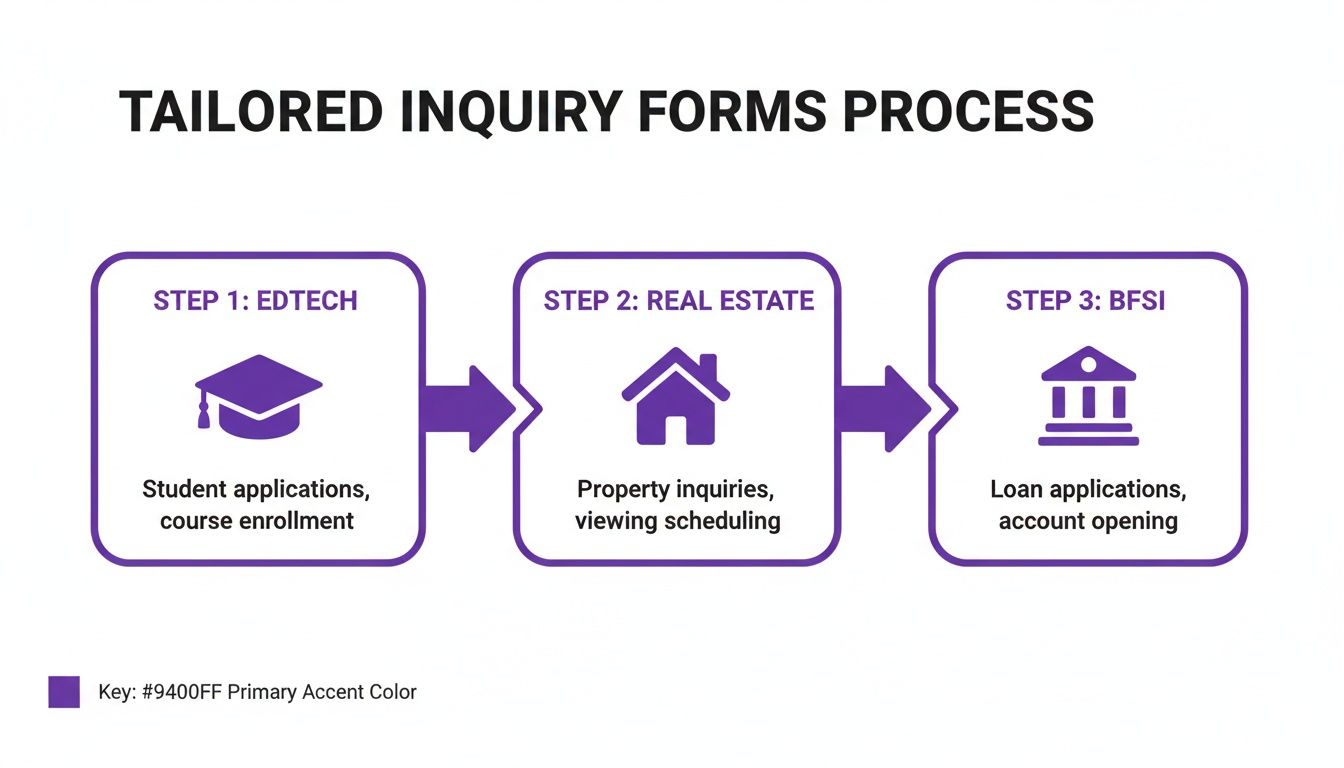
The key takeaway is that smart automation is fed by smart data capture. This allows you to create distinct, highly efficient workflows for every type of customer inquiry you receive.
From Manual Lag to Automated Velocity
Now, contrast that with the all-too-common manual process. The submission lands in an email inbox. An hour later, someone finally sees it, copies the data into the CRM, and assigns it to a sales agent who's probably in the middle of something else. By the time that agent makes the call—often hours later—the lead has already talked to three of your competitors or simply moved on.
The difference in results is staggering. We've seen that a manual process often struggles to achieve even a 47% connection rate on the first attempt. A fully automated workflow, on the other hand, consistently pushes that number up to 91%. You're nearly doubling your chances of a successful first contact.
We've seen this happen time and again with DialNexa's clients, from property brokers scheduling site visits to EdTech counsellors advising on new programmes. This move towards automation is part of a larger trend in India, where businesses are using smart, template-driven inquiry management to slash operational costs while handling thousands of calls daily. You can find more on this market shift and its impact on customer engagement.
Implementing Intelligent Lead Routing
A critical piece of this automated puzzle is intelligent lead routing. Not all inquiries hold the same value or require the same expertise. Dumping every lead into a single queue is a surefire way to create bottlenecks and frustrate potential customers. Your automation platform should use the data from the inquiry form to make routing decisions on the fly.
Here’s what that looks like in practice:
- Geography-Based Routing: A real estate inquiry for a property in South Mumbai is instantly sent to the agent who specialises in that territory. No delays, no confusion.
- Service-Based Routing: In the BFSI sector, a user who selects "Home Loan" on your form is routed directly to the mortgage team, while someone asking about a "Trading Account" is connected with an investment advisor.
- Value-Based Routing: An inquiry from a high-value B2B domain (like a Fortune 500 company) or one with a large budget can be automatically flagged as 'High Priority' and sent straight to a senior sales leader.
This level of precision ensures the right person is talking to the right lead, every single time. It improves the customer's experience and makes your team far more effective.
Architecting Your Automated Follow-Up Sequence
The automation doesn’t end after the lead is routed. For any high-value lead that doesn't pick up the first call, you need a persistent, multi-channel follow-up sequence to make sure they don't fall through the cracks.
An effective sequence might look something like this:
- Instant AI Call: An AI agent tries to connect within 3-5 minutes of the form submission. Speed is everything.
- Automated SMS/WhatsApp: If the call goes unanswered, an automated message is sent immediately: "Hi [Name], I just tried calling from [Company Name] about your inquiry. Is now a good time to talk?"
- Email Follow-Up: An hour later, an email follows up with more details and a direct link to book a call at their convenience.
- Second AI Call Attempt: The next day, the AI agent tries again, but at a different time of day to increase the chances of connecting.
By automating this persistence, you let your human agents focus on what they do best: having meaningful conversations with warm, engaged prospects. This organised approach to CRM and lead management is the foundation for scaling your sales operations without chaos. The end result is a system that not only moves fast but also makes sure no opportunity is ever truly lost.
Building Trust with Compliant and Secure Forms
Let's be honest: in a world of data breaches and privacy scandals, people are wary about sharing their information. That’s why a secure and compliant inquiry form isn't just a legal checkbox—it's one of your most powerful tools for building trust. When a prospect feels safe, they're far more likely to complete your form.
Think of it this way: every security measure you add is a trust signal. It’s a way of showing you respect your visitors' privacy before you've even spoken to them. The data backs this up, too. We’ve seen studies where simply adding trust badges and clear privacy assurances boosted conversions by as much as 42%. People are actively looking for these cues.
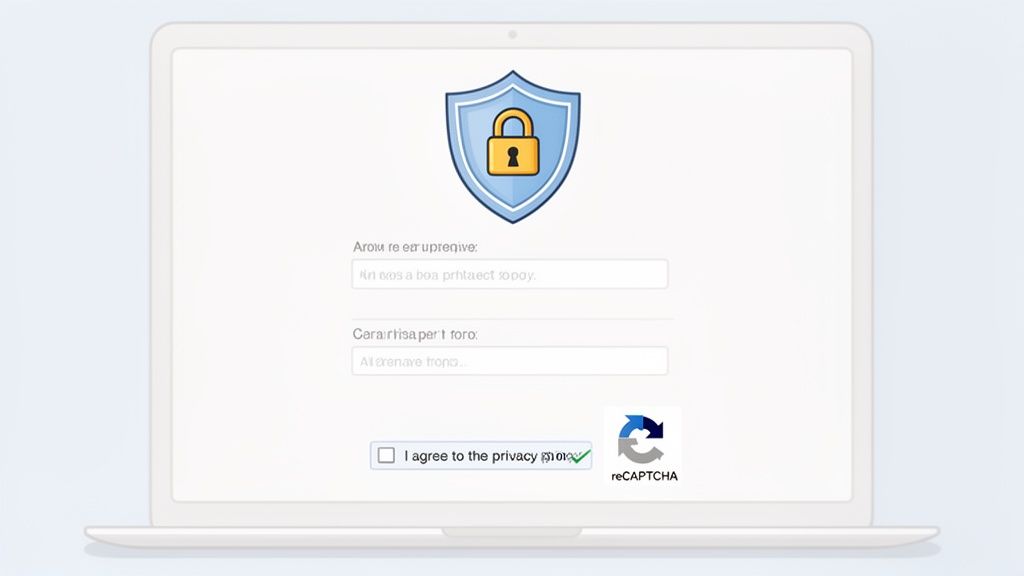
Making Security Visible on Your Forms
The first step is making your security practices obvious and user-friendly. This isn't just for highly regulated fields like BFSI or healthcare, where data sensitivity is everything. It's for any business that wants to earn customer confidence right from the start.
Here are the critical components I always recommend:
- Use reCAPTCHA, but do it smartly: We all hate trying to read wavy text to prove we're human. Ditch the old, clunky CAPTCHAs and switch to an invisible reCAPTCHA (like v3). It works in the background to filter out spam without annoying your real prospects. This one change can cut form abandonment by 10-15%.
- Validate fields in real-time: Don't make users wait until they hit 'submit' to tell them they've made a mistake. Instant feedback, like a gentle prompt saying "Please enter a valid email" as they type, creates a much smoother experience. It also ensures you get cleaner data.
- Get that padlock icon (HTTPS): Your entire website, especially any page with a form, absolutely must use HTTPS. That little padlock in the browser's address bar is a universal sign of security. If it’s missing, you’re practically waving a red flag at tech-savvy users, and your conversion rates will suffer for it.
The New Rules of Privacy and Consent
Beyond the technical side, you have to be completely transparent. Today’s customers know their rights and expect you to be upfront about how you handle their data.
This is especially true in India's fast-paced service landscape. A recent report found that 89% of service professionals say customer expectations are at an all-time high. And it's no wonder—90% of customers now prioritise immediate responses. Before 2023, many businesses relied on manual forms, and a staggering 50% of users listed repeating their information as their biggest gripe. A well-designed inquiry form helps you meet those "right now" expectations by cutting out the friction. You can learn more about how customer service expectations are evolving.
As a leader, remember that every privacy-focused detail on your form is an investment in your brand. It quietly tells the customer, "We respect you and your data," long before a salesperson ever gets in touch.
A Quick Checklist for Compliant Forms
Here are the absolute essentials for any modern inquiry form:
- Link to Your Privacy Policy: Don’t hide it. Place a clear link right near the submit button. Use straightforward text like, "We value your privacy. Read our policy here."
- Use Active Consent Checkboxes: Laws like GDPR mean you can’t use pre-ticked boxes anymore. Users must actively opt-in. This builds trust and ensures compliance.
- Explain Why You Need the Data: Add a short note to clarify why you're asking for certain information. For instance, under the phone number field, a simple message like "So our expert can call you for a quick consultation" adds context and makes people more comfortable sharing. For a deeper dive into complex data rules, understanding changes like the EU's voice privacy regulation can provide useful insights for your own strategies.
By weaving these security and privacy practices into your forms, you're not just protecting your business. You're creating a trustworthy experience that encourages more of the right people to connect with you.
Answering Your Top Questions About Inquiry Forms
When you're trying to fine-tune your lead generation, a few questions about inquiry forms always come up. As someone who has seen countless forms succeed and fail, I've learned that the answers aren't always what you'd expect. Let's get straight to the practical, data-backed answers you need.
How Many Fields Should an Inquiry Form Really Have?
The classic consultant answer is, "it depends," but our data points to a much clearer starting point. For most top-of-funnel inquiries—where your main goal is to capture as many new leads as possible—the magic number is between 3 and 5 fields. You're usually looking at name, email, phone number, and maybe a single dropdown to get a rough idea of what they need.
Now, if you're dealing with someone further down the funnel, like a prospect ready for a detailed project quote or a mortgage application, you can definitely ask for more. Expanding to 6-8 fields is acceptable here, but only if you're smart about it. You absolutely must use multi-step layouts and conditional logic. This breaks the form into manageable chunks and prevents that overwhelming feeling that causes people to just give up and leave.
Should I Prioritise Form Length or Lead Quality?
This is a trap many businesses fall into, thinking they have to choose one over the other. The real goal isn't just one or the other; it's to maximise the number of high-quality leads. You can absolutely achieve both.
The trick is to separate the initial contact from the deeper qualification. Use a short, simple form to get the conversation started. Once you have their core details, let automation take over. This approach gives you a massive boost in initial conversions without sacrificing the rich data your sales team needs to close the deal.
For example, a prospect fills out a quick 3-field form on your website. Instantly, an AI agent can call that person to ask the remaining qualifying questions. This gives the user a frictionless experience upfront while still gathering in-depth information. It's truly the best of both worlds.
This isn't just theory; it's highly effective in practice. We've seen AI-qualified leads match the judgement of human agents with 97% accuracy. By standardising these initial conversations, platforms like DialNexa free up your team from repetitive calls, cut down operational costs, and dramatically speed up the entire lead evaluation process. You can see the full case studies on AI-powered qualification to get a feel for the real-world impact.
How Do I Test Which Inquiry Form Template Performs Best?
Don't guess. The only way to know for sure is to test your assumptions. The go-to method here is A/B testing, using tools like Google Optimize, VWO, or any built-in tools your landing page platform offers. The most important rule is to test one major variable at a time. If you change too many things at once, you'll never know what actually made the difference.
Here are a few high-impact variables I always recommend testing first:
- Call-to-Action (CTA) Text: Test something generic like 'Submit' against a more value-driven CTA like 'Get My Free Quote'.
- Number of Fields: Pit a 3-field version directly against a 5-field version to measure the exact impact on your submission volume.
- Form Layout: Compare a traditional, single-page form against a modern, multi-step design.
For your results to be trustworthy, you need to run the test until you reach statistical significance. This typically means getting at least 1,000 visitors into the test and hitting a 95% confidence level. This data-driven approach takes the guesswork out of optimisation and gives you a clear path to a higher-performing form.
Ready to stop collecting data and start converting leads? DialNexa gives you the tools to automate qualification, route leads intelligently, and engage prospects the moment they show interest. See how our human-like Voice AI can help you capture and convert more high-value leads at https://dialnexa.com.

Leave a Reply