
Mastering Inbound and Outbound Integration in Salesforce: A 2026 Strategic Guide
As a forward-thinking leader, your focus is on scalable growth, operational excellence, and strengthening customer lifetime value. This is precisely where a strategic inbound and outbound integration in Salesforce transcends a mere technical project. It's a foundational business decision that unifies every customer touchpoint into a single source of truth, empowering your organization with real-time, actionable intelligence.
Why Salesforce Integration Is a Growth Engine
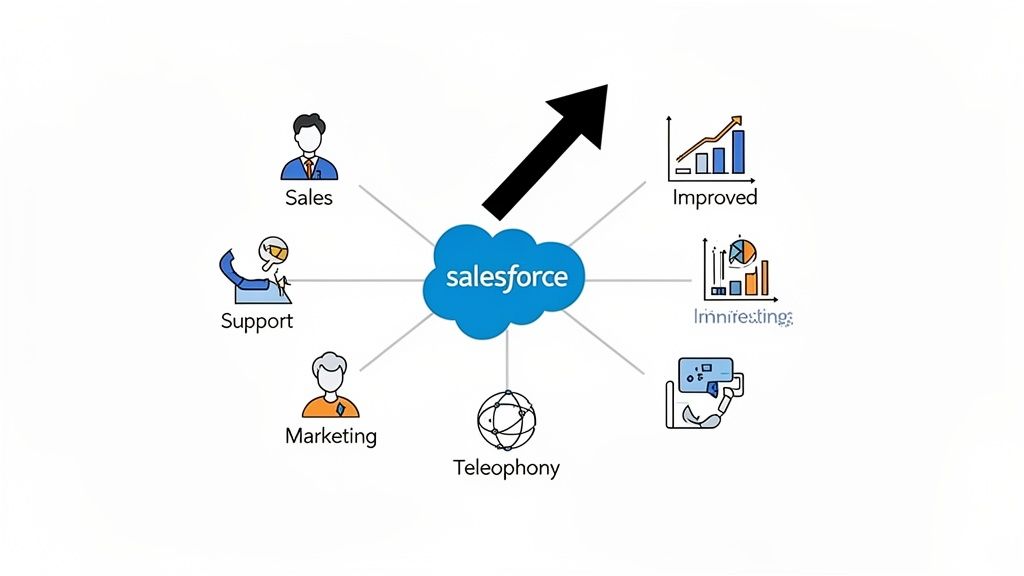
When your telephony, messaging platforms, and CRM operate in silos, you're not just creating friction; you're actively eroding your bottom line. Disconnected systems lead to operational inefficiencies, a disjointed customer journey, and ultimately, a competitive disadvantage.
Consider the strategic advantage this provides. A sales executive is about to call a high-value prospect. What if, before dialing, they instantly see the prospect’s entire support history, recent marketing engagement (e.g., they just downloaded a pricing guide), and previous sales conversations? Or imagine a support director seeing first-call resolution rates climb by 15% because agents have a customer's full purchase history and interaction log the moment a call connects. This is the strategic power of a fully integrated Salesforce ecosystem.
Turning Disconnected Data Into Real Intelligence
The primary objective is to transform raw interaction data into a strategic asset. Before delving into the "how," it’s critical to recognize that inbound and outbound motions have fundamentally different business objectives. Truly understanding the nuances of inbound and outbound sales is pivotal to architecting an integration that drives success across both fronts.
By consolidating all communication channels into Salesforce, you unlock significant business value:
- Smarter Agent Productivity: Reps and agents shift their focus from low-value data entry to high-impact selling and problem-solving, boosting productivity by up to 20%.
- Enhanced Customer Experience: Customers receive faster, contextual service, which directly impacts loyalty and retention. Companies with strong omnichannel strategies retain an average of 89% of their customers, compared to 33% for companies with weak strategies.
- Clear, Data-Backed Decisions: Leadership gains the elusive 360-degree customer view, making strategic planning, resource allocation, and revenue forecasting more accurate.
- Accelerated Revenue Cycles: Leads receive timely, relevant follow-up, which improves conversion rates and can shorten the sales cycle by 10-15%.
We've witnessed transformative results firsthand with clients who committed to a robust telephony integration. For example, a mid-market SaaS company saw their lead-to-booking rate jump from a meager 2% to over 8% after integrating their outbound dialer. We've also seen B2B outbound connect rates nearly double, climbing from 47% to a staggering 91% by leveraging local presence dialing tied directly to Salesforce data.
These are not marginal gains; they represent a fundamental shift in contact center performance, elevating it from a cost center to a predictable profit engine. As you refine your CRM strategy, you may find value in exploring advanced https://dialnexa.com/blogs/crm-and-lead-management/. Ultimately, this is about building a cohesive go-to-market system where every piece of information drives business momentum.
Designing Your Integration Architecture Blueprint
Architecting your telephony integration is not a mere technical exercise; it's the foundation of a high-performance go-to-market engine. As a leader, your concern isn't the minutiae of APIs, but the business outcome: a scalable system that drives efficiency, ensures compliance, and accelerates revenue growth.
Your choice of architecture is a critical strategic decision. It dictates how calls, messages, and other interactions flow into your CRM, impacting everything from your team’s daily workflow to the quality of the data you use for forecasting. This decision must align with your long-term business trajectory.
From Legacy CTI To Modern Frameworks
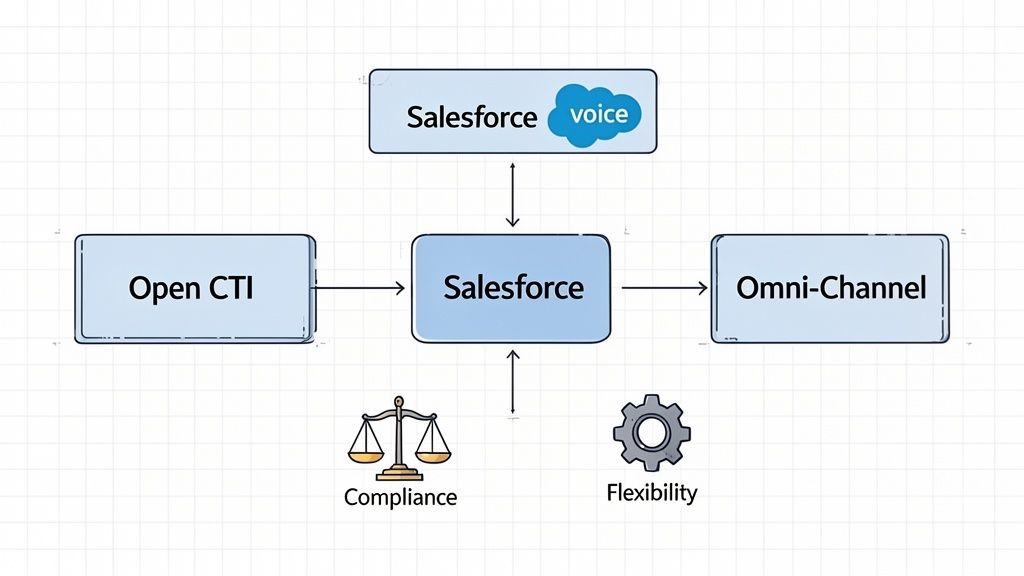
Not long ago, Computer Telephony Integration (CTI) was synonymous with clunky desktop software and on-premise servers. The paradigm shifted with Open CTI, a flexible, browser-based JavaScript framework that allows third-party telephony systems to embed directly into the Salesforce UI.
This was a game-changer. It eliminated the need for agents to toggle between applications, enabling them to handle all call functions from a softphone within their browser. I’ve seen hyper-growth startups become fully operational in days by selecting a CTI partner from the AppExchange, bypassing a complex, months-long IT project and realizing immediate productivity gains.
The strategic win here is agility. Open CTI provides access to a vast ecosystem of partners. You can select a solution that precisely fits your operational needs and budget, avoiding lock-in to a single vendor's roadmap and pricing model.
While many guides get lost in technical schematics, understanding the business implications is paramount. The strategic choice of architecture has far-reaching consequences for your entire operation. You can explore more on these integration patterns on Zipteams if you want to dig deeper.
Salesforce Native Solutions: The Modern Alternatives
Beyond the open ecosystem, Salesforce offers its own powerful, native solutions. For organizations seeking a tightly integrated, all-in-one experience, understanding these options is crucial.
Salesforce Voice: This is Salesforce's turnkey solution for telephony, built directly into the Service and Sales Cloud Consoles. For a high-volume financial services firm, this is a compliance and efficiency dream. It provides native transcription and AI-powered insights, like real-time agent coaching. Imagine a wealth management firm receiving automated alerts when a rep misses a required compliance phrase during a client call, potentially reducing regulatory risk by over 90%.
Omni-Channel: This is not just a voice tool; it is a complete workload management engine. Omni-Channel intelligently routes all work—calls, chats, emails, and cases—to the most appropriate agent based on their skills and current capacity. For a large e-commerce retailer, this means an urgent call about a failed payment is routed directly to a billing specialist, while a product question goes to a product expert. The result? A measurable lift in first-call resolution, often by as much as 25%, which dramatically improves customer satisfaction and reduces operational costs.
These paths offer distinct strategic advantages. Open CTI provides flexibility and choice, while native solutions offer a deeply unified, Salesforce-centric experience.
Comparing Salesforce Integration Architectures
Choosing the right path is not about finding the "best" option, but the best fit for your business. Your budget, existing tech stack, and long-term goals are key factors. This table breaks down the core trade-offs to guide your strategic decision.
| Architecture | Best For | Key Advantage | Consideration |
|---|---|---|---|
| Open CTI | Companies needing flexibility and a wide choice of telephony providers. | Vendor Agnosticism. You can select from dozens of partners to fit any budget or feature set. | Variable Support. Your support experience is split between Salesforce and your CTI provider. |
| Salesforce Voice | Organizations prioritizing native integration, compliance, and AI-driven insights. | Unified Platform. Deeply embedded in Service Cloud with powerful, out-of-the-box AI and transcription. | Premium Cost. This is a premium solution that works with a smaller, curated list of telephony partners. |
| Omni-Channel | Businesses managing multiple communication channels and complex routing needs. | Holistic Routing. Intelligently assigns work across all channels, not just voice, to boost agent utilization. | Configuration Complexity. Requires significant setup to define routing rules, skills, and agent capacity. |
Ultimately, whether you opt for the flexibility of Open CTI or the native power of Salesforce Voice, the decision must be rooted in your operational context and strategic priorities. A clear-eyed assessment will illuminate the right path forward.
Choosing the Right APIs to Make Data Flow
With your architectural blueprint in place, the next step is to define how data moves between your telephony system and Salesforce. This is about selecting the right Application Programming Interfaces (APIs). A sound API strategy is the difference between a clunky integration and a seamless experience that empowers your teams.
Think of APIs as specialized messengers. Some are like couriers requiring a direct signature for a single package (synchronous), while others are like a broadcast system sending real-time alerts to anyone listening (asynchronous/event-driven). Your objective is to deploy the right messenger for each business task.
Direct Actions with Synchronous APIs
For immediate, straightforward tasks, the REST API is the industry-standard tool. Its request-response model is perfect for direct actions that require an immediate confirmation.
Practical Example: An agent makes an outbound call to a number not yet in Salesforce. Upon call connection, a REST API call instantly creates a new Lead record. For a fast-growing B2B tech firm, this ensures no potential opportunity from a cold call is lost. We've seen real estate firms use this to instantly log new prospective buyers from for-sale sign inquiries, turning a simple phone call into a trackable lead in seconds and increasing lead capture by over 30%.
What about the SOAP API? In modern telephony projects, its use is rare. It is more formal and better suited for legacy enterprise systems requiring rigid contracts between applications, such as integrating with an on-premise billing platform. For the agility required in modern CTI, it is generally overkill.
The diagram below visualizes how these API types function within an integration flow.
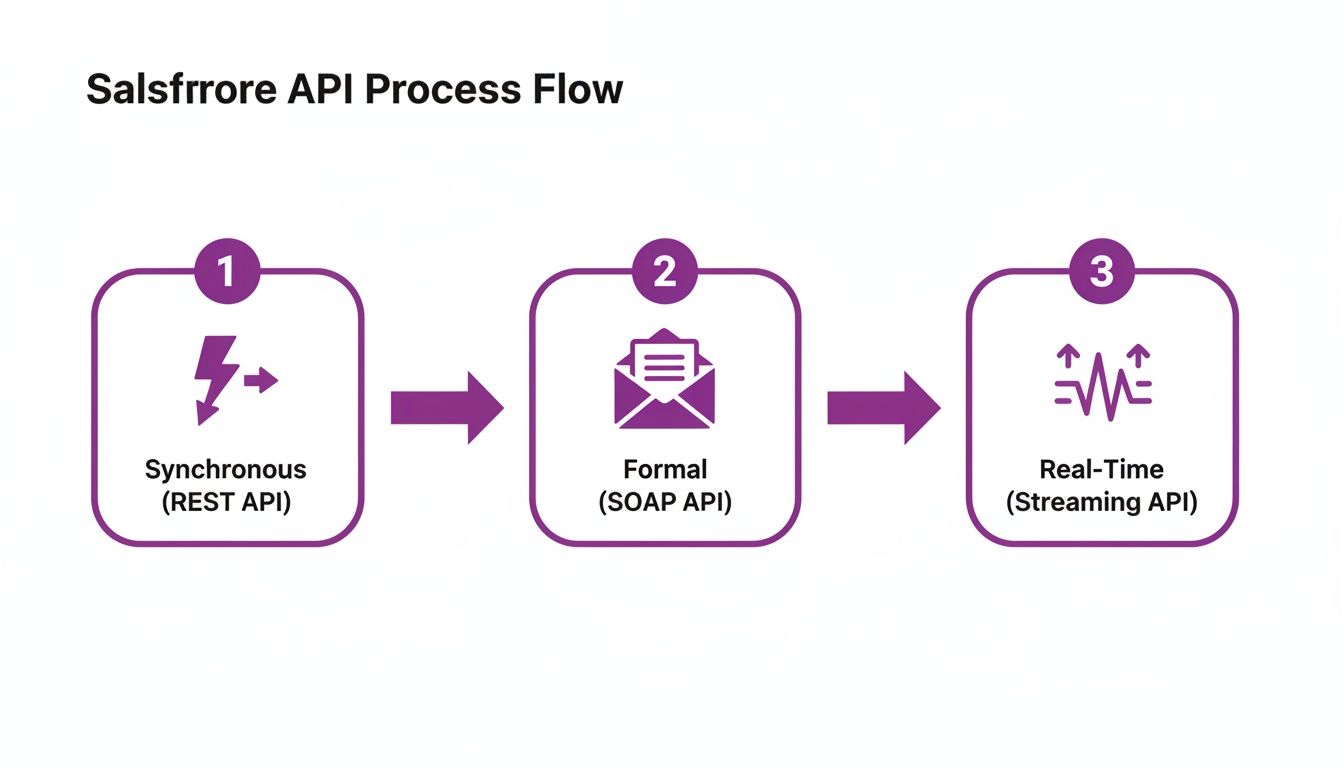
While REST and SOAP handle direct commands, the true competitive advantage lies in real-time, event-driven integrations.
The Power of Real-Time, Event-Driven Integration
This is where your integration evolves from being merely functional to truly intelligent. Instead of your system constantly polling Salesforce for updates, an event-driven architecture allows Salesforce to notify your systems the moment a significant event occurs, using Salesforce's Streaming API and Platform Events.
Let's walk through a strategic business scenario.
Scenario: A support agent is on a call with a high-value enterprise customer. An integrated voice AI detects frustration in their tone and captures the phrase "cancel my subscription." A Platform Event is instantly published within Salesforce.
Without any manual agent intervention, a pre-defined workflow is triggered: the case is automatically escalated, the customer retention team receives an urgent Slack notification with the customer's ARR, and a task is created for the account director to follow up within one hour. This is not just efficiency—it's proactive, strategic service that can save a multi-million dollar account.
The beauty of this model is its scalability and decoupling. The telephony platform simply fires an event; it doesn't need to know what happens next. This design allows you to add new automated workflows in the future without altering the core integration. We helped an EdTech client use this to trigger personalized follow-up emails the instant a student mentioned interest in a new certification track on a call, increasing cross-sell revenue by 8%.
For leadership and architects, the API strategy is clear:
- Use REST API for on-demand, direct commands like creating records or initiating a click-to-dial.
- Use Platform Events for scalable, real-time workflows that react to critical business moments, such as a call ending or a specific keyword being detected.
By blending these two approaches, you build an integration that is both highly effective today and flexible enough to adapt to future business needs. Of course, this all begins with the right telephony building blocks. If you're exploring options, our guide on how to get a Twilio phone number is a great resource. Combining the right APIs elevates your project from a simple tool to a genuine strategic asset.
Bringing Your Integration to Life: A Practical Playbook
With the architecture approved and APIs selected, it's time for execution. This is where technical configuration meets the daily reality of your sales and service teams. Your goal is to move beyond simply connecting systems and create an intuitive experience that drives agent performance and data quality.
When done right, the results are tangible. We've seen companies reduce new agent ramp-up time by as much as 40% because the tools are logical and embedded within their existing workflow. Let's walk through the critical configuration steps that distinguish a clunky integration from a high-performance one.
Customising the Softphone Layout for Peak Efficiency
The softphone layout is your agent's command center. A cluttered or poorly designed layout forces them to waste precious seconds on every call searching for information. A well-designed layout, however, surfaces exactly what they need, when they need it.
This is not a one-size-fits-all configuration. For an inbound support call, your layout should instantly surface the matching Contact and their open Cases. For an outbound sales call, it should prioritize the Lead or Opportunity record. Getting this context right can shave 15-20 seconds off Average Handle Time (AHT) per call, which at scale translates into millions of dollars in operational savings annually for a large contact center.
You'll configure this in Salesforce's setup, defining screen behavior for different scenarios—what to show on an incoming call versus an outgoing one, or the workflow for creating a new record when no match is found.
This ensures a predictable and efficient workflow, minimizing cognitive load on your agents.
I once worked with a B2B software company where we focused heavily on optimizing this single screen. By simply ensuring the layout showed the lead's most recent marketing engagement (e.g., "Attended Webinar: 'AI in Finance' yesterday"), we gave reps the perfect conversation starter. The result? A 12% increase in qualified meetings booked per day, directly attributable to this small but strategic change.
Automating Call Logging and Post-Call Workflows
Manual call logging is a productivity killer and the primary source of poor CRM data. A cornerstone of any valuable telephony integration is ensuring every call is automatically logged as a Task or Activity, linked to the correct record, with zero agent intervention.
Once automatic logging is established, you can unleash the power of Salesforce Flow. This low-code automation tool allows you to build sophisticated business logic that triggers the moment a call ends.
Here are a few game-changing automations that drive real business value:
- Update Lead Status: When a rep sets the call disposition to "Qualified," a Flow can instantly change the Lead Status to "Sales Qualified Lead" and notify the assigned account executive via Slack or email.
- Schedule Follow-Up Tasks: If the call outcome is "Voicemail Left," a Flow can automatically create a follow-up task for the rep in two days, ensuring consistent outreach and preventing lead decay.
- Trigger Nurture Sequences: A disposition like "Not Interested – Bad Timing" can trigger a Flow that adds the prospect to a six-month marketing nurture campaign, keeping your brand top-of-mind for future consideration.
Automating these steps guarantees process adherence and stops valuable leads from going cold. For a deeper look at how different systems can be connected to build a unified process, this practical guide to LinkedIn integration with Salesforce offers some excellent, transferable insights.
Enabling Outbound Campaigns and Callback Mechanisms
For outbound teams, your playbook requires two key components: seamless click-to-dial functionality and a robust callback mechanism for logging call outcomes. Click-to-dial is standard for most CTI tools, allowing reps to initiate calls directly from a Salesforce record.
The callback is where the strategic value is created. After a call ends, your telephony platform must send crucial data—duration, a link to the recording, and the agent's disposition—back to Salesforce. This is typically handled by the platform making an API call to a custom Apex REST endpoint you've built in Salesforce.
For example, your telephony provider could send a POST request to your Salesforce endpoint with a payload like this:
{
  "callSid": "CA1234567890abcdef",
  "callDuration": "183",
  "recordingUrl": "https://api.telephony.com/recordings/REC54321",
  "disposition": "Connected - Demo Scheduled",
  "contactId": "0038d00000A1B2C"
}
Your Apex code then receives this payload, parses the data, creates the associated Task record, and can trigger the Salesforce Flows we discussed. This real-time data synchronization closes the loop, transforming your team's calling efforts into a measurable, optimizable, and data-rich operation.
Taking Salesforce to the Next Level with Voice AI
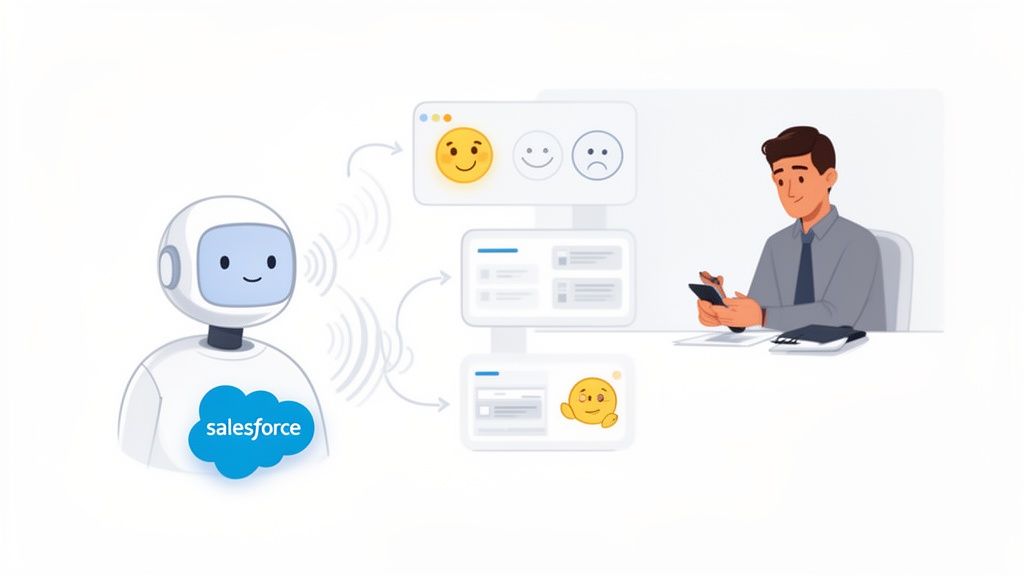
A standard telephony integration drives efficiency. Integrating Voice AI is how you build a sustainable competitive advantage. This is where Salesforce evolves from a system of record into a system of intelligence, actively driving business outcomes.
By connecting intelligent Voice AI agents to your inbound and outbound integration in Salesforce, you are essentially creating a specialized, digital workforce. This AI team operates 24/7 with perfect consistency, delivering scale and insights unattainable by a purely human team.
Automating Outbound Calling at an Unbelievable Scale
Imagine an AI agent handling thousands of outbound qualification calls daily. This isn't a simplistic auto-dialer; this is AI capable of holding natural, multi-turn conversations. Field data shows these agents can match the qualification judgment of a human sales development rep with 97% accuracy.
This AI-driven approach methodically works through your lead database, engages each prospect, and executes the precise qualification script you’ve defined. Upon call completion, the AI instantly logs a detailed summary, call outcome, and sentiment analysis score directly into the Salesforce Lead or Contact record.
Practical Example: A national real estate developer used a Voice AI to manage the influx of inquiries for a new property launch. Over one weekend, the AI handled over 2,000 inbound calls. It booked site visits for genuinely interested buyers, logged every interaction in Salesforce, and routed only pre-qualified, high-intent prospects to the sales team. The result was a 300% increase in qualified appointments and a significantly shorter sales cycle for the initial launch phase.
This level of automation transforms prospecting from a resource-intensive activity into a predictable, data-driven machine. Different outbound platforms offer varying levels of Salesforce connectivity, so it's smart to discover more insights about outbound platform comparisons on unifygtm.com to see which fits your specific goals.
Crafting the Perfect Inbound Customer Experience
The impact on inbound operations is equally profound. When a customer calls, instead of waiting in a queue, they are greeted immediately by a Voice AI that can triage the call, gather crucial details, and determine their intent.
- For Support Teams: An AI agent can authenticate a customer, understand the problem ("My recent order hasn't arrived"), and create a perfectly detailed Case in Salesforce before a human agent is engaged. The case is already populated, categorized, and prioritized, reducing handle time and improving first-call resolution.
- For Sales Teams: The AI can answer initial product questions, qualify inbound interest based on BANT criteria, and book a demo directly onto a sales rep's calendar, eliminating administrative friction.
This ensures that by the time a human agent gets involved, they have the full context needed to solve the problem or close the deal, often in the first conversation.
A Blueprint for AI-Powered Workflows
The true strategic value emerges when you use this rich, AI-generated data to trigger automated workflows in Salesforce. This is the key to moving from linear efficiency gains to exponential value creation.
For instance, when an AI agent qualifies an outbound lead and flags their intent as "High," a Salesforce Flow can be triggered automatically. This workflow might:
- Instantly assign the lead to a senior account executive.
- Add the lead to that executive's high-priority Cadence or Sequence.
- Send a real-time Slack notification to the rep and their manager, including key highlights from the AI's conversation summary.
This closes the gap between interaction and action to near zero, ensuring your most valuable leads receive immediate attention. By automating the top of the funnel, you empower your best people to focus on what they do best: building relationships and closing business. If you're curious about the tech behind these natural-sounding conversations, our article on the Eleven Labs API is a great place to start. This strategic use of AI is the key to truly scalable growth.
Common Salesforce Integration Questions, Answered
When you're considering a major Salesforce integration, your leadership team will have strategic questions. Securing clear, data-backed answers is key to setting expectations, justifying the investment, and ensuring the project delivers measurable business value. Let's address the questions I hear most frequently from executives.
What’s the Biggest Mistake to Avoid in a Telephony Integration?
The single biggest—and most costly—mistake is focusing on the technology while neglecting the people and the data. Many projects stop at "making click-to-dial work." A successful inbound and outbound integration in Salesforce is not about connecting systems; it's about optimizing agent workflows and capturing clean, structured data for reliable business intelligence.
The most common oversight is failing to rigorously define and map call outcomes to specific Salesforce fields (e.g., Lead Status, Case Reason). Skipping this step creates a data governance nightmare, making accurate reporting and forecasting impossible. Imagine trying to build a performance dashboard when reps use inconsistent free-text outcomes like "Not interested," "No," and "Bad fit."
The most successful projects I’ve led began at a whiteboard, mapping the ideal agent workflow—every click, every screen, every post-call action. We defined a strict, standardized list of call dispositions and the automation that should trigger from each. Only then did we select the technology to execute that vision.
This business-first approach ensures technology serves your strategy, not the other way around.
What's a Realistic Timeline for a Salesforce CTI Project?
Timelines vary based on complexity, but reliable benchmarks exist. For a simple, out-of-the-box CTI solution from the AppExchange with basic call logging, a realistic timeline is 2 to 4 weeks. This is an excellent starting point for smaller teams needing core functionality quickly.
However, a custom enterprise-grade project with advanced automation and Voice AI is a more significant undertaking. Such a project, involving complex Salesforce Flows, custom UI elements, and API integrations, will realistically take 3 to 6 months.
A typical project of this scale breaks down as follows:
- Discovery & Architecture (1–2 months): In-depth stakeholder interviews, workflow mapping, data model design, and technical architecture finalization. Rushing this phase is the primary cause of budget overruns and project failure.
- Development & Configuration (2–3 months): The core build phase where developers create custom endpoints and admins configure softphone layouts, Flows, and routing logic.
- Testing & Rollout (1 month): Rigorous User Acceptance Testing (UAT) with a pilot group, bug fixes, comprehensive user training, and a phased go-live deployment.
The scope of automation is the biggest variable. Each automated workflow adds complexity that requires dedicated development, testing, and long-term maintenance.
How Do We Measure the ROI of This Integration?
To prove ROI, you must establish baseline metrics before the project begins. Focus your measurement on four key pillars, each with specific Key Performance Indicators (KPIs).
A B2B software client provides a perfect example. Before their integration, their average sales cycle was a sluggish 72 days. After implementing automated follow-up tasks and intelligent lead routing, they reduced it to 58 days—a 19% reduction that directly accelerated revenue recognition.
To build your own business case, start tracking these metrics now:
| ROI Category | Key Metrics to Track | Potential Impact |
|---|---|---|
| Sales Effectiveness | Call Volume per Rep, Lead Conversion Rate, Sales Cycle Length | A 10–15% lift in lead-to-opportunity conversion is common as reps focus on better-qualified leads. |
| Agent Productivity | Average Handle Time (AHT), After Call Work (ACW), Calls per Hour | Automation can easily shave 20–30 seconds off AHT by eliminating manual post-call administrative work. |
| Data Integrity | Record Completeness (%), Disposition Accuracy, Task Adherence | We’ve seen automated logging increase data completeness from a typical 60% to over 95% within weeks. |
| Customer Experience | First-Call Resolution (FCR) Rate, Customer Satisfaction (CSAT) Scores | Improving FCR by just 5% can increase customer retention by 5-10% and significantly reduce operational costs. |
By tracking these numbers before and after go-live, you move beyond anecdotal feedback to a data-driven business case that clearly demonstrates the financial return of your investment in an inbound and outbound integration in Salesforce.
Ready to see how a purpose-built Voice AI can transform your Salesforce environment? DialNexa Labs Private Limited delivers intelligent agents that scale your outreach and support, turning more conversations into revenue. Discover what's possible at https://dialnexa.com.

[…] integrating CRM with broader sales and service infrastructure may also find this guide on inbound and outbound integration in Salesforce helpful for thinking through process design across […]
[…] the same transaction path. A useful background read for those operating models is this overview of inbound and outbound integration in Salesforce, because many console investigations eventually trace back to integration timing, payload quality, […]
[…] teams evaluating how deep that integration should go inside Salesforce, DialNexa's Salesforce integration strategy is a useful example of the planning questions worth asking before you buy […]
This is an excellent breakdown of how Salesforce telephony integration evolves from a technical project into a true revenue engine. The focus on automation, Voice AI, and data-driven workflows clearly shows how businesses can improve productivity, customer experience, and conversion at scale.
[…] also test whether service events trigger the right downstream actions outside the helpdesk. A clear Salesforce inbound and outbound integration model helps leadership verify that support signals flow into follow-up, renewal, and revenue workflows […]