
AI Dialer: What It Is, How It Works & How AI Improves Outbound Calling
Imagine you have 5,000 leads sitting in your CRM.
Your sales team needs to contact them, qualify them, answer basic questions, record every outcome and follow up with the people who did not answer. A traditional outbound dialer can remove much of the manual number-dialling work.
But your sales representatives still have to speak to people, enter notes, update the CRM and remember who needs a callback.
That is where an AI dialer becomes interesting.
The term, however, can mean different things. Some AI dialers use artificial intelligence to optimise dialing, prioritise leads or improve agent productivity. Others combine automated calling with conversational AI so an AI voice agent can actually speak with prospects.
That difference matters.
If you are evaluating AI calling software, you should first understand whether you need faster human-led calling, automated conversations or a combination of both. You should also consider concurrency, CRM integration, follow-ups, Indian phone numbers, regional languages, pricing and compliance.
This guide helps you make that distinction before you invest.
TL;DR
- An AI dialer is software that uses automation and, depending on the platform, artificial intelligence to manage outbound calls, prioritise leads, optimise dialing, connect prospects with agents, analyse conversations and automate follow-ups.
- Some AI dialers also integrate conversational AI voice agents that can conduct supported conversations without a human agent. Therefore, an AI dialer is not automatically the same thing as an AI voice agent.
What Is an AI Dialer?
An AI dialer is an outbound calling system that uses automation or AI-assisted capabilities to make calling campaigns more efficient. Depending on the product, it can automate dialing, prioritise leads, manage concurrent calls, connect prospects to human agents, analyse call outcomes and trigger follow-ups.
A basic automatic dialer mainly solves one problem: dialing numbers faster.
An AI-powered dialer can potentially go further by using information from your CRM, campaign history or predefined rules to determine whom to call and when. Some platforms can also connect the dialer to conversational AI voice agents.
For example, suppose your business has 2,000 leads who downloaded a product brochure.
Your AI dialer can:
- Import the leads from your CRM.
- Segment them based on location or lead score.
- Prioritise high-intent prospects.
- Automatically initiate outbound calls.
- Connect answered calls to a human salesperson or AI voice agent.
- Record the outcome.
- Update the CRM.
- Schedule another attempt for leads who did not answer.
If the system includes a conversational AI layer, the AI voice agent might also ask questions such as:
“Are you currently looking for a solution for your sales team?”
It could then identify an interested prospect and route that lead to your sales team.
That is where an AI sales dialer starts becoming more than a simple automated calling tool.
How Does an AI Dialer Work?
Although implementations differ, most AI-powered outbound calling workflows can be understood in six steps.
1. Importing Leads and Connecting the CRM
Everything begins with your contact list.
You may upload a list of prospects directly or synchronise contacts from your CRM. A good campaign structure allows you to segment contacts based on useful information such as:
- Lead source
- Location
- Industry
- Previous interaction
- Lead score
- Purchase history
- Last contact date
- Sales stage
For example, you may want your sales team to call leads who requested a demo before leads who only downloaded an ebook.
CRM synchronisation becomes especially useful here because you do not want your sales team maintaining separate spreadsheets just to know who was contacted.
2. Configuring Outbound Calling Campaigns
Next, you define how the campaign should operate.
You may configure:
- Calling schedules
- Lead priorities
- Retry intervals
- Number of attempts
- Campaign rules
- Calling windows
- Agent routing
- Follow-up conditions
Suppose a lead does not answer the first call.
You can create a rule such as:
No answer → wait 3 hours → retry
If there is still no response:
Second no-answer → wait until the next appropriate calling window → retry again
The exact rules should depend on your audience, campaign objective and applicable calling requirements.
3. Initiating Automated Outbound Calls
The system then starts making calls.
This can involve:
- Automated dialing
- Batch calling
- Concurrent calling
- Power dialing
- Predictive dialing
- AI-assisted dialing
But remember: batch calling and concurrent calling are not the same thing.
Batch calling refers to processing a group of contacts as part of a campaign.
Concurrent calling refers to how many calls can be active simultaneously.
For example, a campaign may contain 10,000 leads but be configured to run 50 calls concurrently.
Your actual capacity depends on the platform, telephony infrastructure, account configuration, rate limits and other applicable restrictions.
4. Connecting Leads With Agents or AI Voice Agents
When someone answers, the next step depends on your system.
A conventional outbound dialer might connect the call to an available salesperson.
An AI-powered setup may route the conversation to an AI voice agent.
The AI voice agent could then:
- Introduce the business
- Ask qualification questions
- Collect customer information
- Answer routine questions
- Identify interest
- Schedule an appointment
- Transfer the call to a human
This is an important distinction.
An AI dialer can automate dialing without being capable of holding an autonomous conversation.
An AI voice agent is specifically designed to interact conversationally.
Some platforms combine both capabilities. Others do not.
5. Recording Call Outcomes and Updating the CRM
After the call, the system should capture what happened.
For example:
Answered → Interested → Budget confirmed → Qualified
Or:
No answer → Retry required
Or:
Answered → Not interested → Close lead
Depending on the platform, call summaries, qualification information and other activity data can be synchronised with your CRM.
That gives your sales team a cleaner view of the pipeline.
6. Automating Follow-up Calls
The campaign does not have to stop after the first attempt.
Follow-ups can be triggered by:
- Unanswered calls
- Callback requests
- Lead responses
- Scheduled appointments
- CRM changes
- Sales-stage changes
This is one of the most useful parts of an automated calling system.
Instead of asking your sales representatives to remember thousands of callbacks, you can turn follow-up rules into a repeatable workflow.
How Does an AI Dialer Work? In Six Steps
If you need the short version:
- Import leads from your CRM or contact list.
- Configure the campaign with schedules, priorities and retry rules.
- Initiate automated calls using dialing and concurrency settings.
- Connect answered leads to human agents or AI voice agents.
- Record outcomes and synchronise results with the CRM.
- Automate follow-ups based on call outcomes and campaign rules.
That is the basic workflow behind an AI dialer.
AI Dialer vs Predictive Dialer vs Power Dialer: What’s the Difference?
These terms can sound almost identical when you are researching calling software. They are not.
| Feature | AI dialer | Predictive dialer | Power dialer |
| Dialing automation | Yes | Yes | Yes |
| Calling approach | Varies by AI implementation | Predicts agent availability | Automatically dials through a list |
| AI-driven optimisation | Depending on platform | Not necessarily | Not necessarily |
| Autonomous conversations | Only with conversational AI | No, unless integrated | No, unless integrated |
| Automated follow-ups | Depending on workflow capabilities | May require integrations | May require integrations |
| Human agents required | Depends on configuration | Generally yes | Generally yes |
| Lead prioritisation | May use AI, CRM data or rules | Mainly focused on agent utilisation | Usually list-based |
| Main purpose | Varies from dialing optimisation to broader automation | Keep agents productive | Move quickly through a call list |
Predictive Dialer
A predictive dialer tries to predict when human agents will become available and can place calls accordingly.
The objective is to reduce idle time.
If you have a large sales team and your biggest problem is agents waiting between calls, predictive dialing can be useful.
Power Dialer
A power dialer generally moves through a calling list automatically.
Instead of copying a phone number, dialing it, ending the call and finding the next number manually, the software handles the sequence.
It is still primarily a human-agent workflow.
AI Dialer
An AI dialer can refer to a broader set of capabilities.
Depending on the platform, AI may help with lead prioritisation, dialing optimisation, call analysis, routing or follow-up automation.
Some platforms add conversational AI on top of this.
That leads to another important distinction.
AI Dialer vs AI Voice Agent
An AI dialer focuses on outbound calling automation and may or may not include conversational capabilities.
An AI voice agent focuses on the actual conversation.
Think about it this way:
Dialer = “Who should I call and how should I place the call?”
Voice agent = “What should I say and how should I respond once they answer?”
The two technologies can work together.
7 Key Features of an AI Dialer
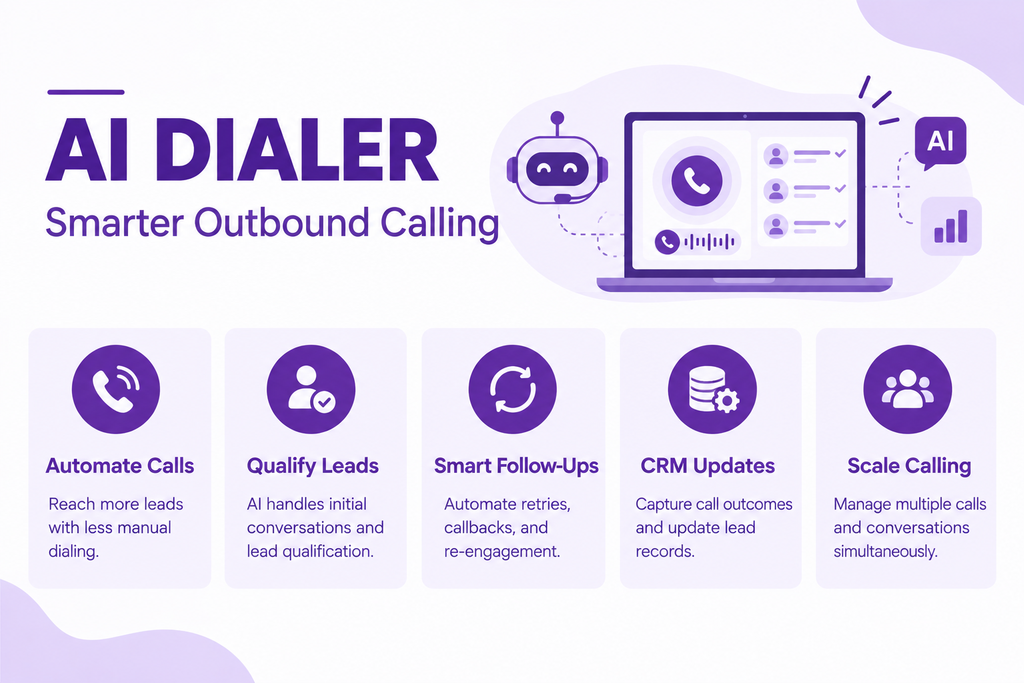
1. Intelligent Lead Prioritization
Not every lead deserves the same treatment at the same time.
An AI-assisted system can potentially prioritise contacts using CRM information, historical campaign data or rules you define.
For example:
| Lead | Previous activity | Suggested priority |
| A | Requested demo yesterday | High |
| B | Downloaded brochure six months ago | Medium |
| C | No previous engagement | Lower |
This can help your sales team spend calling capacity where it is most relevant.
The exact prioritisation logic varies by platform. Some systems rely mainly on rules, while others incorporate AI-based signals.
2. Automated Outbound Calling
Automated dialing removes repetitive work from your sales process.
Instead of manually finding and calling every contact, you can schedule campaigns and let the system process your calling list.
This is particularly useful when your sales team has large lead pools.
For example, a real-estate company launching a new housing project may have thousands of enquiries. An automated campaign can begin contacting those leads according to predefined rules, while human sales representatives focus on people who show buying intent.
3. Batch Calling and Concurrent Call Management
Batch calling and concurrent calling solve different problems.
Suppose you have 5,000 contacts.
You might divide them into batches of 500 contacts based on geography or lead source.
At the same time, you might configure the campaign to maintain 50 concurrent calls.
That would mean the system is working through a batch while maintaining up to 50 simultaneous calls, subject to the platform and telephony configuration.
When comparing vendors, ask for the actual concurrency available under your account and telephony setup.
4. Conversational AI Integration
This is where an AI dialer can become significantly more powerful.
If conversational AI is integrated, an AI voice agent can potentially:
- Qualify leads
- Ask predefined questions
- Collect customer details
- Answer routine questions
- Identify intent
- Book appointments
- Transfer suitable calls
For example, a B2B software company could ask:
“Are you currently using any CRM for your sales team?”
The prospect says yes.
The AI can ask a second predefined question:
“Would you be open to discussing an alternative this month?”
If the answer is positive, the lead can be routed to a salesperson.
But don’t assume every AI dialer has this capability.
That is one of the most important things to verify during your vendor evaluation.
5. Automated Sales Follow-ups
A large percentage of outbound calling effort can disappear into follow-ups.
Someone does not answer.
Someone asks you to call after lunch.
Someone says, “Call me next week.”
Without automation, all these small commitments become manual tasks.
An AI-powered workflow can potentially handle:
- No-answer retries
- Callback scheduling
- Follow-up campaigns
- CRM-triggered calls
- Lead reactivation
- Appointment reminders
DialNexa’s own analysis of more than one million AI-assisted business calls provides a useful example of why retry logic matters. Its dataset reported a 48% first-attempt pickup rate for new calling numbers and cumulative pickup of more than 70% after structured retries in some campaigns.
6. CRM Integration and Call Analytics
An AI dialer should not create another data silo.
CRM integration can allow your team to automatically capture:
- Call activity
- Lead status
- Call summaries
- Qualification information
- Follow-up requirements
- Conversation outcomes
Analytics then help you understand what is happening across the campaign.
For example:
Campaign A: 40% answer rate, 8% qualified
Campaign B: 28% answer rate, 12% qualified
Campaign A generated more conversations, but Campaign B generated more qualified leads relative to attempts.
That is why you should not measure outbound performance using one metric alone.
7. Multilingual Calling and Telephony Integration
If you are targeting Indian customers, language support can become a major consideration.
A prospect in Bengaluru may prefer Kannada.
Another customer may switch between Hindi and English.
A customer in Kolkata may be more comfortable speaking Bengali.
DialNexa currently publishes support for multilingual Voice AI including Hindi, Hinglish, Marathi, Kannada, Gujarati, Tamil, Telugu and Bengali, among other languages and mixed-language scenarios.
You should still test actual conversations rather than relying only on a language list.
Telephony matters too.
When evaluating an AI dialer in India, buyers may want to investigate providers such as:
- Exotel
- Knowlarity
- Airtel IQ
- Tata Tele
Do not assume a platform integrates with all of them.
Ask the vendor to verify the exact telephony provider, number setup, calling route and API requirements you plan to use.
How AI Dialers Improve Outbound Sales Calling
The biggest improvements usually come from removing repetitive operational work.
Reduce manual dialing and repetitive calling tasks
Your sales representatives do not need to spend valuable selling time copying numbers, finding the next lead and manually initiating every call.
Automation handles the mechanical part.
Improve lead prioritisation and qualification.
Instead of treating every lead equally, you can create rules around intent, engagement and previous interactions.
With conversational AI, qualification can also happen during the call itself.
Automate follow-up calls
A lead who does not answer today does not necessarily mean a lost opportunity.
A structured retry sequence can give the campaign another chance to connect.
Scale outbound campaigns through concurrent calling
One human salesperson can only hold one conversation at a time.
Software can manage multiple calling sessions simultaneously, subject to platform and telephony limits.
This makes concurrency an important buying criterion.
Maintain consistent conversation workflows
Human salespeople naturally speak differently.
One representative may ask five qualification questions. Another may ask two. One may forget to mention an offer. Another may spend ten minutes on an irrelevant topic.
A structured AI workflow can make the initial conversation more consistent.
That does not mean every conversation should be rigid.
Good conversational systems still need sensible escalation paths.
Improve campaign reporting and sales visibility.
Instead of guessing what happened to your leads, you can see campaign-level outcomes.
That makes it easier to identify:
- Strong lead sources
- Weak campaigns
- Poor calling windows
- High-performing scripts
- Follow-up gaps
- Qualification bottlenecks
The results, however, depend on lead quality, campaign configuration, conversation design, implementation and the capabilities of the chosen platform.
AI Dialer Use Cases Across Different Industries
| Industry | Common application | What can be automated | When human intervention may be needed |
| B2B sales | Lead qualification, prospect outreach and appointment scheduling | Initial qualification, basic questions and booking | Negotiation, complex objections and closing |
| Education | Admissions enquiries and application follow-ups | Reminders, basic qualification and follow-ups | Detailed counselling and admission issues |
| Recruitment | Candidate screening and interview scheduling | Availability checks, initial screening and scheduling | Detailed candidate assessment and negotiation |
| Financial services | Payment reminders and collections | Structured reminders and routine information | Disputes, hardship cases and sensitive financial discussions |
| Customer service | Renewal reminders and customer reactivation | Reminder calls, feedback and reactivation | Complaints and complex service cases |
B2B Sales
Suppose you have 10,000 B2B leads.
Instead of sending the entire list to your sales team, you could use an AI-powered outbound campaign to identify prospects who meet basic criteria.
The AI handles the initial conversation.
Qualified prospects move to sales.
That can reduce the amount of repetitive qualification work handled by human representatives.
Education
Education companies often deal with large numbers of enquiries during admissions seasons.
An automated calling campaign can ask whether the student is still interested, which programme they are considering and when they plan to enrol.
A counsellor can then handle the detailed discussion.
Recruitment
Recruiters spend a lot of time asking basic questions:
“Are you currently looking for a job?”
“Are you available for an interview?”
“What is your notice period?”
An AI workflow can potentially handle parts of this initial screening and schedule interviews.
The recruiter then gets a cleaner shortlist.
Financial Services
Payment reminders are highly structured, making them a possible automation use case.
However, sensitive financial conversations require care.
If a customer disputes an amount or describes financial hardship, the workflow should provide an appropriate human escalation path.
Customer Service and Reactivation
You can also use outbound AI calling for renewal reminders, feedback collection and dormant-customer reactivation.
For example:
Dormant customer → AI call → customer expresses interest → CRM updated → salesperson follows up.
That is a much more structured process than simply uploading an old customer list and making thousands of calls.
How Much Does an AI Dialer Cost?
There is no universal AI dialer pricing model.
You may encounter:
- Per-user or per-agent subscriptions
- Per-call pricing
- Per-minute pricing
- AI voice agent consumption charges
- Telephony charges
- Concurrent-call capacity charges
- CRM integration fees
- Implementation or setup fees
Some platforms combine several of these.
Illustrative Monthly Cost Calculation
Suppose your business wants to run the following hypothetical campaign:
- 20,000 call attempts per month
- 35% answer rate
- 7,000 connected calls
- Average connected duration: 3 minutes
- Total connected minutes: 21,000
- Hypothetical AI calling cost: ₹1.50 per minute
- Platform subscription: ₹20,000
- Additional telephony costs: ₹8,000
Your estimated usage cost would be:
21,000 × ₹1.50 = ₹31,500
Total hypothetical monthly cost:
₹31,500 + ₹20,000 + ₹8,000 = ₹59,500
This is only an illustrative calculation.
Your actual cost could be substantially different depending on your provider, calling duration, AI model, number of calls, concurrency, subscription structure and telephony charges.
And this is why comparing advertised subscription prices alone can be misleading.
Imagine Vendor A charges ₹15,000 per month but has expensive per-minute usage.
Vendor B charges ₹30,000 but includes more usage.
Vendor A may look cheaper on the pricing page.
But your actual campaign cost could tell a different story.
Instead of asking only:
“What is the monthly subscription?”
Ask:
“What will I pay for each connected conversation and each qualified lead?”
That is a much more useful commercial metric.
How to Choose the Right AI Dialer for Your Business
Before signing up, ask these seven questions.
1. Does the platform only automate dialing, or can it conduct AI conversations?
This is the first distinction to make.
If you only need faster human-agent calling, you may not need conversational AI.
If you want automated lead qualification, reminders or structured conversations, you may need an AI voice agent as well.
2. What is its concurrent calling capacity?
Ask for actual numbers.
Also ask what determines the limit:
- Account tier?
- Telephony provider?
- API limits?
- Campaign configuration?
- Number capacity?
3. Can it automatically schedule and execute follow-up calls?
Ask whether you can configure no-answer retries, callbacks and multi-step sequences.
4. Does it integrate with your existing CRM?
Check whether the system can update the CRM after every relevant call.
Don’t settle for “CRM integration available.”
Ask:
What exactly gets synchronised?
5. Does it support the required languages and telephony providers?
For Indian campaigns, test actual regional-language conversations.
Also confirm your required phone-number and telephony setup.
6. How transparent is usage-based pricing?
Ask for a realistic monthly estimate.
Include:
- Call attempts
- Connected minutes
- Average call duration
- AI usage
- Telephony
- Concurrent calling
- Integrations
7. What reporting, security and calling-compliance capabilities are available?
Check recording controls, user permissions, analytics, data handling and applicable commercial-calling requirements.
India’s telecom environment makes this particularly important. TRAI defines unsolicited commercial communication as unwanted commercial messages or voice calls and maintains specific rules around commercial communication and telemarketing.
In 2025, TRAI reported 7,31,120 notices issued to unregistered telemarketers and 1,84,482 telecom resources disconnected for continued non-compliance.
So, compliance should be part of your platform evaluation from day one.
Test Before You Commit
The safest approach is simple:
Run a representative campaign.
Use real lead segments, your actual language requirements, your intended telephony setup and realistic calling volume.
A polished demo can show you what the software looks like.
A real test shows you how it behaves.
AI Dialers vs AI Voice Agents: Which Does Your Business Need?
You can think about the choice in three scenarios.
You want to increase human-agent productivity.
Choose an AI-assisted dialing workflow when your salespeople still need to conduct the conversations but you want to reduce manual dialing.
Here, the AI dialer acts as a productivity layer.
You want to automate routine conversations.
If your workflow contains repetitive questions, qualification steps, reminders or appointment scheduling, conversational AI may be useful.
Here, an AI voice agent becomes a larger part of the workflow.
You need both
Many businesses may ultimately need a combination.
For example:
AI dialer → AI voice agent → qualification → human salesperson
The AI handles the repetitive first interaction.
The human handles the high-value conversation.
That is not about replacing every sales representative. It is about deciding which parts of the calling process genuinely need human attention.
Automating Outbound Calls With DialNexa
If you are looking for an AI-powered outbound calling platform, DialNexa approaches calling as a broader workflow rather than just a phone-number dialler.
Its published platform material focuses on AI voice conversations, multilingual interactions, campaign workflows and automated lead journeys.
DialNexa’s workflow system, for example, describes sequences involving voice calls, waiting periods, retries, booking, CRM synchronisation and conversion outcomes. That approach is useful when your goal is not simply to make one automated call but to manage what happens after the call.
DialNexa also publishes multilingual Voice AI capabilities for Indian languages and mixed-language conversations, including Hindi, Hinglish, Bengali, Marathi, Kannada, Gujarati, Tamil and Telugu.
A Practical Example
Imagine an EdTech company has 20,000 old leads.
The business does not want its sales representatives to call all 20,000 manually.
A possible workflow could look like this:
Step 1: Import dormant leads into the campaign.
Step 2: AI initiates outbound calls.
Step 3: The AI asks whether the person is still interested in continuing their education.
Step 4: Interested leads are asked a few predefined qualification questions.
Step 5: Qualified prospects are routed to the sales team.
Step 6: No-answer leads enter a retry sequence.
Step 7: Call outcomes are synchronised with the CRM.
Step 8: Sales representatives focus on the qualified prospects rather than the complete database.
This is the difference between thinking about AI calling as a single phone call and thinking about it as a complete sales workflow.
DialNexa’s published analysis of more than one million AI-assisted business calls also gives businesses an India-specific reference point for thinking about retry strategies, multilingual conversations, response latency and outbound campaign performance.
The analysis found that approximately 84% of its dataset was outbound traffic. It reported a 48% first-attempt pickup rate for new calling numbers and more than 70% cumulative pickup
Final Thoughts
An AI dialer can mean very different things depending on the platform. At the basic level, it automates dialing. At the advanced level, it prioritises leads, manages campaigns and follows up automatically. With conversational AI added, it can speak with prospects, qualify them and hand the right ones to a human.
So don’t compare AI dialers by feature count. Start with your sales process: the languages you need, Indian number support, concurrent call volume, CRM fit and what happens when a customer needs a human. For Indian businesses, also check telephony compatibility and responsible commercial calling practices.
DialNexa brings this together with AI voice agents, multilingual calling in Hindi and regional languages, native Indian telephony and automated follow-ups. Run a pilot with your own leads.
Frequently Asked Questions
1. What is an AI dialer, and how does it work?
An AI dialer is software that automates or optimises outbound calling using automation and, depending on the platform, artificial intelligence. It can manage contact lists, prioritise leads, initiate calls, handle concurrent calling, connect prospects with human agents or AI voice agents, record outcomes and trigger follow-ups.
2. What is the difference between an AI dialer and a predictive dialer?
A predictive dialer predicts agent availability and places calls to keep human agents productive. An AI dialer is broader and may include lead prioritisation, dialing optimisation, analytics, follow-ups or conversational AI. The two can overlap, so evaluate the actual features rather than relying on the product label.
3. Can an AI dialer actually speak to leads without human agents?
Sometimes, but not automatically. A basic AI dialer may only automate dialing and still require human agents. With conversational AI, an AI voice agent can handle supported conversations, ask qualification questions, answer routine queries, collect information or schedule appointments. Always confirm whether autonomous conversations are actually supported.
4. Can an AI dialer automatically make follow-up calls?
Yes, depending on its workflow capabilities. An AI-powered outbound calling system can trigger follow-ups after unanswered calls, callback requests, CRM events or predefined delays. Look for controls over retry intervals, maximum attempts and campaign rules. This helps create structured follow-up sequences instead of repeatedly calling every lead indiscriminately.
5. Can AI dialers update CRM records after every call?
Many AI calling platforms support CRM synchronisation, although the available data fields vary. Depending on the integration, the system may update call activity, lead status, qualification details, summaries, dispositions or follow-up actions. Before purchasing, ask the vendor to demonstrate which CRM fields it can read, update and synchronise.
6. Can AI dialers make outbound calls using Indian phone numbers?
Yes, provided the platform and telephony infrastructure support the required Indian calling setup. Verify the specific provider, number type, calling route and applicable restrictions. Providers such as Exotel, Airtel IQ, Knowlarity and Tata Tele may be relevant. Always confirm your exact phone-number and telephony requirements with the vendor.
7. How much does AI outbound calling cost per minute?
There is no universal per-minute rate. Costs may include AI voice usage, telephony, platform subscriptions and integrations. A simple calculation is connected minutes × applicable rate, plus fixed costs. For example, 20,000 minutes at a hypothetical ₹1.50 per minute equals ₹30,000 before other charges. This is illustrative, not vendor pricing.
8. How many calls can an AI dialer make simultaneously?
There is no universal concurrency limit. It depends on the AI platform, telephony provider, account configuration, campaign settings, infrastructure and rate limits. Ask how many calls can run simultaneously under your intended setup and what happens when capacity is reached. A representative test campaign can help establish practical throughput.

Leave a Reply