Top Voice Typing Apps 2026: Boost Business Productivity
Voice typing stopped being a convenience feature in India before most leadership teams noticed. The shift is already visible in user behaviour and market structure. Speech recognition usage in India surged by 270% annually after 2020, and that jump was tied to a wider move towards voice-enabled devices and everyday voice input across smart speakers, cars, and mobile typing, according to the IAMAI report on the evolution of voice technology. For executives, that matters because workforce habits usually follow consumer habits. Once people become comfortable speaking to devices, they expect the same speed at work.
The productivity case is straightforward. The average human speaks at 150+ words per minute, while typing averages 40 words per minute, creating a 3.75x speed advantage for dictation, as noted in the Wispr Flow productivity reference. That doesn't mean every team should replace keyboards. It means high-volume text workflows such as sales notes, care follow-ups, field reporting, meeting capture, CRM updates, and draft communication deserve a serious voice layer.
A good voice typing app now affects throughput, compliance, accessibility, and data capture quality. A poor one creates editing drag, privacy risk, and workflow fragmentation. This list focuses on that business reality, not casual texting.
If you're evaluating the broader category around automation, dictation, and transcription, this companion roundup of top speech to text software is useful context.
Table of Contents
- 1. Gboard
- 2. Microsoft SwiftKey
- 3. Google Docs – Voice Typing (Web)
- 4. Apple Dictation
- 5. Windows 11 Voice Typing
- 6. Otter.ai
- 7. Notta
- 8. Speechnotes
- 9. Dictation.io
- 10. SpeechTexter
- Top 10 Voice Typing Apps Comparison
- The ROI of Voice Your Next Strategic Move
1. Gboard
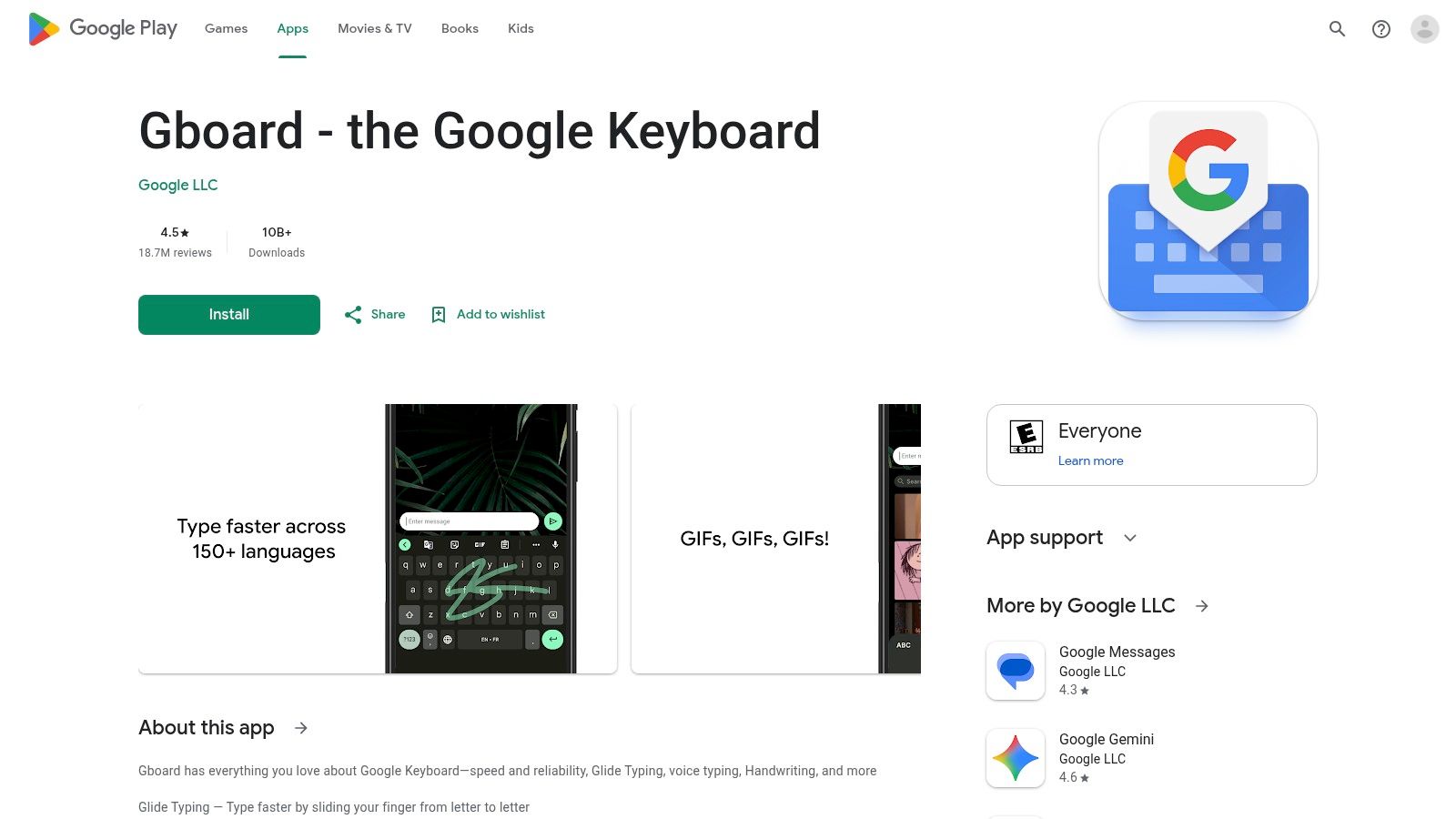
Gboard is the most practical starting point for many Indian businesses because it already sits inside the Android estate employees use every day. For distributed sales teams, delivery operations, field collections, retail supervision, and on-site service staff, that matters more than advanced dashboards. A voice typing app only creates value if people use it in the flow of work.
Its strength is simple reach. In India, over 70% of smartphone users regularly use voice commands in 2025, with adoption reaching 77% among users aged 18 to 34 and 63% among users aged 35 to 54, according to the PwC consumer-use adoption summary. The same reference notes that Google remains the top platform for voice typing adoption in India. If your frontline workforce is Android-heavy, Gboard aligns with an already-formed habit.
Mobile coverage that reaches the front line
Gboard works inside almost any mobile text field. That makes it useful for CRM note entry, WhatsApp-based customer coordination, internal reporting, and quick bilingual communication. Its Indic language support is a practical advantage for teams that switch between English and regional languages during the day.
Practical rule: If your employees already work from Android phones and your main goal is faster note capture, Gboard is often the lowest-friction deployment path.
A few trade-offs matter for leadership teams:
- Best outcome: Mobile-first teams can standardise on one familiar keyboard instead of procuring a separate dictation product.
- Operational upside: Minimal setup means faster rollout for large, decentralised teams.
- Constraint: Advanced on-device voice typing benefits are stronger on some Pixel devices than on the broader Android base.
For a field sales manager, the business case is clear. Reps can log visit notes after each meeting instead of batch-entering them late in the evening, which usually improves CRM freshness and reduces memory loss.
Use the Gboard app listing if you want to assess deployment requirements and supported features.
2. Microsoft SwiftKey
Microsoft SwiftKey is a better fit when leaders want a familiar mobile keyboard plus account-linked personalisation. It isn't positioned as a heavy enterprise voice platform, but it can still support operational consistency for teams that write across apps all day on phones and tablets.
SwiftKey's voice typing sits inside a highly customisable keyboard environment. That matters when users don't want to choose between dictation and manual correction. Staff can dictate a sentence, correct a term immediately, then continue typing without switching contexts. For support agents, recruiters, and relationship managers working from mobile devices, that mixed-input workflow is often more realistic than pure dictation.
Where SwiftKey fits operationally
The strategic value here is continuity, not transformation. SwiftKey helps teams keep voice input inside daily communication tools while also preserving keyboard-based control for names, codes, addresses, and structured entries that often need manual review.
Its cloud sync for personal dictionary can be helpful for employees who move across devices under the same Microsoft account. That said, leaders should treat account dependencies carefully. Once a tool relies on sign-in and sync, governance questions follow. Who owns the vocabulary? What happens during offboarding? Which settings can IT standardise?
A voice typing app becomes an enterprise tool only when procurement, IT, and team leads can predict how it behaves across devices and accounts.
SwiftKey is strongest in practical scenarios like these:
- Recruitment teams: Dictate candidate follow-up notes, then type role codes and interview slots manually.
- Sales teams: Capture quick call summaries in mobile CRM fields while retaining keyboard access for exact figures or product names.
- Executives on the move: Draft email replies by voice and refine them immediately without leaving the keyboard.
The platform page for Microsoft SwiftKey is the right place to review current support and account behaviour before standardising it.
3. Google Docs – Voice Typing (Web)
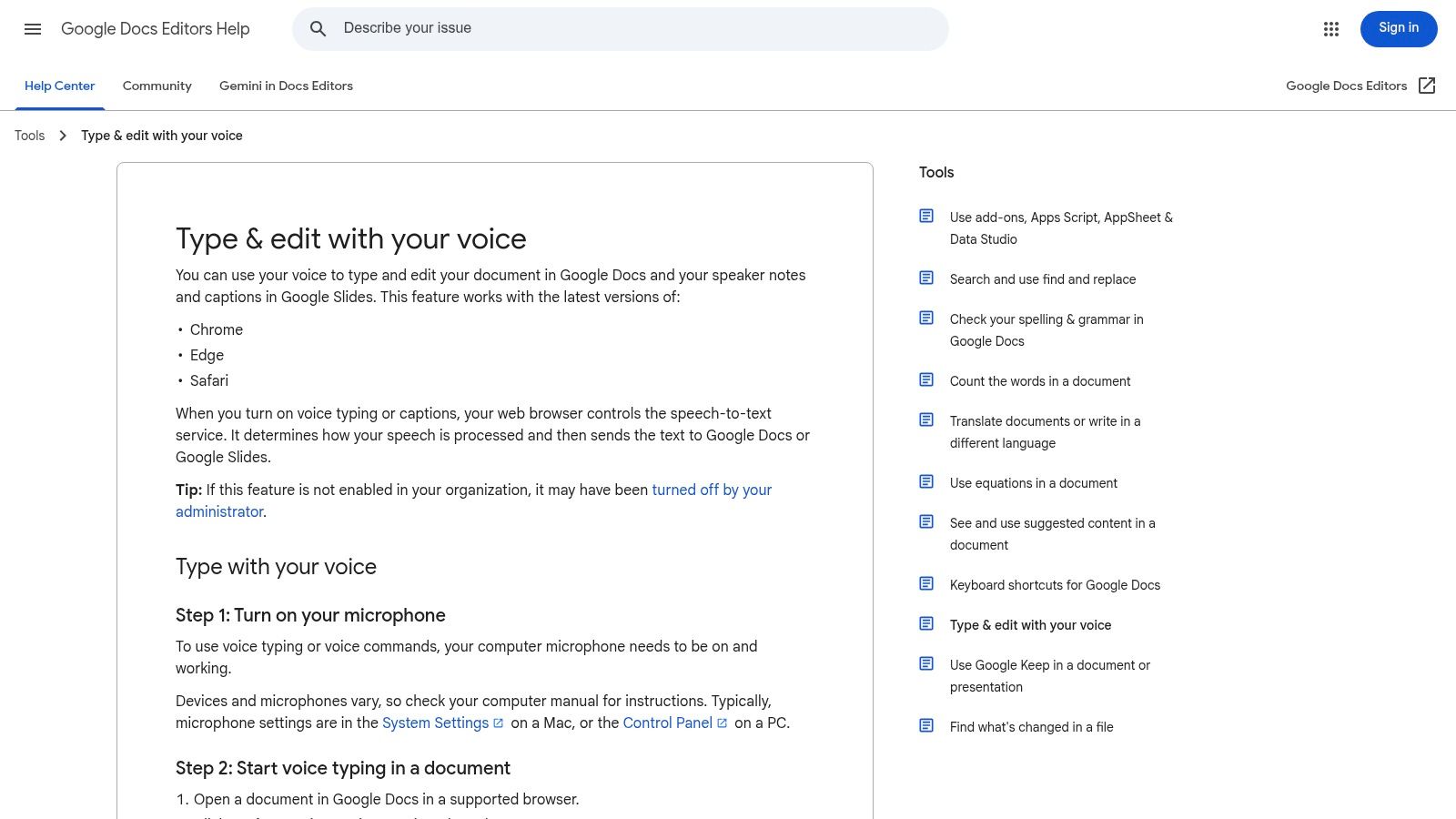
Google Docs Voice Typing is one of the few tools in this list that can improve long-form document throughput for knowledge teams. It isn't just about converting speech to text. It supports editing and formatting commands inside a collaborative document environment, which makes it more useful for proposal drafting, internal memos, meeting summaries, and training documents.
For businesses already running on Google Workspace, that removes a major adoption barrier. Employees don't need a separate app or export step. They can dictate directly into a shared document, edit collaboratively, and keep version history intact.
Best for document-heavy teams, with a punctuation caveat
There is, however, a specific India-focused caution. A 2024 NITI Aayog report found that cloud-based voice typing tools misplace punctuation in 48% of sentences spoken by Indian users, and IIT Delhi reported 3.2x more editing time because of dialect-linked punctuation errors, according to the discussion referencing auto-punctuation issues for Indian users. For CXOs, that changes the evaluation framework. Accuracy alone isn't enough. Editing burden determines whether voice typing saves time or relocates it.
That's why Google Docs Voice Typing works best in environments where users can review output before downstream use. Marketing drafts, internal briefing notes, lecture preparation, and collaborative brainstorming are stronger fits than compliance-sensitive final documents.
For teams using Google Workspace heavily, this practical guide to Google Docs voice typing gives additional workflow context.
- Best use case: Content, HR, operations, and education teams drafting longer text collaboratively.
- Business upside: No extra procurement for many organisations already on Google.
- Watchpoint: Punctuation quality can create hidden editing cost for Indian English speakers.
You can review Google's official setup through the Google Docs voice typing support page.
4. Apple Dictation
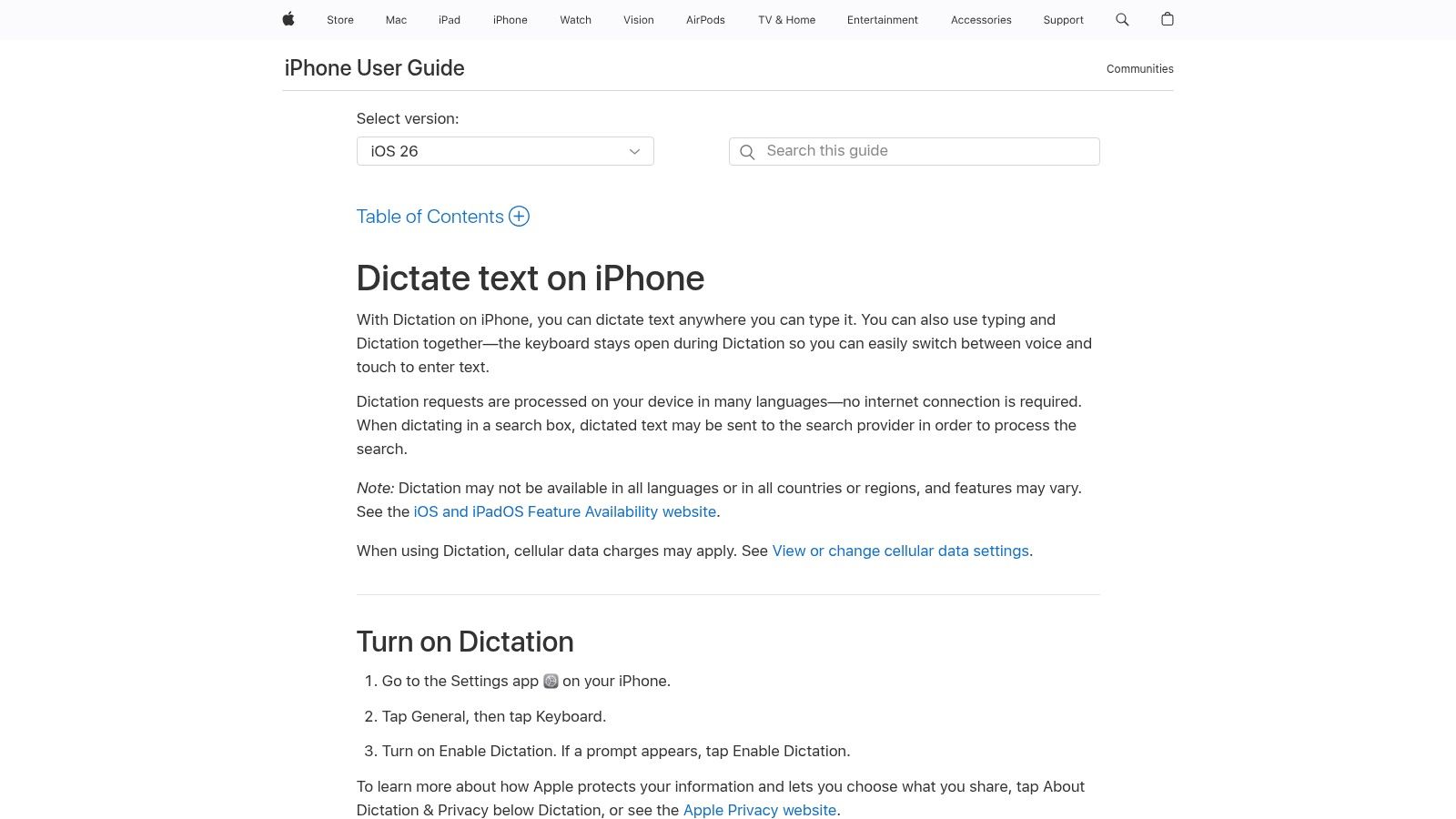
Apple Dictation makes the strongest case in controlled hardware environments. If your leadership team has already standardised on iPhones, iPads, and Macs for managers, consultants, healthcare admins, or senior client-facing staff, built-in dictation reduces rollout friction and keeps the user experience consistent across devices.
That consistency is the key business benefit. There's no separate app procurement, no parallel keyboard layer, and no need to train users on a new interface for basic text input. In practice, that makes Apple Dictation suitable for executive correspondence, field note capture on iPads, short documentation tasks, and accessibility support for employees who prefer or require spoken input.
Strong fit for controlled device environments
The strategic limit is platform concentration. Apple Dictation works best when your organisation already accepts Apple's ecosystem as the operating model. It is less compelling for mixed estates where Android frontline devices and Windows back-office systems dominate.
A practical example is a private hospital group using iPads at reception and care-coordination desks. Staff can dictate follow-up notes, appointment comments, or quick patient communication drafts without adding another application to managed devices. A consulting firm can use the same approach for partner notes and post-meeting actions on MacBooks and iPhones.
- Governance benefit: Built-in capability reduces vendor sprawl.
- Adoption benefit: Staff use dictation anywhere the Apple keyboard appears.
- Constraint: Feature availability varies by language, region, and OS version.
The strongest ROI often comes from tools employees don't need to think about. Built-in dictation wins when change management is the bigger risk than software cost.
Apple's own iPhone dictation documentation is the best reference for current behaviour across supported devices.
5. Windows 11 Voice Typing
Windows 11 Voice Typing is the default shortlist candidate for any organisation with a large Windows estate. It's built into the operating system, activates quickly with Win+H, and covers the broadest range of text-entry workflows without requiring separate deployment. For procurement teams, that's useful because it establishes a no-cost baseline before evaluating paid tools.
Its inclusion of English (India) support is especially relevant for domestic operations teams, BPO environments, internal service desks, and document-heavy back-office functions. It won't replace specialised transcription tools, but it can remove friction from email drafting, case notes, form entry, and ad hoc documentation.
Useful baseline for Windows-first organisations
One feature deserves special scrutiny: auto-punctuation. In theory, that reduces editing. In practice, India-specific speech diversity remains a constraint across the category. The larger market context explains why. State-of-the-art ASR systems still exceed a Word Error Rate of 20% across all 15 major Indian languages on unscripted telephonic conversations in the Voice of India benchmark paper. That finding should temper executive expectations about “set and forget” deployment in multilingual, noisy, or spontaneous environments.
For Windows 11 Voice Typing, the smart position is pragmatic adoption. Use it first for internal productivity tasks where human review remains part of the workflow. Don't use it as the sole capture layer for high-risk regulated text.
Practical examples include:
- Operations teams: Draft incident notes faster in internal tools.
- Customer support supervisors: Capture coaching feedback during QA reviews.
- Finance and admin staff: Enter repetitive narrative comments into forms without extended typing.
The official Windows voice typing guide covers language packs, setup, and current feature availability.
6. Otter.ai
Otter.ai matters because many leadership teams don't need classic dictation. They need meeting capture, searchable transcripts, summaries, and clearer handoffs between calls and action. Otter sits at that intersection. It's less a keyboard replacement and more a workflow memory layer.
For sales, customer success, recruitment, and training functions, that distinction is important. A manager doesn't just want spoken words converted into text. They want who said what, what was decided, and what needs to happen next. Otter's speaker identification and collaboration features make it more relevant to cross-functional execution than simple mobile dictation tools.
Meeting intelligence, not just dictation
The ROI case for Otter appears when meetings produce downstream work. A revenue team can search prior calls before renewals. A recruitment lead can revisit candidate interviews without depending on handwritten notes. An L&D team can turn recorded sessions into reviewable text and summaries.
The trade-off is that Otter is not the best fit for every compliance posture or every writing task. If your primary need is entering text directly into business apps, Gboard, SwiftKey, or system dictation may be more efficient. If your primary need is meeting documentation and shared context, Otter becomes more compelling.
- Best fit: Meeting-heavy organisations with distributed teams.
- Operational benefit: Reduces note-taking load during live conversations.
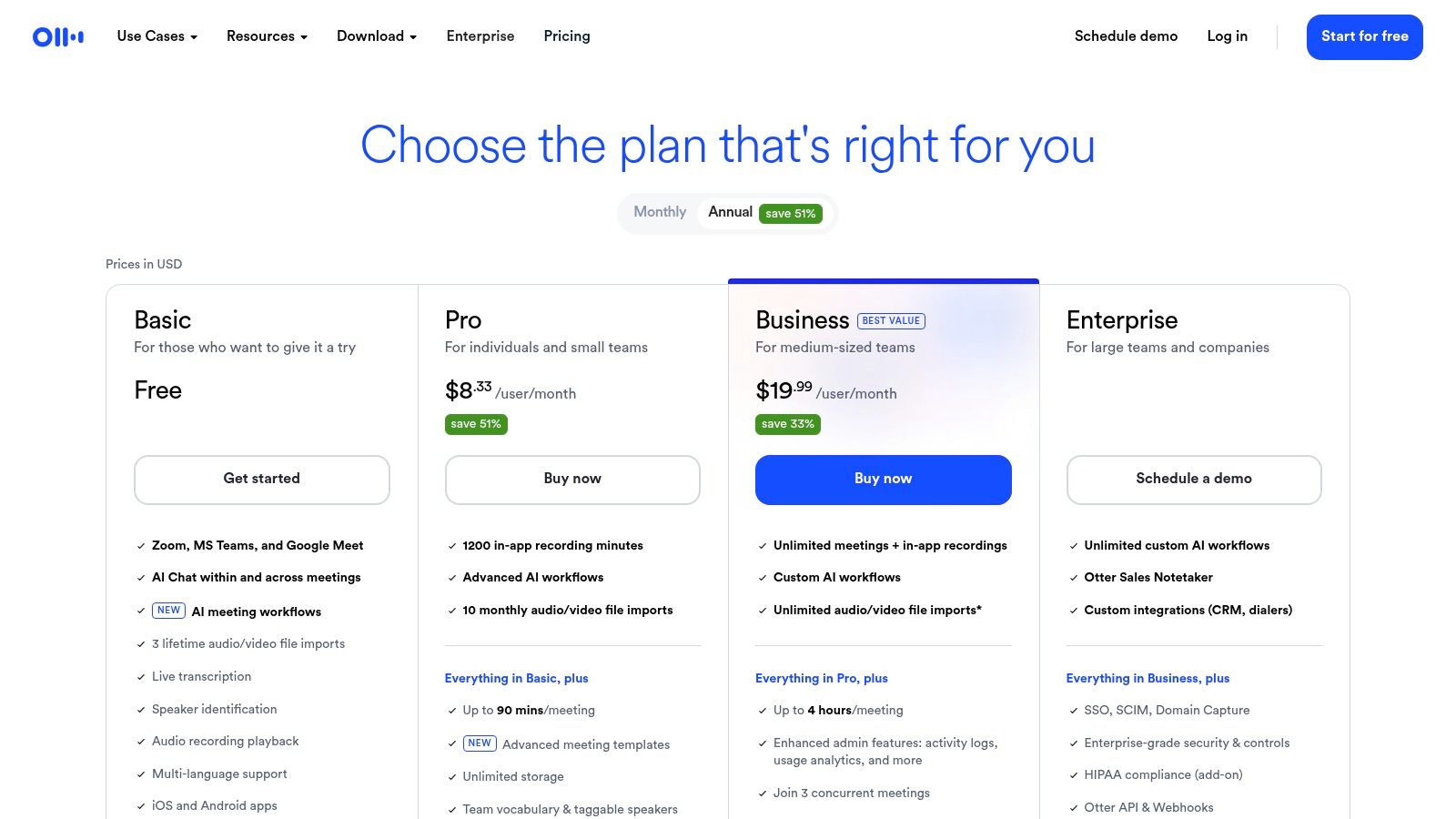
- Constraint: Paid tiers matter if you need the richer collaboration workflow consistently.
When a meeting transcript becomes searchable institutional memory, the value extends beyond the person who attended the call.
You can inspect plan structure and feature boundaries on the Otter.ai pricing page.
7. Notta
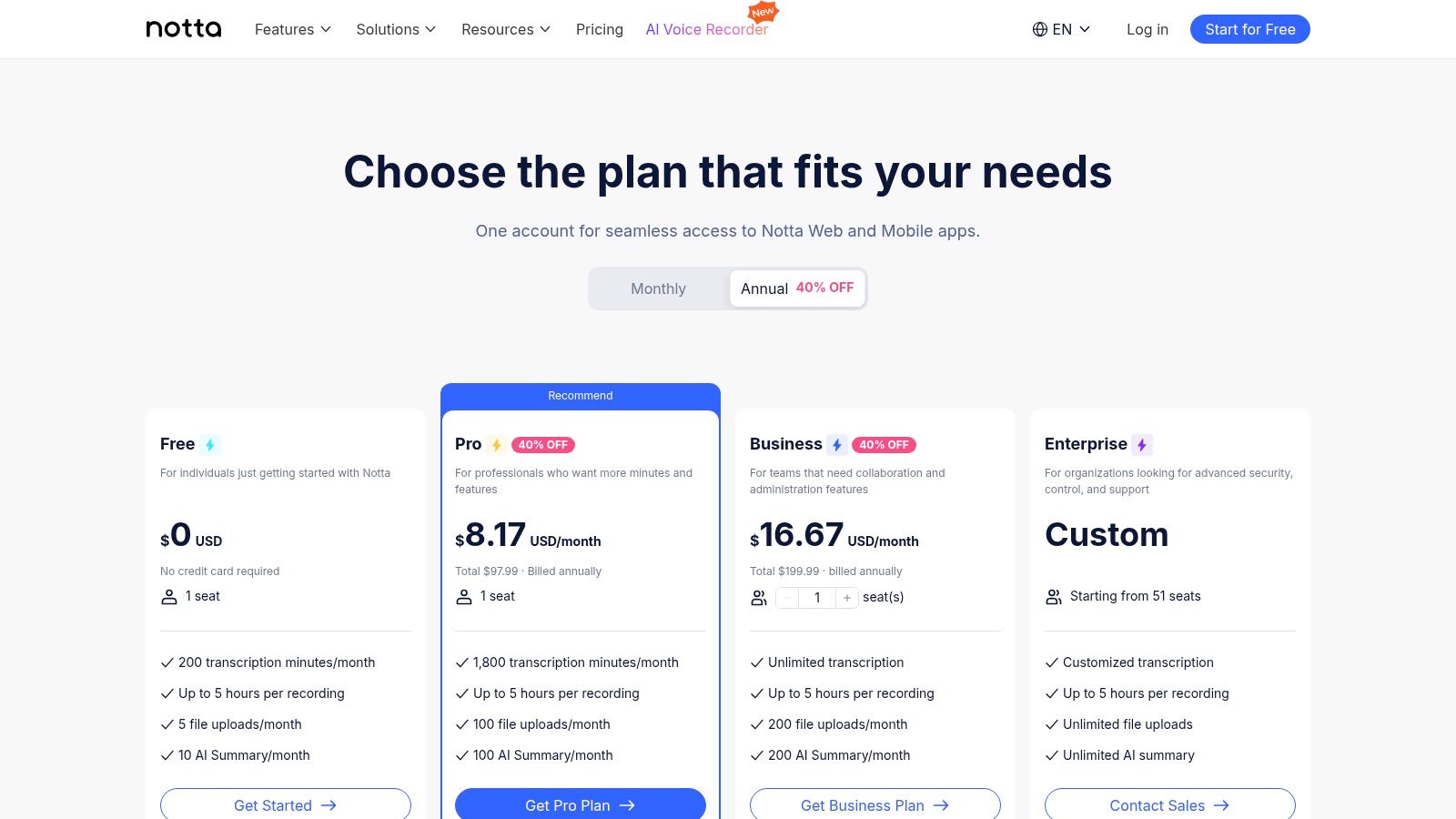
Notta stands out less for raw dictation novelty and more for operational control. For buyers assessing voice typing apps as enterprise tools, that distinction matters. Transparent usage quotas, business-tier administration, meeting capture, and bilingual transcription affect budgeting, rollout discipline, and auditability in ways consumer app reviews usually miss.
The strongest case for Notta is in organisations where spoken information needs to move into a governed workflow. Interviews, training sessions, client calls, and internal reviews all create records that teams may need to search, share, and standardise later. A product with clearer seat limits and plan boundaries gives finance and procurement a cleaner basis for cost forecasting than tools that obscure practical usage thresholds.
A stronger fit for multilingual operating models
Notta is particularly relevant for teams that work across languages in the same process. Bilingual transcription and translation can reduce the manual effort required to consolidate notes after cross-border meetings or regional customer conversations. That has direct productivity value in education, BPO, travel, and support environments where staff often need a transcript in one language and a summary in another.
This matters in India and other multilingual markets, where enterprise speech tools must handle varied accents, mixed-language speech, and operational noise rather than ideal dictation conditions. Google's India language and speech work points to the complexity of serving users across many languages and speech patterns in the region, which is a more demanding standard than simple English-only transcription (Google for India language AI overview).
A practical example is an edtech admissions function. Counsellors can record discovery calls, generate transcripts, and hand structured summaries to central operations without relying on handwritten notes or fragmented follow-ups. Regional sales teams can use the same workflow to document partner discussions consistently, even when speakers switch between English and local phrasing during the conversation.
The trade-off is clear. Notta is more compelling as a managed transcription and multilingual documentation platform than as a pure text-entry tool for everyday drafting. Teams that need governed meeting records, language flexibility, and predictable commercial terms are more likely to see measurable ROI.
Use the Notta pricing page to assess business and enterprise controls before rollout.
8. Speechnotes
Speechnotes is one of the better examples of a lightweight voice typing app that can still create business value in the right setting. It doesn't try to be a full meeting intelligence platform. It focuses on fast, low-friction dictation and basic export.
That makes it useful for solo professionals and lean teams that want quick drafting without enterprise overhead. Founders, journalists, trainers, consultants, and academic staff often need exactly that. They don't need speaker separation or deep integrations. They need to get text out quickly, then move it into another workflow.
Lean dictation for fast drafting
Where Speechnotes works well is high-frequency rough drafting. Think lecture outlines, article sections, field notes, interview observations, draft WhatsApp scripts, or internal update drafts that someone will clean up later. Its custom punctuation support helps users who prefer explicit control over output, especially in longer spoken passages.
The limitation is equally clear. Speechnotes offers fewer enterprise controls than tools like Otter or Notta. If your team needs admin oversight, permissions, structured collaboration, or compliance review, this is likely too light.
- Good use case: Small teams and individuals who need a browser-based dictation pad.
- Business upside: Fast onboarding and low process overhead.
- Constraint: Not designed for managed enterprise governance.
A practical example is a content lead dictating article skeletons in the morning, exporting text, and assigning edits to writers later in the day. Another is a trainer creating module notes between sessions without opening a full document suite.
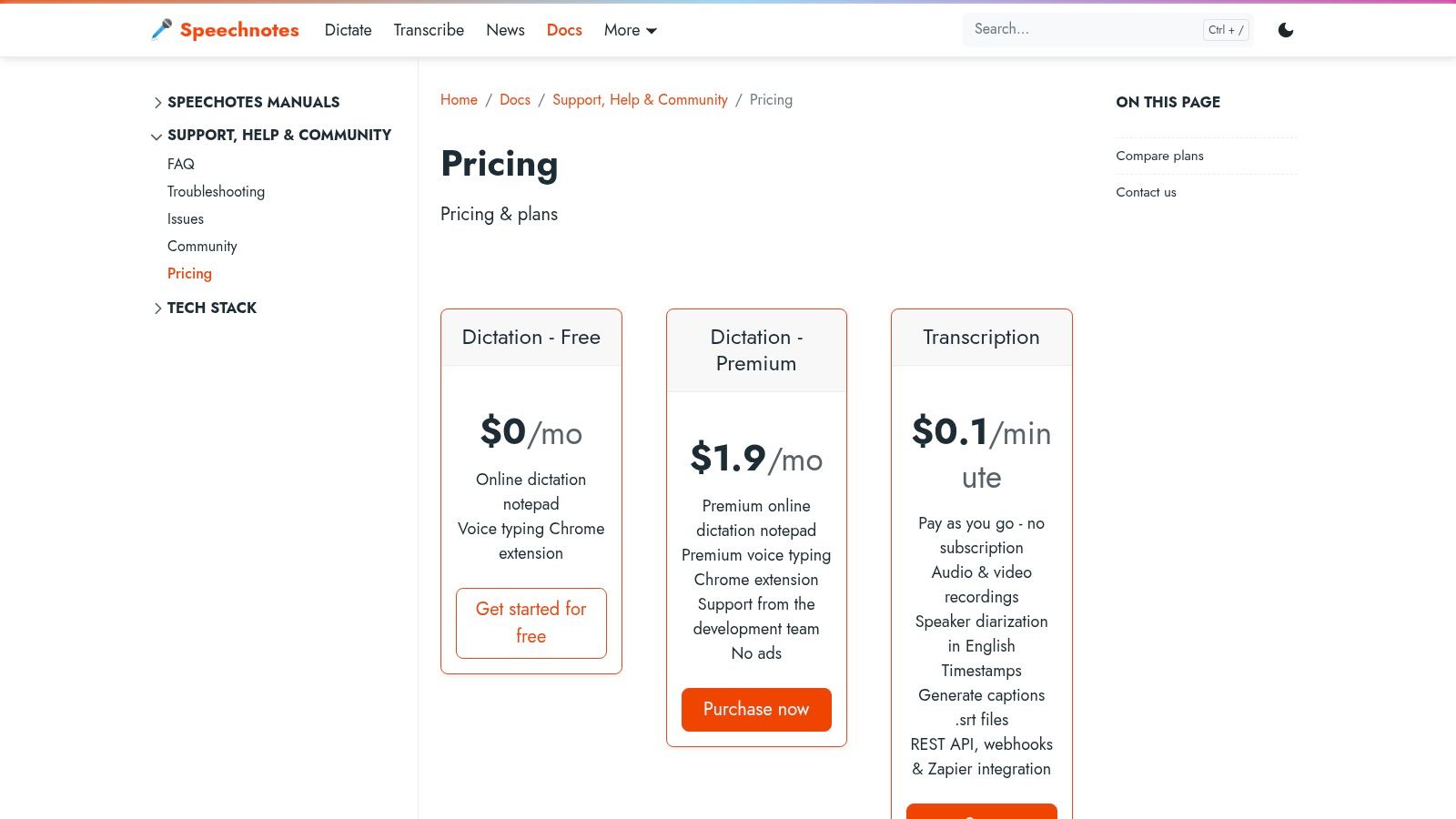
The Speechnotes pricing page outlines the current plan model and premium options.
9. Dictation.io
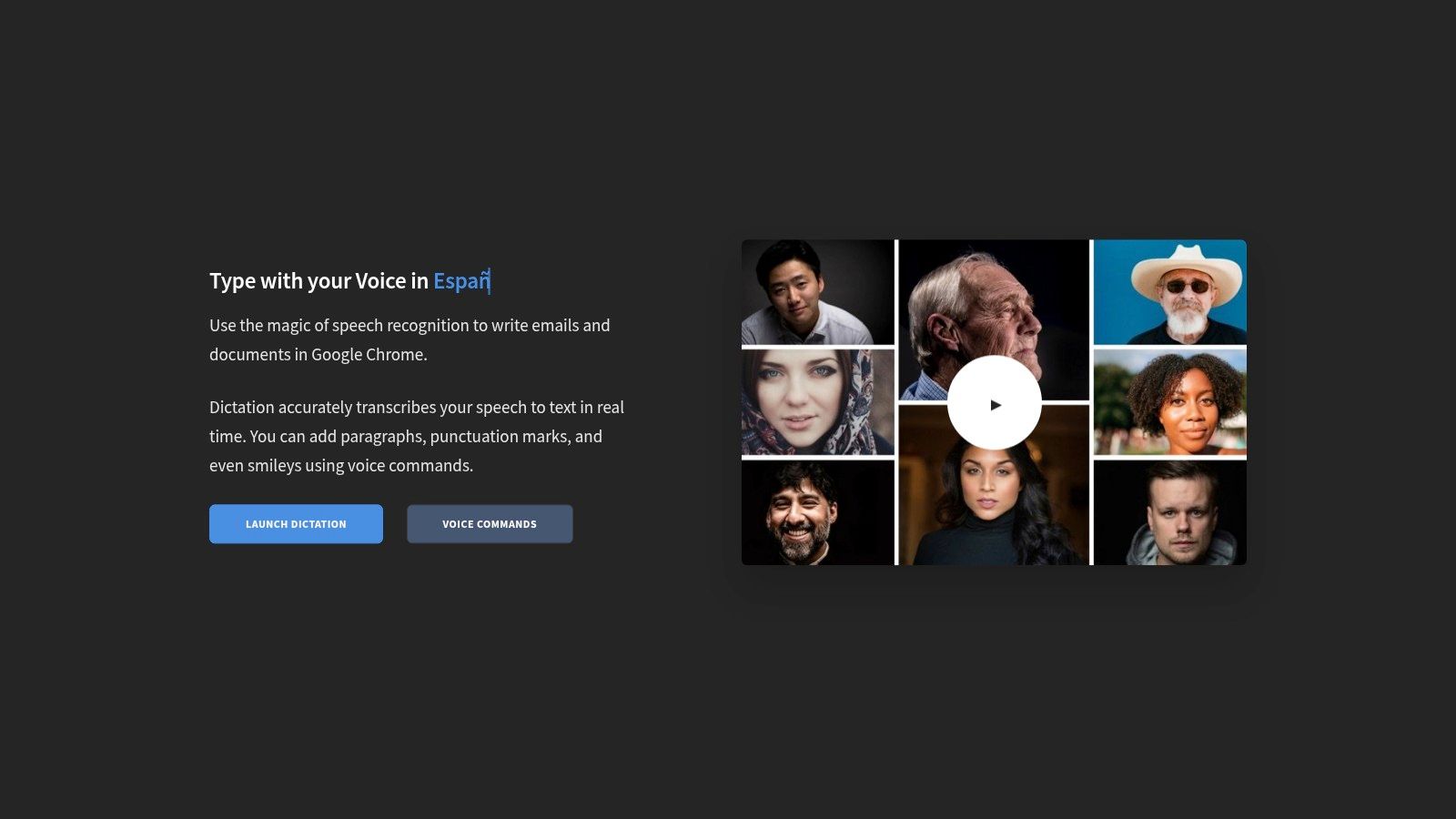
Dictation.io is the tool to test when an organisation wants to validate browser-based dictation quickly, especially across multiple Indic languages, without procurement delay. It's basic by design, and that's part of its value. Teams can experiment with real user behaviour before standardising a more structured platform.
That “pilot before purchase” role is underrated. Many voice initiatives fail because leaders buy an advanced product before proving that employees will dictate in production workflows. Dictation.io lets teams test where voice helps, where it fails, and which departments adapt fastest.
Fast trials for multilingual browser dictation
Its support for many Indian languages makes it practical for quick experiments in multilingual environments. A regional operations team can test whether branch managers prefer voice entry for narrative updates. A support team can trial spoken draft responses for internal knowledge notes. A community outreach programme can check whether local-language capture improves reporting completeness.
The larger market tailwind is already strong. India's speech and voice recognition market is forecast to reach USD 1,952.85 million by 2032, and the speech recognition software segment alone generated USD 255.32 million in 2024, according to the India speech and voice recognition market analysis. That scale suggests voice input is moving from optional interface to core software layer.
Still, Dictation.io is not where most enterprises should end. It lacks the workflow depth, governance, and automation expected in larger deployments. It is best used to answer a narrower question: where can voice reduce typing effort immediately?
Review the live product at Dictation.io.
10. SpeechTexter
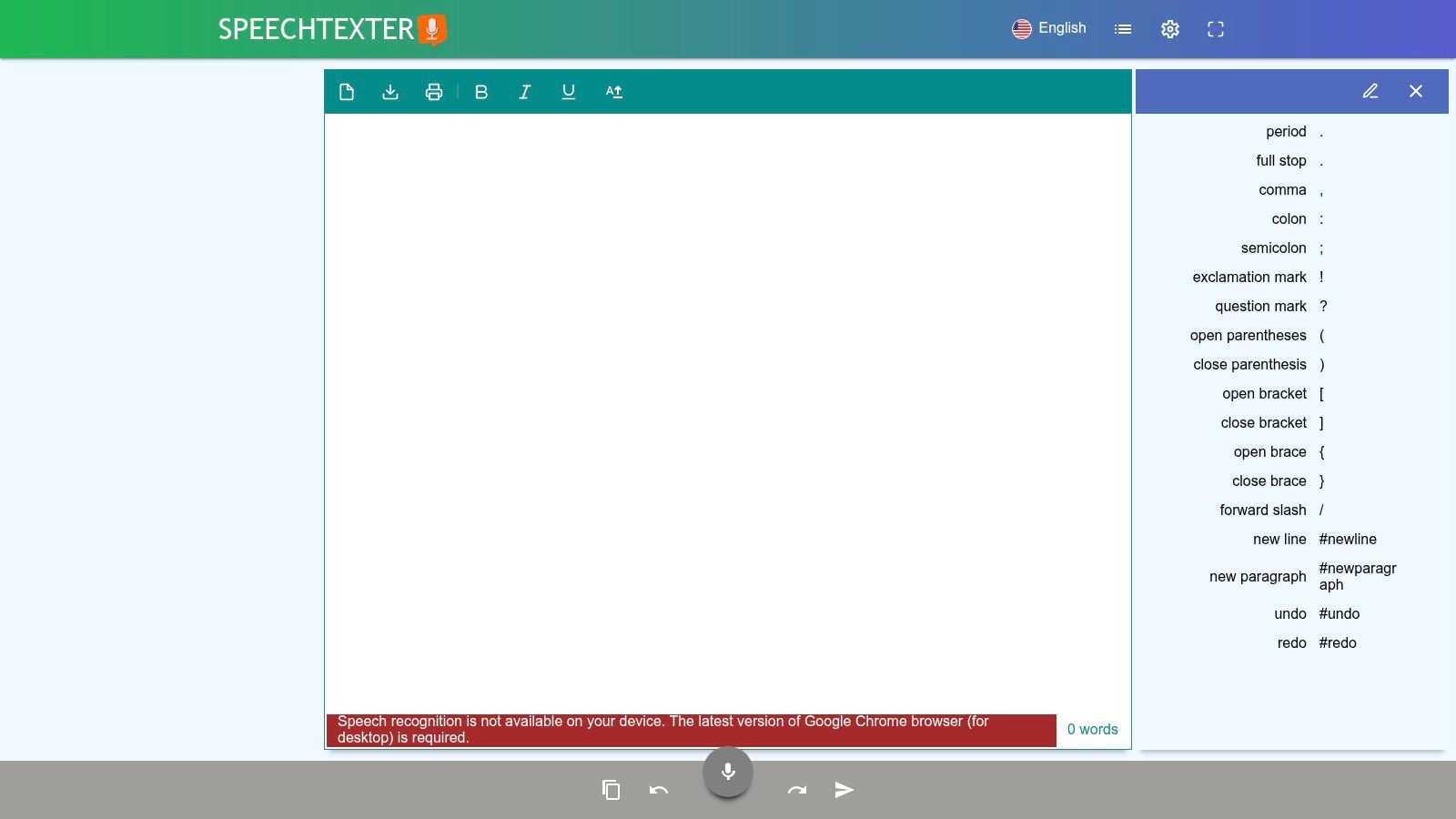
SpeechTexter stands out when repetitive phrasing dominates the workflow. Its custom command list and support for frequently used phrases make it more operationally useful than a generic free dictation tool. That's relevant in education, inside sales, service coordination, and content production where teams repeat structured language every day.
Most reviews treat custom commands as a convenience feature. For business use, they're closer to lightweight process standardisation. If a team can insert common phrases, disclaimers, response templates, or form language by voice, it reduces variance and speeds up routine communication.
Best where repetitive phrasing dominates
A practical example is an admissions or counselling team using recurring programme descriptions and next-step prompts. Another is an e-commerce support team reusing approved return instructions or order-resolution language. Educators can dictate lesson notes while invoking canned academic phrases or punctuation patterns through voice commands.
This kind of workflow matters in India because voice adoption is accelerating under conditions global products don't always handle well. The LinkedIn note on India's rapid voice adoption highlights that typing was never the default for many users and that strong performance depends on handling code-switching, regional dialects, and noisy environments. SpeechTexter won't solve the full enterprise challenge on its own, but its command-based structure can help teams create disciplined micro-workflows around routine text.
If the same sentence gets typed dozens of times a day, a voice command is no longer a convenience. It's process compression.
Its main weakness is collaboration depth. Teams needing admin control, analytics, and formal integrations will likely outgrow it.
You can evaluate the platform directly through SpeechTexter.
Top 10 Voice Typing Apps Comparison
| Product | Core features | UX / Accuracy (★) | Value / Pricing (💰) | Target audience (👥) | Unique selling point (✨ / 🏆) |
|---|---|---|---|---|---|
| Gboard | One-tap mic, multilingual, Pixel on-device voice | ★★★★, fast mobile, device-dependent | 💰 Free / often preinstalled | 👥 Mobile users; Indic language speakers | ✨ Strong Indic support & low friction, 🏆 Everyday mobile dictation |
| Microsoft SwiftKey | Voice dictation, multimodal, cloud dictionary sync | ★★★★, good predictions + dictation | 💰 Free; some features need MS account | 👥 Users wanting typing + dictation combo | ✨ Smart predictions with dictation, 🏆 Best for customizable keyboard workflows |
| Google Docs – Voice Typing (Web) | Dictation + rich voice editing commands (Docs/Slides) | ★★★★★, accurate for long-form, command-rich | 💰 Free with Google account | 👥 Writers, students, teams collaborating | ✨ Robust editing/formatting voice commands, 🏆 Best for document creation |
| Apple Dictation | System-wide dictation, keyboard stays visible | ★★★★, integrated, privacy-focused | 💰 Free on Apple devices | 👥 Apple ecosystem users | ✨ Tight OS/hardware integration & privacy, 🏆 Best for iPhone/iPad/Mac users |
| Windows 11 Voice Typing | Win+H system dictation, Voice Access, offline options | ★★★, broadly available; occasional issues | 💰 Free with Windows 11 | 👥 Windows desktop users & accessibility needs | ✨ Offline voice access + system-wide control, 🏆 Best for Windows workflows |
| Otter.ai | Live transcription, speaker ID, summaries, meeting integrations | ★★★★★, conference-grade, collaborative | 💰 Freemium; advanced features paid | 👥 Teams, educators, sales & support | ✨ Auto-summaries + meeting integrations, 🏆 Best for meeting transcription & collaboration |
| Notta | Live transcription, translation, Chrome meeting capture | ★★★★, accurate, supports translation | 💰 Clear per-seat/minute plans | 👥 Teams needing bilingual meeting capture | ✨ Translation + transparent quotas, 🏆 Best for bilingual meeting capture |
| Speechnotes | Online notepad, Chrome extension, punctuation commands | ★★★★, simple, fast for notes | 💰 Very low cost / free basic | 👥 Students, writers, journalists | ✨ Lightweight, pay-as-you-go options, 🏆 Best for quick note-taking |
| Dictation.io | One-click browser dictation, wide Indic language list | ★★★, fast & free, basic formatting | 💰 Free | 👥 Quick web users; Indic language speakers | ✨ No-install, broad Indic coverage, 🏆 Best for quick free browser dictation |
| SpeechTexter | Custom voice commands, web + Android, multilingual | ★★★★, good for repetitive inputs | 💰 Free (ad-supported) with IAPs | 👥 Bloggers, educators, repetitive-entry users | ✨ Custom canned commands for automation, 🏆 Best for repetitive text workflows |
The ROI of Voice Your Next Strategic Move
Voice typing belongs in the same budgeting conversation as workflow automation, endpoint management, and collaboration software. In high-frequency documentation environments, it changes unit economics. Teams capture information earlier, reduce low-value keyboard work, and shorten the gap between an interaction and a system update.
That matters because the business case is rarely "typing faster." The stronger case is lower administrative load, better record freshness, and higher compliance with required documentation. A sales manager gets cleaner CRM notes on the day of the meeting. A clinician records observations before memory decay introduces omissions. A field operations team logs incidents without waiting to return to a desktop. The value sits in timeliness and completeness, not novelty.
Adoption in India supports the broader direction of travel. As noted earlier, market forecasts point to rapid growth in voice-based interfaces. Executives should read that as a signal that speech is becoming a standard input layer across devices and workflows.
The deployment risk is not theoretical. Accuracy varies by accent, domain vocabulary, ambient noise, and connectivity. Offline capability and privacy controls directly affect rollout success in sectors handling sensitive information or operating in inconsistent network conditions. An app that performs well in a product demo can still fail in branch operations, field service, or regulated customer support if review workflows, data residency, or device-level controls are weak.
This is why consumer-style rankings often miss the actual decision.
The right question is not which app has the highest raw dictation accuracy. The right question is which tool fits the workflow, governance model, and cost structure of the team using it. A finance or healthcare buyer should weigh retention policies, platform permissions, and audit exposure. A revenue leader should focus on whether voice capture increases CRM completion rates and reduces post-call admin time. An IT leader should ask whether the tool can be deployed, supported, and controlled at scale.
A practical selection model looks like this:
- Gboard or SwiftKey fit mobile-first teams that need fast note capture inside existing apps, with minimal training and low rollout friction.
- Google Docs Voice Typing or Windows 11 Voice Typing fit organisations seeking productivity gains inside current desktop environments without adding another paid collaboration layer.
- Apple Dictation fits standardised Apple fleets where device consistency, local processing options, and low support overhead matter more than advanced workflow integration.
- Otter.ai or Notta fit teams where the asset is not just text entry but searchable meeting records, summaries, and collaborative review.
- Speechnotes, Dictation.io, or SpeechTexter fit lightweight pilots, repetitive text workflows, and low-cost experimentation before broader procurement.
A useful pilot stays narrow. Pick one team, one recurring documentation task, and one measurable operational constraint. Sales follow-up, support case notes, recruiter interview capture, or site reporting all work because they generate enough volume to show whether speech input reduces turnaround time or shifts work into editing.
The strongest ROI often appears after the pilot, when voice becomes part of a wider operating model. Speech input can feed transcripts, summaries, structured records, and downstream automations. At that point, the business case expands from individual productivity to process throughput. Companies that treat voice as an enterprise input channel, with controls, integrations, and clear ownership, usually get more value than companies that treat it as a keyboard substitute.
DialNexa Labs Private Limited helps organisations move beyond simple dictation into production-grade voice operations. Its Voice AI platform is built for teams that need qualification, customer support, recruitment, and presales handled at scale across industries such as EdTech, BFSI, real estate, hospitality, e-commerce, healthcare, and SaaS. If your next step after choosing a voice typing app is building human-like voice workflows that can qualify leads, guide KYC, schedule demos, handle programme counselling, or streamline patient bookings, DialNexa is worth evaluating.

Leave a Reply