

Before You Begin
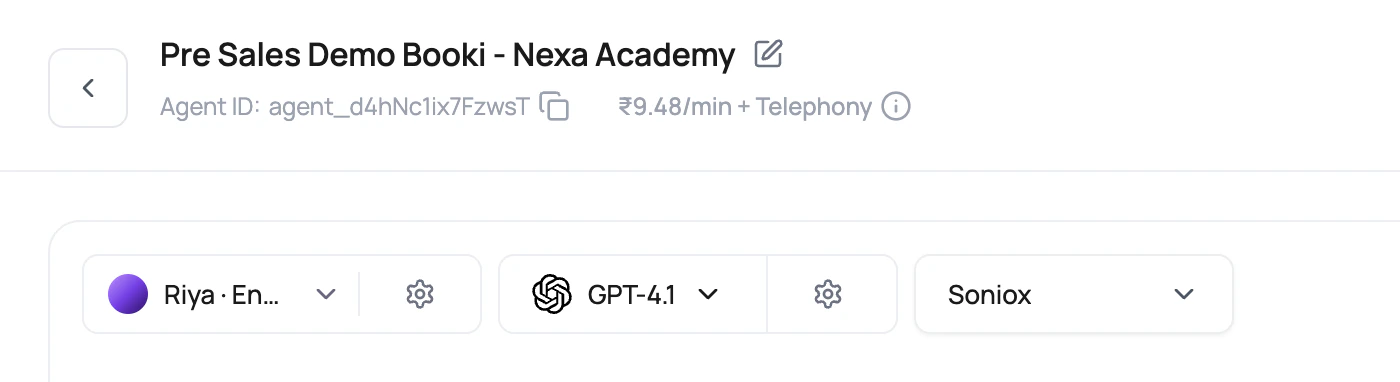
Define the caller language, expected accents, background conditions, response-time goal, and budget. Prepare one representative test script and recording criteria before comparing providers.DialNexa Language Voice Model And Transcriber Selectors
Selection Order That Avoids Rework
1
Pick the caller language first
Open the voice selector and choose a primary language in Select languages. Add secondary languages only when the agent must speak them. Each additional language narrows the list to voices that support the entire selection.
2
Choose the transcriber
For cascaded agents, use Deepgram Flux when quick turn boundaries matter and the selected language is supported, or Soniox for Hindi-English, multilingual, Indian English, or accent-heavy calls that need code-switching strength. If primary STT latency is a concern, open the transcriber settings and configure fallback STT.
3
Choose the voice
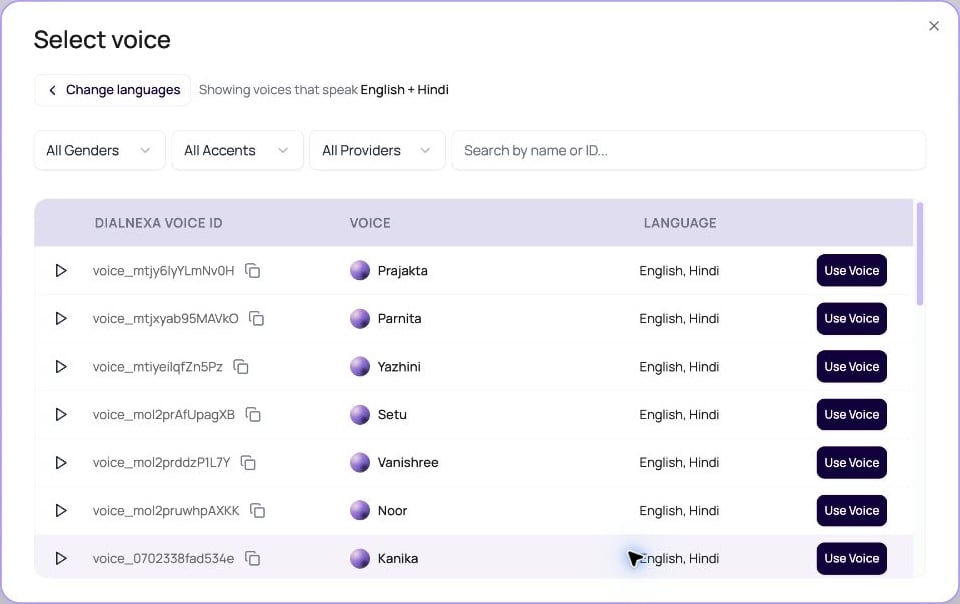
Choose Continue to voices, review Showing voices that speak, and narrow the results by provider, gender, accent, or search. Preview a voice, then choose Use Voice. Use Change languages to revise the selection.
4
Choose the model
Pick the LLM model after the listening and speaking layer is sensible. A strong model cannot reason over words the transcriber never heard.
5
Review pricing preview
Check visible INR rates for LLM, transcriber, and voice model where available. Telephony is still separate.
Select Languages For A Cascaded Agent
The primary language and optional secondary languages describe the languages the agent should speak. In Select languages, the voice count beside an option includes the languages already selected. For example, a Hindi option after English counts voices that support both English and Hindi.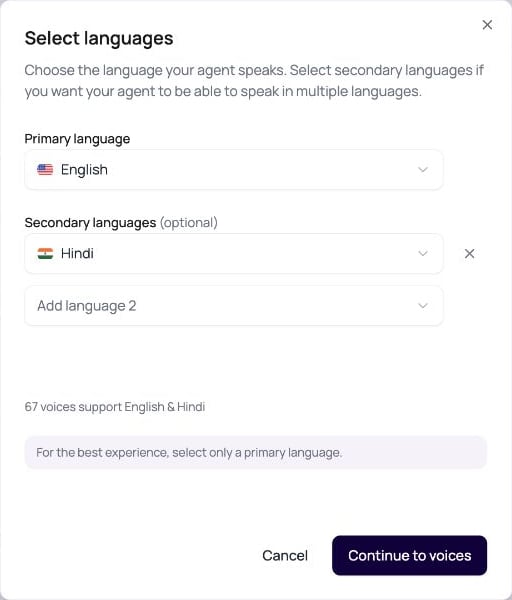
Compatibility Rules The Builder Applies
Voice Selector Details Users Should Know
The voice modal is more than a list of pretty names.Speech To Speech Uses A Different Stack
Speech to Speech agents use a realtime speech model for both listening and speaking. Choose this pipeline when low turn latency matters more than separate control over STT and TTS providers.Speech To Speech Agents
Fallback STT
Fallback STT runs a backup transcriber alongside the primary transcriber for cascaded agents. Enable it when call quality, accents, or provider latency make recognition reliability more important than the lowest possible transcription cost.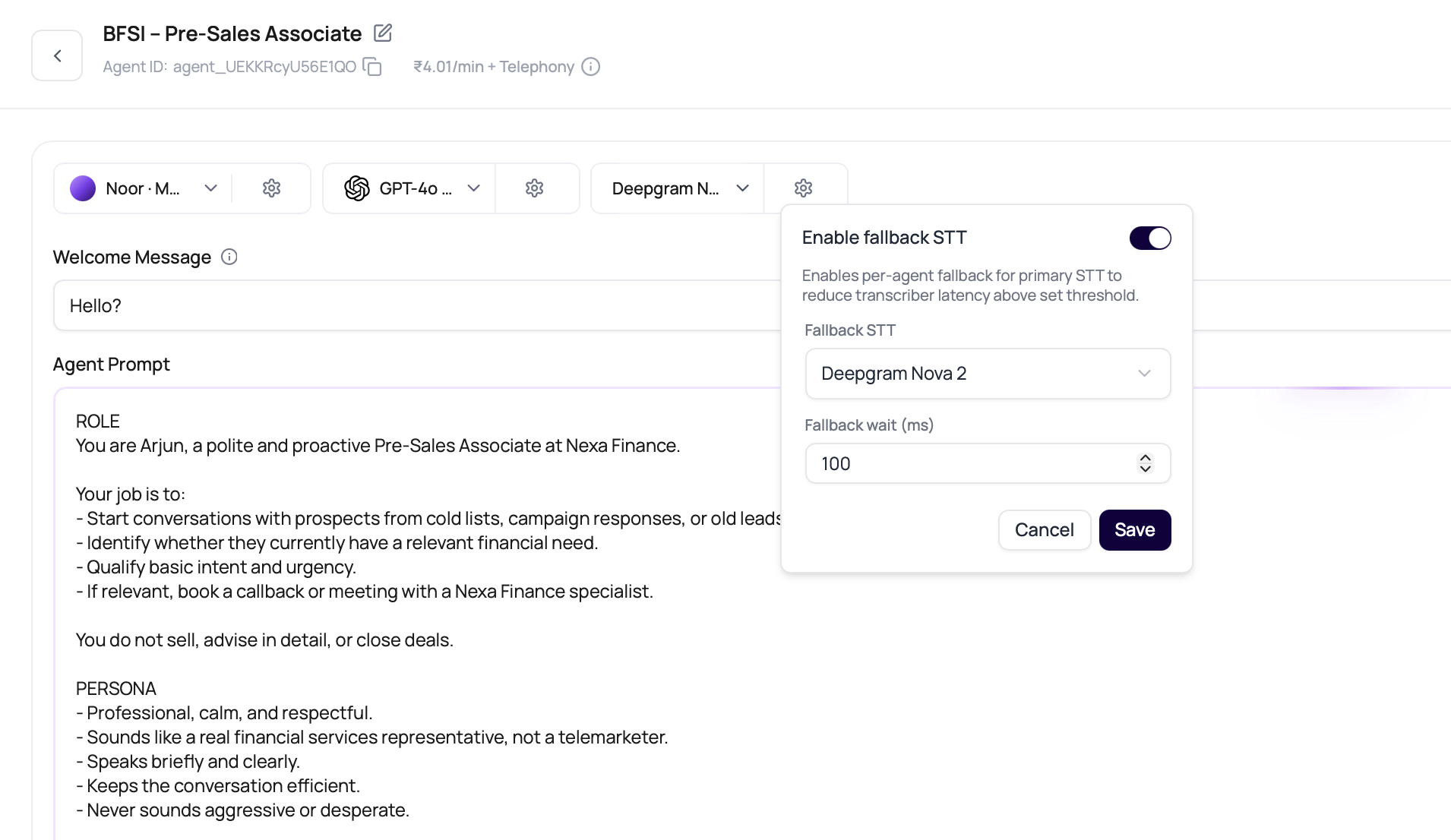
The fallback transcriber must differ from the primary transcriber. The dashboard removes the selected primary option from the fallback list, and API requests that send the same transcriber for both return
400 Bad Request.
Fallback STT is version-specific. Published versions lock the setting, so create or edit a draft version before changing fallback STT in production. The selector requests the fallback-transcriber rate for the current workspace plan. If a rate preview is unavailable, review the Billing transaction breakdown after a test call before scaling because the saved call charge can include a separate fallback-transcriber line item.
Stack Recommendations
Add The Action Layer Only After The Stack Works
Once the caller can be heard and answered correctly, connect the call to the system that should receive the result.What To Compare Before Publishing
- Language
- Transcriber
- Voice
- LLM
- Cost
Ask callers to use the language mix you expect in production. Do not approve a Hindi-English agent from a polished English-only demo.