
Outbound Call Center Software: Features, Benefits & How to Choose
If your sales team is still working manually. The problem gets bigger when you have hundreds or thousands of prospects to contact.
This is where outbound call center software comes in. Instead of treating every call as a separate task, you can organise leads into campaigns, automate dialing, record outcomes, schedule follow-ups and connect calling activity with your CRM.
But there is an important distinction. A traditional outbound dialer mainly helps you place calls faster. An AI-powered outbound calling platform can potentially handle parts of the conversation itself.
So, before choosing software, you need to understand what each approach does, how much calling capacity you actually need, what telephony integrations are supported and how pricing works. You also need to consider Indian calling regulations, languages and follow-up requirements.
TL;DR
- Outbound call center software helps businesses organise, automate and track large-scale outbound calling. It can manage contact lists, automated dialing, call outcomes, CRM updates, follow-ups and analytics. Depending on the platform, calls can be handled by human agents, outbound dialers or AI voice agents.
- When choosing a platform, focus on calling volume, concurrent calls, AI conversation capabilities, CRM integration, automated follow-ups, language support, Indian telephony compatibility, analytics, pricing and compliance.
- The key difference is simple: an outbound dialer helps you make calls faster, while an AI voice agent can also conduct supported conversations, qualify leads and trigger workflows. The right solution depends on whether your business needs human-led calling, AI automation or a combination of both.
- For Indian businesses, test the platform with your actual campaign, telephony setup, languages and follow-up workflow before scaling.
What Is Outbound Call Center Software?
Outbound call center software is a platform that helps businesses organise, automate and manage calls made to prospects or customers. It can manage contact lists, dialing campaigns, call outcomes, recordings, follow-ups, CRM updates and reporting. Depending on the platform, calls may be handled by human agents, automated dialers or AI voice agents.
Businesses use outbound calling software for sales outreach, lead generation, collections, recruitment, education admissions, customer reactivation and appointment booking.
For example, imagine an education company has 2,000 students who have requested information about an MBA programme. Instead of asking counsellors to manually dial every number, the company can upload or synchronise the lead list, create a campaign and begin outbound calls. An AI voice agent could ask basic qualifying questions such as preferred course, location and admission timeline. Interested candidates can then be passed to a human counsellor.
That is the basic idea: less manual calling work, more structured conversations and better visibility into what happened after every call.
Traditional outbound call center software generally focuses on helping human agents make calls efficiently. AI outbound calling software adds another layer by allowing AI voice agents to participate in the conversation.
How Does Outbound Call Center Software Work?
Automated outbound calling software generally follows a simple workflow:
- Upload or integrate contact lists through a CRM.
Your prospects or customer records are imported from a CRM, spreadsheet or another business system. - Configure calling campaigns and dialing rules.
You decide who should be called, when calls should happen, which number or campaign should be used and what happens when someone does not answer. - Initiate outbound calls.
Calls can be placed by human agents using an outbound dialer, automatically dialled by the system or handled by AI voice agents. - Record call outcomes and qualification information.
The system can capture outcomes such as answered, busy, no-answer, interested, not interested, qualified or callback requested. - Schedule follow-ups and synchronise results with the CRM.
The next action can be triggered based on the result. A missed call may generate another attempt, while a qualified lead may be assigned to a salesperson.
Where AI Changes the Workflow
With an AI voice agent, the software does not necessarily stop at connecting the call.
The AI can conduct a predefined conversation, ask qualifying questions, collect information, respond to routine queries and transfer suitable calls to a human representative. Depending on the platform and workflow, it may also trigger follow-up conversations.
For instance:
Lead uploaded → AI calls → prospect answers → AI asks qualification questions → lead qualifies → CRM updated → human salesperson receives the lead → follow-up scheduled.
This is different from simply using an automated dialer to make the phone ring.
Outbound Dialer vs AI Voice Agent: What’s the Difference?
The terms are sometimes used interchangeably, but they describe different capabilities.
| Comparison factor | Traditional outbound dialer | AI voice agent |
| Primary function | Automates dialing | Automates dialing and conversations |
| Human involvement | Generally requires agents | Can conduct supported conversations independently |
| Lead qualification | Typically handled by agents | Can follow predefined qualification workflows |
| Follow-ups | Agent-led or workflow-based | Can initiate automated follow-up conversations |
| Concurrent calls | Depends on dialer and agent capacity | Depends on platform and telephony capacity |
| Conversation handling | Human agent | AI voice agent for supported scenarios |
| Best suited for | Human-led outbound calling | Repeatable, high-volume conversational workflows |
What Are Predictive, Progressive and Power Dialers?
A power dialer generally moves through a calling list and places calls at a faster pace than manual dialing.
A progressive dialer typically initiates the next call based on agent availability, helping reduce idle time while keeping the workflow agent-led.
A predictive dialer uses algorithms to place calls based on expected agent availability and answer patterns. Its purpose is to improve agent utilisation by reducing the time agents spend waiting between conversations.
An AI voice agent is not simply another type of dialer.
A dialer mainly solves the problem of initiating calls. An AI voice agent can also participate in the conversation. That difference becomes important when you are evaluating high-volume lead qualification, reminders, surveys or repeatable sales workflows.
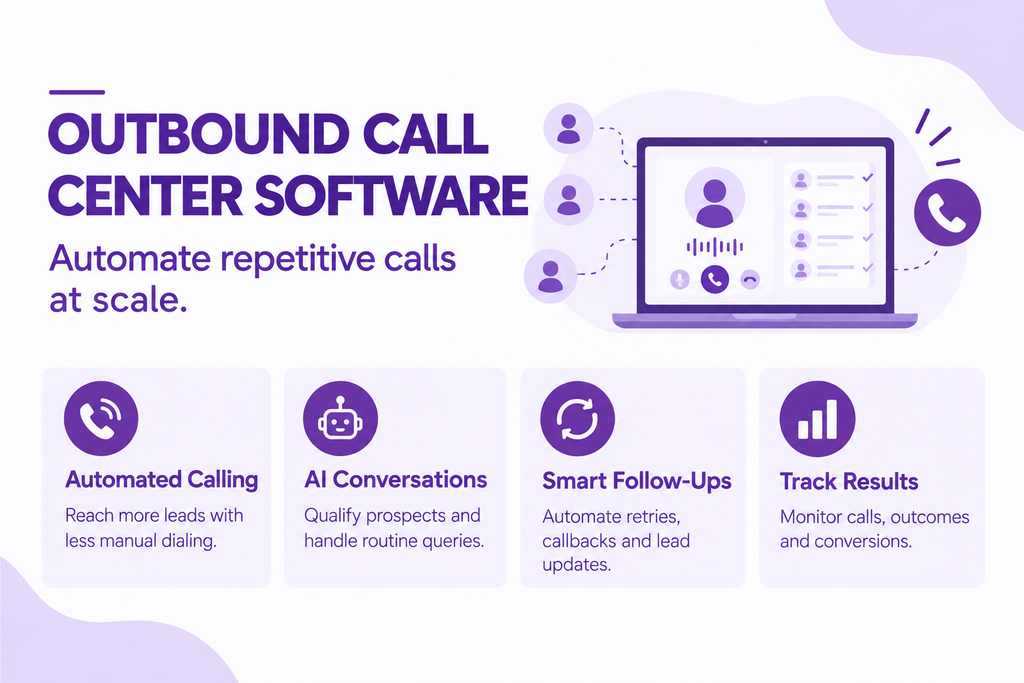
8 Essential Features to Look for in Outbound Call Center Software
1. Automated Dialing and Campaign Management
Manual dialing becomes difficult when your team is working with hundreds or thousands of contacts.
Look for campaign-management features that let you organise calling lists, prioritise leads, schedule campaigns and choose appropriate dialing methods.
Depending on your workflow, you may need:
- Power dialing
- Predictive dialing
- Progressive dialing
- Campaign scheduling
- Lead prioritisation
- Calling-list management
- Retry rules
- Agent assignment
- Call outcome tracking
For example, a real-estate company could prioritise leads who requested a callback within the last 24 hours before moving to older enquiries.
The software should help your team decide who to call, when to call and what to do next.
2. AI-Powered Voice Conversations
This is one of the biggest differences between conventional outbound calling software and AI outbound calling software.
An AI voice agent can use natural-language interactions to handle predefined conversations rather than simply playing a recorded message.
Depending on the platform, an AI agent may:
- Introduce the company
- Ask qualifying questions
- Collect customer information
- Answer routine questions
- Handle common objections
- Identify buying intent
- Schedule callbacks
- Transfer suitable calls to human agents
Consider a software company calling 500 trial users whose subscriptions are about to expire.
Instead of having a sales representative manually ask every customer whether they plan to renew, an AI voice agent can conduct an initial conversation and identify customers who want help. A human salesperson can then focus on those conversations.
The important word here is supported. AI voice agents are not automatically suitable for every conversation. Complex negotiations, sensitive complaints and unusual requests may still require human involvement.
3. Batch Calling and Concurrent Calls
These two concepts are related, but they are not identical.
Batch calling refers to organising or launching a group of calls as part of a campaign.
Concurrent calling refers to how many calls can actually be active at the same time.
Suppose you have a list of 10,000 leads. You may want to process the entire list in batches, while your platform might allow 50, 100 or more calls to be active concurrently.
Actual capacity depends on the platform, telephony provider, account configuration, campaign rules and applicable rate limits.
Illustrative example
Imagine a hypothetical platform configured for 20 concurrent calls.
If each connected call averages five minutes, the theoretical maximum connected-call processing capacity would be approximately:
20 calls × 12 five-minute intervals = 240 call sessions per hour
That is only an illustration. Real campaign throughput will vary because not every call is answered, calls have different durations, retries may be required, and telephony systems can impose limits.
So don’t judge a vendor simply by asking, “How many numbers can I upload?”
Ask instead:
How many calls can I place concurrently, at what rate, through which telephony infrastructure, under my actual campaign configuration?
4. Automated Sales Follow-ups
A first call rarely tells the complete story.
A prospect might not answer. Someone may ask you to call tomorrow. Another person may say they are interested but currently busy.
Without an organised follow-up system, these leads can disappear.
Look for:
- Callback scheduling
- Automated retry sequences
- Follow-up campaigns
- CRM triggers
- No-answer workflows
- Callback reminders
- Lead-status updates
DialNexa’s published analysis of more than one million AI-assisted business calls provides an interesting example. In its India-focused dataset, approximately 84% of calls were outbound, and the company reported a 48% first-attempt pickup rate compared with 70%+ cumulative pickup after structured retries in some campaigns.
That does not mean every outbound campaign will achieve those numbers. The dataset covers DialNexa’s own production traffic and specific customer use cases. But it illustrates an important operational point: the first call is not always the whole campaign.
5. CRM and Workflow Integrations
Your calling platform should not become another isolated dashboard that salespeople have to update manually.
CRM integration can help synchronise:
- Contact information
- Lead status
- Call outcomes
- Qualification details
- Call summaries
- Follow-up actions
- Assigned salesperson
- Next activity
Imagine a salesperson opening a CRM record and seeing:
Called → Interested → Budget confirmed → Callback requested → Follow-up tomorrow at 11 AM
That is much more useful than a simple “call completed” status.
The best integration is not necessarily the one with the longest list of logos. It is the one that fits the actual workflow your team follows.
6. Multilingual Voice Support
India is not a one-language market.
If your customers are spread across Maharashtra, West Bengal, Karnataka, Tamil Nadu, Uttar Pradesh and other regions, language can affect whether a conversation feels natural and understandable.
When evaluating an AI voice agent, check:
- Which languages are supported?
- Can the system switch languages?
- Does it support regional accents?
- Can it handle English mixed with Indian languages?
- Can you customise scripts for different regions?
- How does it behave when a caller changes language midway?
7. Indian Telephony Integrations
If you are operating in India, telephony compatibility deserves serious attention.
Potential providers in an Indian deployment may include Exotel, Knowlarity, Airtel IQ and Tata Tele Business Services, but you should verify exactly which integrations a software vendor supports before purchasing.
This distinction matters.
A vendor mentioning “Indian telephony support” does not automatically mean your preferred provider, number setup, calling route or use case is supported.
For example, Exotel documents APIs for initiating outbound calls, while Airtel IQ provides programmable voice capabilities and Tata Tele Business Services offers cloud-communication solutions. Knowlarity also provides outbound call-center software with auto-dialling, recording, analytics and concurrent-call capabilities.
Ask the vendor:
“Can you demonstrate my exact telephony setup on a test campaign?”
That answer is more valuable than a generic compatibility statement.
8. Analytics, Call Recording and Reporting
Outbound calling generates a lot of data. Good reporting helps turn that data into decisions.
Useful metrics may include:
- Calls attempted
- Calls answered
- Answer rate
- No-answer rate
- Busy rate
- Average call duration
- Qualification rate
- Conversation outcomes
- Follow-up rate
- Conversion rate
- Calls by campaign
- Calls by agent
- Call recordings
Suppose Campaign A has a 25% answer rate but a 12% qualification rate, while Campaign B has a 35% answer rate but only a 5% qualification rate.
Looking only at answer rate might make Campaign B look better.
Looking at the full funnel tells a different story.
That is why analytics should connect calling activity with actual business outcomes.
Benefits of AI-Powered Outbound Call Center Software
Scale outbound campaigns without proportionally increasing agent workload
AI voice calling can handle repeatable conversations at a volume that would be difficult for a small human team to manage manually.
Your sales representatives can then concentrate on qualified opportunities rather than spending most of their day dialling numbers and repeating the same introductory questions.
Reduce manual dialing and repetitive conversations.
A salesperson should ideally spend more time selling and less time searching spreadsheets, copying phone numbers and repeating basic qualification questions.
Automation can remove much of that repetitive work.
Improve lead qualification and routing.
AI can ask predefined questions and classify responses according to your workflow.
For example:
Interested + budget confirmed + buying within 30 days → high-priority lead
Interested but buying later → nurture campaign
Not interested → close or suppress
The exact workflow depends on your business.
Maintain consistent follow-up workflows
A structured follow-up process reduces the chances of leads being forgotten after a missed call.
Instead of relying entirely on individual memory, you can define what should happen after no-answer, callback requests and partial conversations.
Support multilingual outbound campaigns.
For Indian businesses, language support can make outbound campaigns more accessible across different regions.
But always test actual conversations. A language checkbox in a product brochure does not tell you how well the voice agent handles real customer speech.
Track campaign performance and lead outcomes
Analytics allow you to identify where campaigns are succeeding and where they are losing prospects.
At the same time, actual results depend on lead quality, campaign design, offer quality, calling time, conversation design, platform capability and applicable calling regulations.
AI is not a magic shortcut.
Common Use Cases for Outbound Calling Software
| Industry or function | Outbound calling application | Where AI may fit | When a human should take over |
| Sales | Prospect outreach, lead qualification and appointment booking | Initial qualification and routine questions | Negotiation, complex objections and closing |
| Education | Admissions inquiries, application reminders and follow-ups | Course-interest qualification and reminders | Detailed counselling and admission issues |
| Financial services | Payment reminders and collections | Structured reminders and basic information | Sensitive disputes, hardship cases and complex financial discussions |
| Recruitment | Candidate screening and interview scheduling | Basic screening and availability checks | Detailed candidate evaluation and negotiation |
| Customer operations | Renewals, feedback collection and customer reactivation | Reminders, surveys and routine reactivation | Complaints and complex service issues |
The common thread is repeatability.
AI-powered calling is generally easier to justify when the conversation follows a predictable structure. The more unusual, sensitive or high-stakes the conversation becomes, the more important human escalation becomes.
How to Choose the Right Outbound Call Center Software
Choosing the right platform should start with your campaign, not with a feature list.
1. Define your campaign objective and expected calling volume
Are you trying to qualify 500 leads a week or 500,000 contacts a month?
Those are completely different requirements.
Write down:
- Number of contacts
- Calls expected per day
- Expected answer rate
- Average call duration
- Required concurrency
- Number of campaigns
- Follow-up frequency
2. Determine whether you need human-assisted dialing or AI conversations
If your team already has skilled agents and mainly needs faster dialing, an outbound dialer may be enough.
If your process involves repetitive qualification, reminders or structured conversations, an AI voice agent may be worth evaluating.
3. Evaluate concurrent calling capacity and scalability
Don’t stop at the word “scalable.”
Ask for actual numbers.
Questions to ask:
| Vendor question | Evidence to request |
| How many concurrent calls are supported? | Documented capacity or test results |
| What determines concurrency? | Account, telephony and campaign limits |
| Can capacity be increased? | Scaling process and commercial terms |
| What happens at capacity? | Queueing, throttling or rejection behaviour |
| Are there API rate limits? | Technical documentation |
4. Check language support and telephony compatibility
Test your actual target languages and preferred telephony provider.
Do not assume that “multilingual” means every Indian language or that “Indian telephony” means every provider.
5. Review CRM integrations and automated follow-ups
Ask whether the platform can automatically update the fields your sales team actually uses.
Then test a complete workflow:
Lead created → call made → outcome recorded → lead qualified → CRM updated → follow-up scheduled.
6. Evaluate reporting, security and calling compliance
Your vendor evaluation should include:
- Call recording controls
- Data access
- User permissions
- Retention policies
- Reporting
- Auditability
- Consent and preference management
- Applicable telecom requirements
This matters particularly in India. TRAI’s UCC framework and enforcement activity make responsible commercial calling an important part of your technology evaluation.
TRAI reported that more than 7.3 lakh notices were issued to unregistered telemarketers during 2025, alongside substantial communication restrictions and telecom-resource disconnections. That makes compliance something you should evaluate before scaling outbound campaigns, not after receiving complaints.
7. Compare pricing models and test the platform
Never select software only from a pricing page.
Run a realistic pilot using your own:
- Lead list
- Calling hours
- Languages
- CRM
- Telephony setup
- Conversation script
- Follow-up rules
Then calculate the actual cost per qualified lead or successful outcome.
Practical Outbound Software Evaluation Checklist
Use this checklist when comparing vendors:
| Evaluation area | What to ask |
| Concurrency | How many calls can run simultaneously? |
| Calling volume | What are the daily/monthly campaign limits? |
| Pricing | Is billing per seat, minute, call or AI consumption? |
| Telephony | Which Indian telephony providers are supported? |
| Languages | Which Indian languages and mixed-language conversations are supported? |
| CRM | Which CRM systems integrate with the platform? |
| Follow-ups | Can no-answer and callback workflows be automated? |
| AI conversations | Can the AI qualify leads and handle routine objections? |
| Human handoff | Can calls be transferred when escalation is needed? |
| Analytics | Which campaign and conversation metrics are available? |
| Recording | Are recordings available and controllable? |
| Compliance | What controls support responsible commercial calling? |
| Testing | Can you run a campaign using your own data before committing? |
How Much Does Outbound Call Center Software Cost?
There is no single outbound call center software pricing model.
Common structures include:
- Per-agent or per-seat subscriptions
You pay based on the number of users or agents. - Usage-based pricing per minute
Costs increase according to call duration. - AI voice agent subscription and consumption models
You may pay a platform fee plus AI usage or conversation costs. - Telephony and call charges
The underlying telecom layer may create additional charges. - Implementation and integration costs
CRM integrations, custom workflows and onboarding may add to the total cost.
Illustrative Cost Calculation
Suppose, purely for illustration, that your monthly campaign involves:
- 10,000 call attempts
- 40% answer rate
- 4,000 answered calls
- Average connected duration of 3 minutes
- 12,000 connected minutes
- Hypothetical AI/voice usage cost of ₹1.50 per connected minute
- Platform subscription of ₹15,000 per month
- Telephony and other charges of ₹5,000
Your illustrative monthly cost would be:
12,000 × ₹1.50 = ₹18,000 usage
₹18,000 + ₹15,000 + ₹5,000 = ₹38,000 total
Your actual bill may be very different depending on the provider, calling volume, call duration, telephony charges, AI model, concurrency, subscription tier and integrations.
This is why comparing subscription prices alone can be misleading.
A ₹10,000 platform with expensive usage may ultimately cost more than a ₹20,000 platform with better included capacity.
The metric you really want is something closer to:
Total monthly calling cost ÷ qualified leads or desired outcomes
That gives you a better basis for comparing platforms.
Why Consider DialNexa for AI-Powered Outbound Calling?
If you are evaluating DialNexa, the same criteria discussed throughout this guide should drive your assessment.
DialNexa positions its platform around AI-powered voice conversations and outbound calling workflows, with particular relevance to Indian businesses. Its published material also highlights multilingual calling, campaign automation and Indian-market requirements.
The strongest way to evaluate the platform is not simply to read a feature list. Test whether its capabilities fit your actual campaign.
For example:
- Can it handle your calling workflow?
- Can it support your target language or language mix?
- Can it qualify leads according to your criteria?
- Can it manage follow-ups?
- Can it work with your required telephony setup?
- Can results be passed into your CRM?
- Can it scale to your expected concurrent call volume?
- Can you measure outcomes clearly?
DialNexa has also published an analysis of more than one million AI-assisted business calls in India. Its dataset included approximately 84% outbound calls and 16% inbound calls. The report found a 48% first-attempt pickup rate and 70%+ cumulative pickup after retries in some campaigns.
Those numbers should be treated as DialNexa’s own production-data findings, rather than a universal industry benchmark. Still, they provide useful context when thinking about retry strategies and outbound campaign design.
For an Indian business evaluating AI outbound calling, that distinction is useful. You want evidence from real calling environments, but you also want to understand the methodology and limitations behind the numbers.
Final Takeaway
The best outbound call center software is not necessarily the platform with the longest feature list.
It is the one that fits the way you actually make calls.
Start with your campaign volume. Then work backwards.
How many contacts do you have? How many calls do you need to make? Do you need human agents, AI voice agents or both? How many concurrent calls are required? Which languages will customers use? Which Indian telephony provider do you need? Which CRM should receive the results? What follow-up process should happen after a missed call?
Then look at pricing.
Finally, test the platform with a realistic campaign.
For conventional sales teams, an outbound dialer may provide the efficiency needed to help human agents make more calls. For highly repetitive, structured workflows, AI outbound calling software can potentially automate both the dialing and parts of the conversation.
And in India, there is one more consideration you should never treat as an afterthought: responsible commercial calling and telecom compliance.
The technology can help you call faster. Your campaign design determines whether those calls actually create useful conversations.
Explore AI-powered outbound calling with Dialnexa.
FAQs
1. What should you look for when choosing outbound call center software?
Look for calling capacity, concurrency, dialing methods, AI conversation capabilities, CRM integrations, language support, Indian telephony compatibility, follow-up automation, analytics, security and pricing. Test the platform with a realistic campaign and verify that your preferred telephony provider, CRM and calling workflow are actually supported.
2. What is the difference between an AI voice agent and an outbound dialer?
An outbound dialer primarily automates call placement, while a human agent usually handles the conversation. An AI voice agent can conduct supported conversations independently, ask qualification questions, collect information and trigger workflows. In simple terms, a dialer automates calling; an AI voice agent adds conversational capabilities.
3. How many outbound calls can an AI voice agent make concurrently?
There is no universal concurrency limit. Capacity depends on the AI platform, telephony provider, account configuration, infrastructure, campaign rules and applicable rate limits. When evaluating a vendor, ask for actual supported concurrency under your setup and what happens when capacity is reached, such as queueing or throttling.
4. Can AI calling software automatically follow up with leads who don’t answer?
Yes, depending on the platform. AI calling software can trigger retries after unanswered calls or move leads into predefined follow-up sequences. Check whether the platform supports retry rules, callback scheduling, CRM triggers and campaign controls. Structured retry workflows can help improve cumulative connectivity across outbound campaigns.
5. Which outbound calling platforms support Indian telephony providers?
Indian outbound calling may involve providers such as Exotel, Knowlarity, Airtel IQ and Tata Tele Business Services. However, compatibility varies by platform. Verify the exact integration, phone-number configuration, calling route, API limits and campaign requirements. Also confirm applicable commercial-calling requirements before launching an outbound campaign.
6. How is AI outbound calling software priced?
AI outbound calling software may use subscription, per-agent, per-minute, AI-consumption or hybrid pricing. Telephony, CRM integrations and implementation can add costs. Compare expected call attempts, answer rates, connected minutes and concurrency rather than subscription fees alone. A realistic pilot can reveal actual usage and overall campaign costs.
7. Can AI outbound calling software handle cold calling and lead qualification?
Yes, AI outbound calling software can handle structured cold-calling and lead-qualification workflows when supported by the platform. An AI agent can introduce your business, ask predefined questions and capture qualification details. However, responsible commercial calling is essential, while complex objections, negotiations and sensitive conversations may require human intervention.
8. What is the difference between batch calling and concurrent calling?
Batch calling refers to organising or launching a group of contacts as part of a campaign. Concurrent calling refers to the number of calls active simultaneously. For example, 10,000 contacts could form one batch while 50 calls run concurrently. Therefore, always evaluate both campaign volume and practical concurrency limits.

Leave a Reply