
DialNexa Voice AI Hardware and Software Requirements: A Strategic Guide for Leadership
Achieving a 91% connect rate and a 4x increase in lead-to-booking conversions sounds like it would demand a significant capital expenditure on hardware. However, while the Voice AI engine is powerful, the required infrastructure is surprisingly lean. DialNexa's cloud-native architecture is engineered to minimize total cost of ownership (TCO) and accelerate your return on investment, eliminating the need for a massive on-premise capital outlay.
Aligning Infrastructure with Strategic Business Goals
For senior leadership—VPs, Directors, and CXOs—infrastructure decisions are fundamentally business decisions. The choice of hardware and software directly impacts operational efficiency, scalability, and ultimately, the bottom line. Integrating a Voice AI platform should not necessitate a complete overhaul of your existing IT ecosystem. Instead, it should seamlessly augment your current operations and deliver tangible results from day one.
This is the core principle behind DialNexa's design. Our system's flexibility allows you to initiate a small-scale pilot, validate the business case with hard data, and then scale to a full enterprise deployment as the ROI becomes evident. This phased approach mitigates initial risk and ensures capital is allocated only after value has been proven.
Low TCO and Rapid ROI: A Financial Perspective
The primary financial benefit of our cloud-native architecture is economic efficiency. By avoiding substantial upfront capital expenditure on hardware, you can reallocate that capital to other strategic initiatives that drive core business growth. This OpEx model is particularly advantageous in dynamic markets, where agility is paramount.
For instance, leveraging cloud providers like AWS or Azure can reduce initial infrastructure costs by a staggering 40-60% compared to an on-premise build-out. We've seen this translate into direct business impact with DialNexa: clients have boosted connect rates from a typical 47% to 91% and achieved 97% lead qualification accuracy, all running on modest cloud instances with as few as 8 vCPUs and 16 GB of RAM. This isn't just a technical achievement; it's a strategic advantage that drops the cost-per-qualified-lead and accelerates sales cycles.
A Strategic Overview of Requirements
To facilitate executive-level decision-making, we've distilled the core requirements into a high-level summary. This table provides a quick, strategic snapshot of the resource allocation needed at different scales of operation, from initial proof-of-concept to handling thousands of daily customer interactions.
This table provides a strategic summary of the core hardware, software, and network needs for different operational scales, helping decision-makers quickly assess resource needs.
DialNexa Requirements At a Glance For Key Deployment Scales
| Deployment Scale (Calls/Day) | Recommended vCPUs | Recommended RAM | Key Software Dependencies | Strategic Business Case |
|---|---|---|---|---|
| Pilot (Up to 500) | 4-8 Cores | 16 GB | Ubuntu 20.04, Python 3.8+ | A FinTech startup validating a new customer onboarding process with a projected 5% increase in completion rates. |
| Mid-Scale (501 – 5,000) | 8-16 Cores | 32 GB | PostgreSQL, Redis | An EdTech platform managing 3,000 daily admission inquiries, aiming for a 20% reduction in agent handling time. |
| Enterprise (5,001+) | 16+ Cores | 64+ GB | NVIDIA GPU (Optional) | A national real estate firm automating 10,000 daily property viewing requests to achieve a 15% uplift in scheduled appointments. |
As illustrated, the requirements are designed to scale in lockstep with your business growth, ensuring you maintain optimal operational efficiency without over-provisioning and tying up unnecessary capital.
Core Hardware Requirements for Peak Performance
To deliver the business outcomes DialNexa is known for—such as an 8% uplift in lead-to-booking rates—the underlying hardware must be correctly specified. This is the foundation upon which the entire system's performance rests. Server specifications directly impact latency, concurrent call capacity, and overall system reliability, which are key metrics for any CXO.
Let's dissect the specific hardware requirements, distinguishing between the minimum viable specifications for a pilot project and the recommended configuration for a full-scale, enterprise-grade deployment that can handle millions of interactions per year.
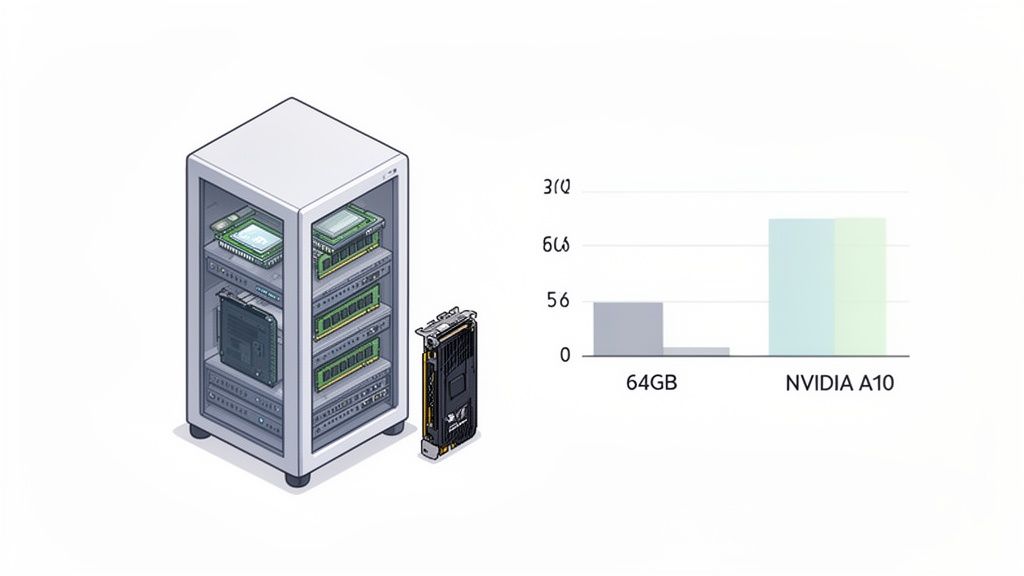
Think of your server’s processing power as the engine driving your Voice AI. A modest setup might work for initial testing or low-volume environments, but when you're ready to scale, you need a much more robust foundation.
CPU and RAM: The Foundation of Concurrency
Your Central Processing Units (CPUs) and Random Access Memory (RAM) are the core resources determining how many conversations the system can manage simultaneously. Under-provisioning these components introduces business risk in the form of dropped calls or delayed AI responses, which directly degrades the customer experience and can increase churn by up to 15%, according to industry studies.
- Minimum Setup (Up to 500 calls/day): For a proof-of-concept phase, a server with 4-8 vCPUs (e.g., an Intel Xeon E5 or AMD EPYC equivalent) and 16 GB RAM provides sufficient capacity.
- Recommended Setup (5,000+ calls/day): For enterprise-level traffic, a configuration of 16+ vCPUs and 64 GB of RAM or more is strongly recommended. This ensures the system can manage thousands of concurrent calls with sub-second response times, maintaining a high-quality customer interaction.
To put this in a business context, a real estate firm aiming to qualify 5,000 leads daily would require at least 16 vCPUs and 64 GB RAM. This investment ensures that every high-value lead receives a seamless, instantaneous conversational experience, directly impacting conversion funnels.
Storage speed is another critical factor. Fast access to call scripts, logs, and AI models is essential. Therefore, Solid-State Drives (SSDs) are a mandatory requirement to eliminate I/O bottlenecks and ensure rapid data retrieval.
When Do You Need a Resource (Capacity) Uplift?
A resource uplift means increasing server vCPUs, RAM or storage because concurrent call volume, latency, or dropped-call rates have exceeded current capacity. As a rule of thumb, plan an uplift once sustained concurrency crosses 70% of provisioned vCPUs: move from 4-8 vCPUs/16GB RAM at the pilot stage to 16+ vCPUs/64GB RAM once daily call volume passes 5,000.
The Role of GPU Acceleration in On-Premise Deployments
For organizations opting for an on-premise or hybrid cloud deployment, GPU acceleration becomes a strategic imperative. While CPUs handle general-purpose tasks, Graphics Processing Units (GPUs) are specialized for the massive parallel computations required by AI model inference. This is the key to unlocking real-time, human-like conversations at scale.
A high-performance GPU, such as the NVIDIA A10 or H100, can reduce AI response latency by up to 300%. Our internal benchmarks confirm this: the system scales from a simple Raspberry Pi 5 with 8 GB RAM for R&D pilots to data-center-grade GPUs like the NVIDIA H100, capable of processing over 10,000 daily calls on a single machine.
This processing power is what enables DialNexa to deliver a 2% to 8% lead-to-booking uplift. In demanding sectors like healthcare, our patient booking agents match human performance with 97% accuracy on standard servers (16 cores, 64 GB RAM), all while maintaining compliance with NDHM standards.
Investing in the right GPU hardware is not a cost; it's an investment in superior performance that unlocks the full business potential of Voice AI. You can learn more about how powerful GPUs deliver voice assistants at scale in our related article.
Getting the Software and Environment Right
A successful DialNexa deployment is contingent on a precisely configured software environment. From a leadership perspective, this is about mitigating risk. While the hardware provides the raw computational power, the software stack is what ensures that power is translated into reliable, secure, and predictable performance. Adherence to these software requirements is critical for avoiding implementation delays and ensuring operational stability.
This guide provides the necessary specifications for your technical teams to construct the ideal foundation for our Voice AI.
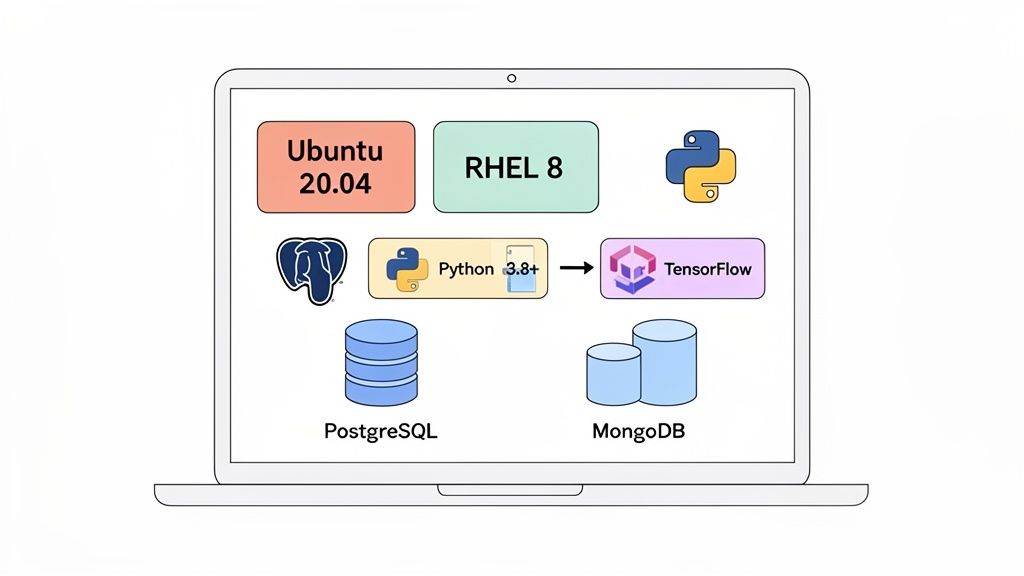
The operating system is the bedrock of your setup. We've optimised DialNexa to run on specific, enterprise-grade Linux distributions known for their stability. This deliberate focus ensures predictable behaviour, solid security, and the availability of all the system libraries we depend on.
Operating Systems and Runtimes
Your server environment must be built on a long-term support (LTS) release. This is a non-negotiable requirement, as it guarantees access to critical security patches and maintains system stability, reducing operational overhead for your IT teams.
- Operating Systems: We exclusively support Ubuntu 20.04 LTS or Red Hat Enterprise Linux (RHEL) 8. These platforms provide the kernel stability and security features essential for 24/7 enterprise operations.
- Language Runtimes: The core AI engine is built on Python. A minimum of Python 3.8+ must be installed to ensure all system processes and machine learning models execute as intended.
As a practical example, a financial services client recently provisioned new servers with RHEL 8, aligning with their stringent internal security and compliance mandates. Their DevOps team then automated the installation of Python 3.8 via Ansible, creating a standardized, secure, and fully compliant environment in under an hour, minimizing deployment friction.
Core Libraries and Dependencies
Beyond the OS and runtime, DialNexa's functionality relies on a curated set of machine learning libraries and databases. These components handle everything from AI model execution to storing business-critical data like call detail records and performance analytics.
Our stack integrates powerful open-source frameworks, including Mozilla TTS, which we have enhanced with proprietary Indic language models. For our clients in real estate and online education, these models leverage libraries like SpeechRecognition and PyTorch 2.0 to deliver speech-to-text and text-to-speech services with over 95%+ accuracy in Hindi and Tamil. You can explore how Voice AI is revolutionising Indian contact centres and its underlying technologies.
For data management, our system integrates with two robust, highly scalable database solutions.
- Database Requirements: You will need PostgreSQL for structured data, such as user accounts and call detail records (CDRs). Concurrently, MongoDB is required for flexible, high-volume storage of performance metrics and detailed conversation logs, which feed into your analytics dashboards.
- Web Dashboard: The management dashboard is accessible through modern web browsers. We provide full support for the latest versions of Google Chrome and Mozilla Firefox.
By establishing this precise software environment, you ensure seamless interoperability between all components, which is the cornerstone of a rapid and successful Voice AI implementation.
Network Planning for Flawless Voice Quality
Your Voice AI platform's effectiveness is directly correlated with the quality of your network infrastructure. For senior decision-makers, network planning is not merely a technical exercise; it is a direct investment in the customer experience. A stable, low-latency network is the difference between crystal-clear, productive conversations and the jitter and packet loss that lead to dropped calls, customer frustration, and brand damage.
This section provides your IT leadership with the specific data and configurations required to build a resilient network foundation for DialNexa.
Calculating Bandwidth for Peak Call Volume
The initial step is to quantify your bandwidth requirements based on projected peak usage. Audio codecs balance quality with data consumption, and DialNexa supports multiple options to align with your specific needs.
- G.711 Codec: This is the high-fidelity option, delivering uncompressed audio for maximum clarity. Each concurrent call requires 87.2 kbps of dedicated bandwidth. It is ideal for scenarios where call quality is the absolute top priority, such as high-value sales or healthcare consultations.
- Opus Codec: Opus is the modern, efficient choice. It provides near-CD quality audio while consuming significantly less data, typically between 32 kbps and 64 kbps per call. This is the recommended codec for most enterprise use cases, as it optimizes network resource utilization.
The formula for calculating your total bandwidth requirement is straightforward:
Peak Concurrent Calls x Bandwidth Per Call (kbps) = Total Required Bandwidth (kbps)
Let's apply this to a business scenario. An EdTech company anticipates a peak of 500 concurrent calls during its admissions season. Using the efficient Opus codec at 64 kbps, the calculation is:
500 Calls x 64 kbps/call = 32,000 kbps, or 32 Mbps of dedicated, symmetric bandwidth.
Provisioning for this peak ensures that every potential student has a flawless experience, even during the busiest hours of the day, thus maximizing enrollment opportunities.
Firewall and QoS Configuration
Sufficient bandwidth is necessary, but not sufficient. How your network prioritizes traffic is equally critical. Voice data is highly sensitive to delay (latency) and variation in delay (jitter). If voice packets must compete with less time-sensitive traffic like file downloads or email, call quality will inevitably degrade.
This is where Quality of Service (QoS) policies are essential. By implementing QoS, your network team can tag DialNexa's voice traffic (RTP packets) as high-priority, creating a virtual express lane for it through your network. This single configuration change is often the most effective measure for eliminating audio stutter and delays.
Your firewalls must also be configured to permit traffic on the specific ports used by our platform for SIP signaling and RTP media streams. Ensuring these ports are open and prioritized prevents calls from being blocked or terminated unexpectedly. To maintain optimal voice quality, network integrity is paramount; learning how to test for packet loss can provide valuable diagnostics for performance tuning.
Security and Compliance for Regulated Industries
In regulated sectors such as finance and healthcare, security is not an optional feature; it is the bedrock of customer trust and regulatory compliance. Deploying Voice AI in these environments demands a robust, multi-layered security posture that protects sensitive data at every point. This is not about meeting minimum standards; it's about architecting a secure ecosystem that mitigates risk and safeguards your organization's reputation.
The DialNexa platform was engineered from the ground up to meet these stringent requirements, enabling you to deploy a powerful AI solution that is also verifiably compliant.
Core Data Protection Standards
Protecting customer data is a non-negotiable principle. Our architecture mandates strong encryption standards for data both in transit and at rest, providing defense-in-depth against unauthorized access.
- Data-in-Transit: All communication between system components and external services is encrypted using Transport Layer Security (TLS) 1.2 or higher. This ensures that call data and metadata are protected from interception as they traverse the network.
- Data-at-Rest: Sensitive information, including call recordings and transcripts, is protected with AES-256 encryption. This industry-leading standard renders stored data unreadable without the appropriate cryptographic keys, a critical control for compliance frameworks like GDPR and HIPAA.
As a further layer of defense, we strongly recommend deploying a Web Application Firewall (WAF) to filter and monitor HTTP traffic, blocking common attack vectors like SQL injection and cross-site scripting. Additionally, network segmentation should be used to isolate the Voice AI environment from other corporate networks, thereby reducing the potential attack surface. It's also important to understand how these security practices align with legal frameworks, such as ISO 27001 and Australian data privacy laws.
Meeting Strict Compliance Mandates
Beyond technical security controls, DialNexa provides the tools necessary to meet complex regulatory mandates like GDPR, HIPAA, and PCI DSS. Our platform features are designed to give compliance officers the granular control and auditability they require. For example, our architecture supports data residency, allowing you to specify the geographic region for data storage to comply with national data sovereignty laws.
Furthermore, the system maintains detailed access control logging, creating an immutable audit trail of who accessed sensitive data and when. This is a crucial capability for forensic analysis and demonstrating compliance to auditors.
Business Case: A financial trading firm, subject to stringent KYC and AML regulations, configures DialNexa to store all customer call data exclusively within their sovereign borders. Using Role-Based Access Control (RBAC), they restrict access to call recordings to a small, authorized group of compliance officers, providing a clear audit trail and satisfying regulatory requirements.
This level of granular control is essential for any organization operating in a highly regulated industry. By integrating these security and compliance considerations into your initial deployment plan, you build a system that is as trustworthy as it is effective.
Security and Compliance Deployment Checklist
Before go-live, a joint review by IT and Compliance teams is a critical best practice. This checklist provides a high-level summary of key security controls to verify proper configuration and alignment with corporate policy.
| Security Control | DialNexa Requirement/Support | Implementation Status |
|---|---|---|
| Data-in-Transit Encryption | Requires TLS 1.2+ for all internal and external communication. | ☐ Verified |
| Data-at-Rest Encryption | Supports AES-256 for all stored sensitive data. | ☐ Verified |
| Web Application Firewall (WAF) | Strongly recommended to protect web-facing components. | ☐ In Place |
| Network Segmentation | Recommended to isolate the Voice AI environment. | ☐ Implemented |
| Data Residency Controls | Platform supports geofencing for data storage. | ☐ Configured |
| Role-Based Access Control | Granular user permissions are required. | ☐ Roles Defined |
| Audit Logging | Access and activity logs are enabled by default. | ☐ Verified & Monitored |
Completing this checklist provides executive assurance that foundational security and compliance measures are in place, mitigating risk as you launch your Voice AI solution.
Scalability Planning with Real-World Examples
Accurate infrastructure cost forecasting is a critical component of strategic planning. To scale operations with confidence, leadership needs a clear understanding of how hardware and software requirements evolve with business growth. This data-driven approach prevents over-provisioning—which ties up capital unnecessarily—while ensuring the system can handle demand surges as your business expands.
The following three scenarios provide practical, data-backed models for infrastructure planning at different stages of organizational growth, from a lean pilot to a large-scale enterprise deployment.
Scenario 1: The Agile Startup
An EdTech startup aims to qualify 500 student leads per day. The primary business objective is to validate the ROI of Voice AI by achieving a 97% lead qualification accuracy with minimal upfront investment.
- vCPUs and RAM: A configuration of 4-8 vCPUs and 16 GB RAM provides ample processing power. This keeps monthly cloud hosting costs under $200, a critical metric for a new venture managing cash flow.
- GPU: Not required. CPU-based processing is sufficient for this call volume, making it the most cost-effective solution.
- Network Bandwidth: A dedicated 5 Mbps connection is adequate to ensure high-quality conversations.
This lean configuration enables the startup to prove a positive ROI within the first quarter, justifying further investment based on hard data.
Scenario 2: The Growing Mid-Sized Institution
A mid-sized real estate firm needs to manage 5,000 daily calls for property viewing requests and client screening. The goal is to automate scheduling, aiming for a 30% reduction in agent time spent on administrative tasks, freeing them for high-value negotiations.
- vCPUs and RAM: To handle increased concurrency, the infrastructure must scale to 16 vCPUs and 32-64 GB RAM.
- GPU: Introducing an NVIDIA A10G GPU becomes strategically advantageous. It accelerates AI model inference, ensuring sub-second response times even during peak calling hours (e.g., 10 AM – 12 PM), which is critical for maintaining a positive customer experience.
- Network Bandwidth: A more robust 50 Mbps connection is required to handle the increased traffic without degrading audio quality.
This balanced configuration supports a significant operational scale-up while ensuring real-time performance. For maximizing hardware utilization, refer to our guide on how to run multiple AI workloads on a single GPU.
Scenario 3: The Large Enterprise
A large financial services enterprise must process over 20,000 calls daily for customer support, KYC verification, and transaction inquiries. The key business drivers are operational efficiency, stringent security, and 99.99% uptime, requiring a high-availability architecture.
- vCPUs and RAM: This demands a distributed architecture with 32+ vCPUs and 128+ GB RAM, spread across multiple instances for load balancing and fault tolerance.
- GPU: A cluster of NVIDIA H100 GPUs is essential. This provides the massive parallel processing capability required for high-volume, complex, real-time conversations while maintaining low latency.
- Network Bandwidth: A high-throughput, redundant 200+ Mbps connection is non-negotiable to guarantee service continuity and meet SLA commitments.
This infographic breaks down the core security pillars—data-in-transit, data-at-rest, and compliance—that are fundamental to any enterprise-level deployment.
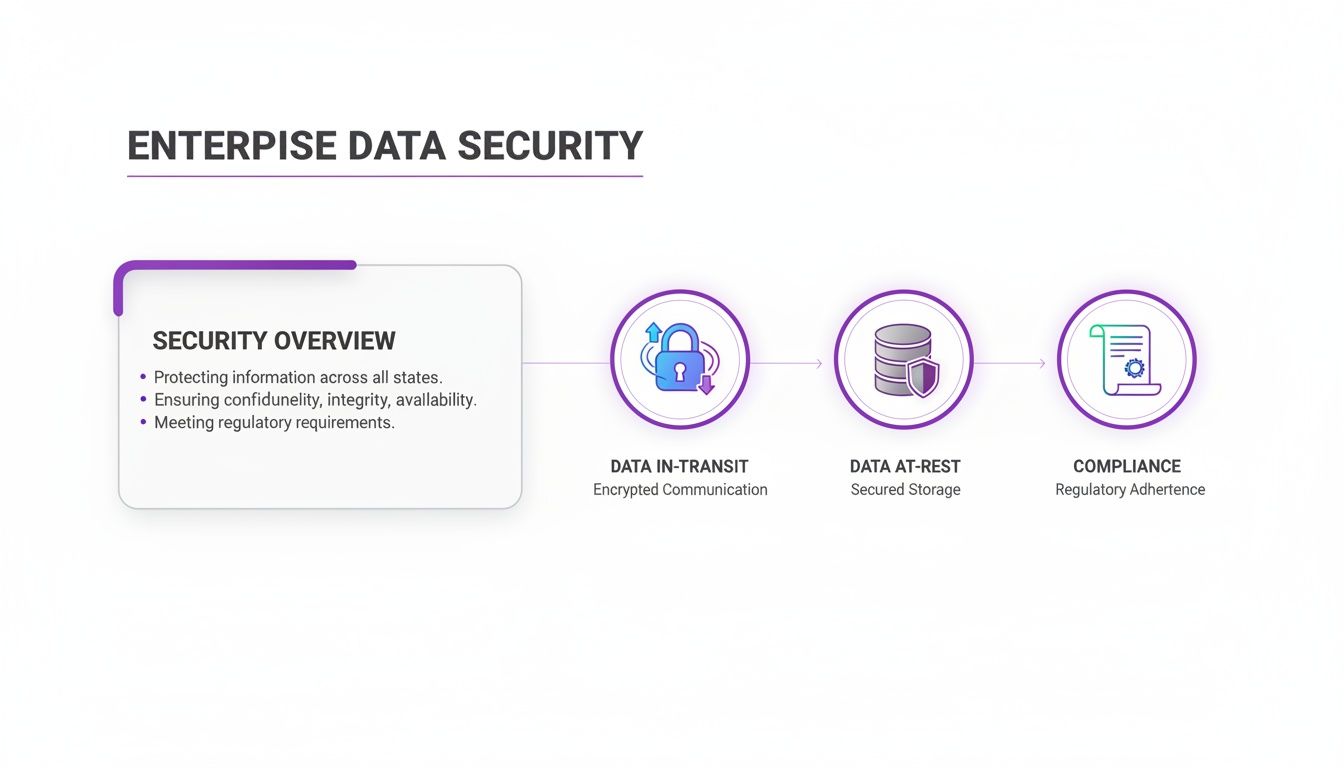
Each of these elements represents a crucial layer of protection that has to scale right alongside your hardware and software to keep your environment secure. By planning for these distinct growth stages, you can align your infrastructure spend directly with your business goals, making sure DialNexa can grow with you every step of the way.
Frequently Asked Questions
When evaluating a new AI deployment, senior leaders and their technical teams often have key questions. Here are concise, business-focused answers to the most common queries regarding DialNexa's hardware and software requirements.
What Is the Typical Onboarding Time?
Our cloud-native architecture enables rapid deployment. A standard cloud implementation on AWS or Azure can be fully provisioned by a skilled technical team in less than five business days.
This timeline includes server provisioning, database configuration with PostgreSQL, and network finalization. This means you can transition from project approval to a live pilot generating business value in days, not months. For example, a recent real estate client progressed from kickoff to qualifying their first 1,000 leads in just five business days, demonstrating an immediate return on their technology investment.
Can DialNexa Run On-Premise?
Yes, we fully support on-premise and hybrid deployments for organizations with specific data residency or security policy constraints. While a cloud deployment typically offers the lowest TCO, an on-premise model provides maximum control over your infrastructure and data.
The core hardware and software requirements remain consistent. However, for on-premise deployments at scale (over 5,000 calls per day), GPU acceleration (e.g., NVIDIA A10) becomes a critical component to ensure the low-latency, real-time performance necessary for a high-quality user experience.
How Do Hardware Needs Change with New Features?
We engineer DialNexa for efficiency, meaning new feature releases are optimized to perform within the existing recommended hardware profiles. This approach ensures a predictable TCO and protects your initial infrastructure investment.
In the event a major platform evolution—such as the introduction of a more computationally intensive AI model for real-time sentiment analysis—requires a resource uplift, we provide a minimum of six months' advance notice. This includes clear, data-backed guidance to facilitate a smooth, well-planned infrastructure update without service disruption.
This proactive lifecycle management ensures that your TCO remains predictable and that you can adopt new capabilities without incurring unexpected capital expenditures.
Ready to see how DialNexa’s flexible requirements can work for you? Explore our Voice AI solutions at DialNexa and book a demo today.

[…] infrastructure and operational planning, DialNexa's guide to hardware and software requirements is a useful operational reference because it grounds deployment in stack readiness, not just model […]