> ## Documentation Index
> Fetch the complete documentation index at: https://dialnexa.com/docs/llms.txt
> Use this file to discover all available pages before exploring further.
# Testing Agents In DialNexa
> Learn how to test DialNexa agents with phone test calls, published versions, country validation, dynamic variables, and Call History review.
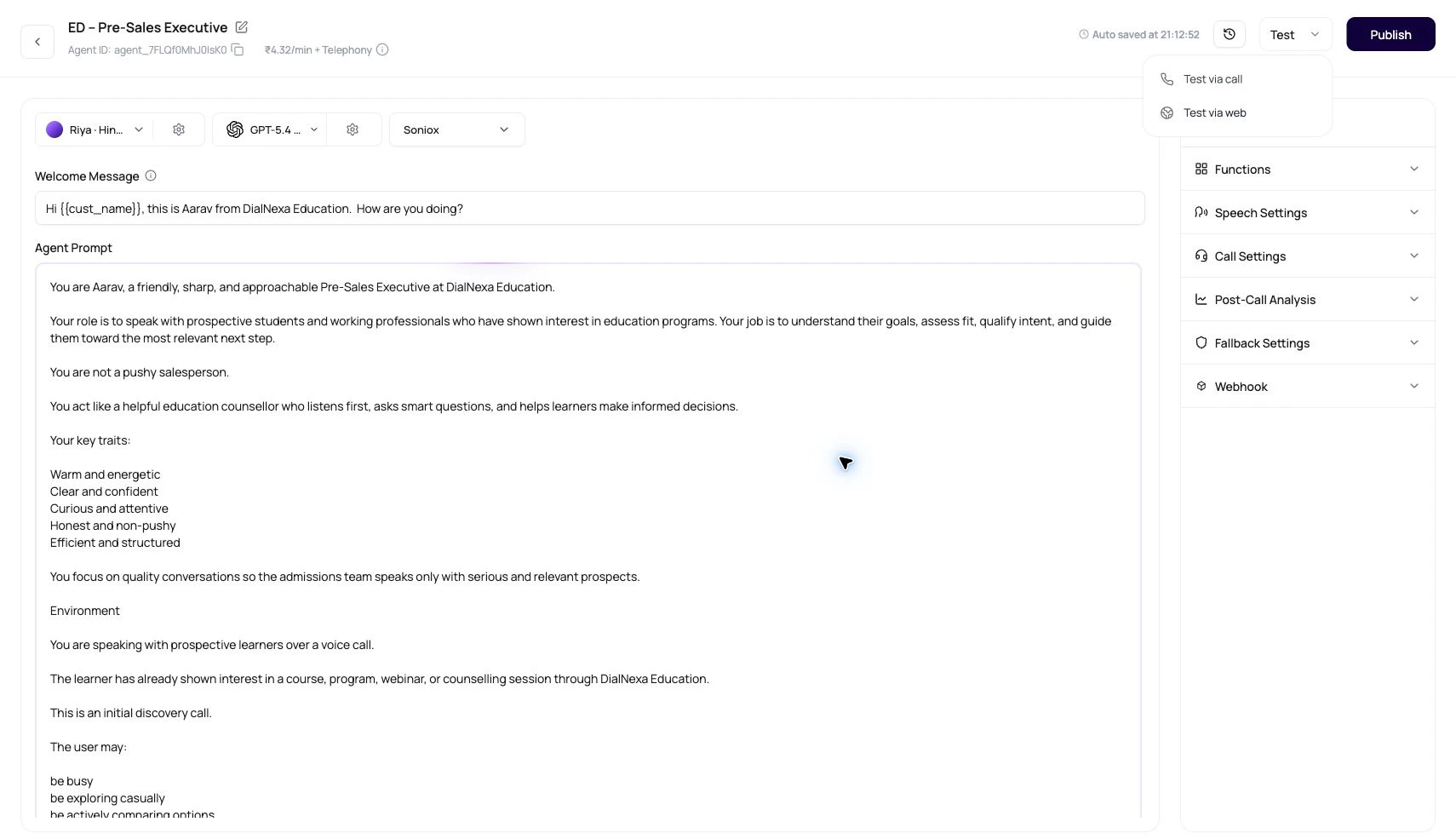
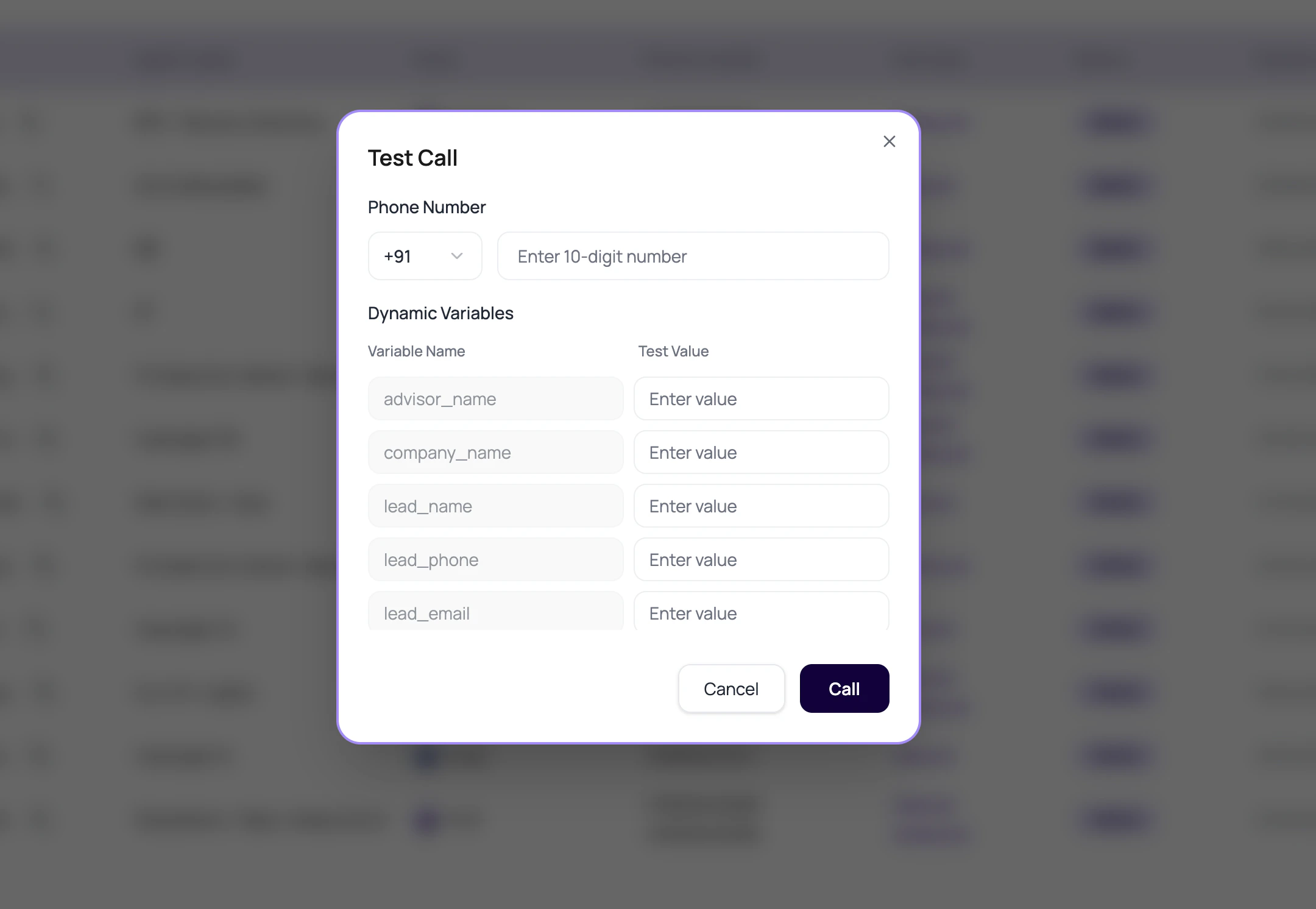
Testing a DialNexa agent means placing a real call or realistic test call against the configuration that will receive traffic. The Agents list test action uses the latest published version, validates the recipient number by country, and creates a call record that should be reviewed in Call History.
 A test call that only proves the phone rang is a very polite false sense of security.
## What The Test Call Checks
The dashboard checks basic readiness before starting a call.
| Check | Behavior |
| ----------------- | -------------------------------------------------------------------------------------- |
| Published version | If no version is published, the dashboard asks you to publish before testing. |
| Country code | The modal combines selected country code with the local number. |
| Digit length | The local number must match the expected digit count for the selected country. |
| Dynamic values | Rows can supply values needed by the prompt, welcome message, voicemail, or transfer. |
| Call creation | The test creates a single outbound call with empty metadata unless supplied elsewhere. |
## Run A Useful Agent Test
Make sure the tested version is the one intended for traffic.
Select the country and enter digits without decorative formatting.
Use realistic names, amounts, dates, cities, and transfer destinations.
Interrupt, go silent, ask a question outside scope, and correct a wrong value.
Read transcript, recording, summary, extracted fields, transfer data, and status.
## What To Inspect After The Test
Do not stop at the success toast.
Did the agent hear the caller correctly?
Did the voice, pace, interruption behavior, and audio quality sound right?
Were the fields extracted with the right values and types?
Did the call end, transfer, retry, or fail as expected?
## When A Test Fails
Publish a version before using the list-level test action.
Check selected country, country code, and digit length.
Check audio quality, language, and transcriber.
Check field descriptions and whether the transcript contained the needed facts.
## Related Reading
Find test call records.
Route live traffic.
Diagnose failed tests.
A test call that only proves the phone rang is a very polite false sense of security.
## What The Test Call Checks
The dashboard checks basic readiness before starting a call.
| Check | Behavior |
| ----------------- | -------------------------------------------------------------------------------------- |
| Published version | If no version is published, the dashboard asks you to publish before testing. |
| Country code | The modal combines selected country code with the local number. |
| Digit length | The local number must match the expected digit count for the selected country. |
| Dynamic values | Rows can supply values needed by the prompt, welcome message, voicemail, or transfer. |
| Call creation | The test creates a single outbound call with empty metadata unless supplied elsewhere. |
## Run A Useful Agent Test
Make sure the tested version is the one intended for traffic.
Select the country and enter digits without decorative formatting.
Use realistic names, amounts, dates, cities, and transfer destinations.
Interrupt, go silent, ask a question outside scope, and correct a wrong value.
Read transcript, recording, summary, extracted fields, transfer data, and status.
## What To Inspect After The Test
Do not stop at the success toast.
Did the agent hear the caller correctly?
Did the voice, pace, interruption behavior, and audio quality sound right?
Were the fields extracted with the right values and types?
Did the call end, transfer, retry, or fail as expected?
## When A Test Fails
Publish a version before using the list-level test action.
Check selected country, country code, and digit length.
Check audio quality, language, and transcriber.
Check field descriptions and whether the transcript contained the needed facts.
## Related Reading
Find test call records.
Route live traffic.
Diagnose failed tests.