> ## Documentation Index
> Fetch the complete documentation index at: https://dialnexa.com/docs/llms.txt
> Use this file to discover all available pages before exploring further.
# DialNexa Agent Templates
> Understand DialNexa agent templates, when to start from a template, what to review after template creation, and why templates still need testing.
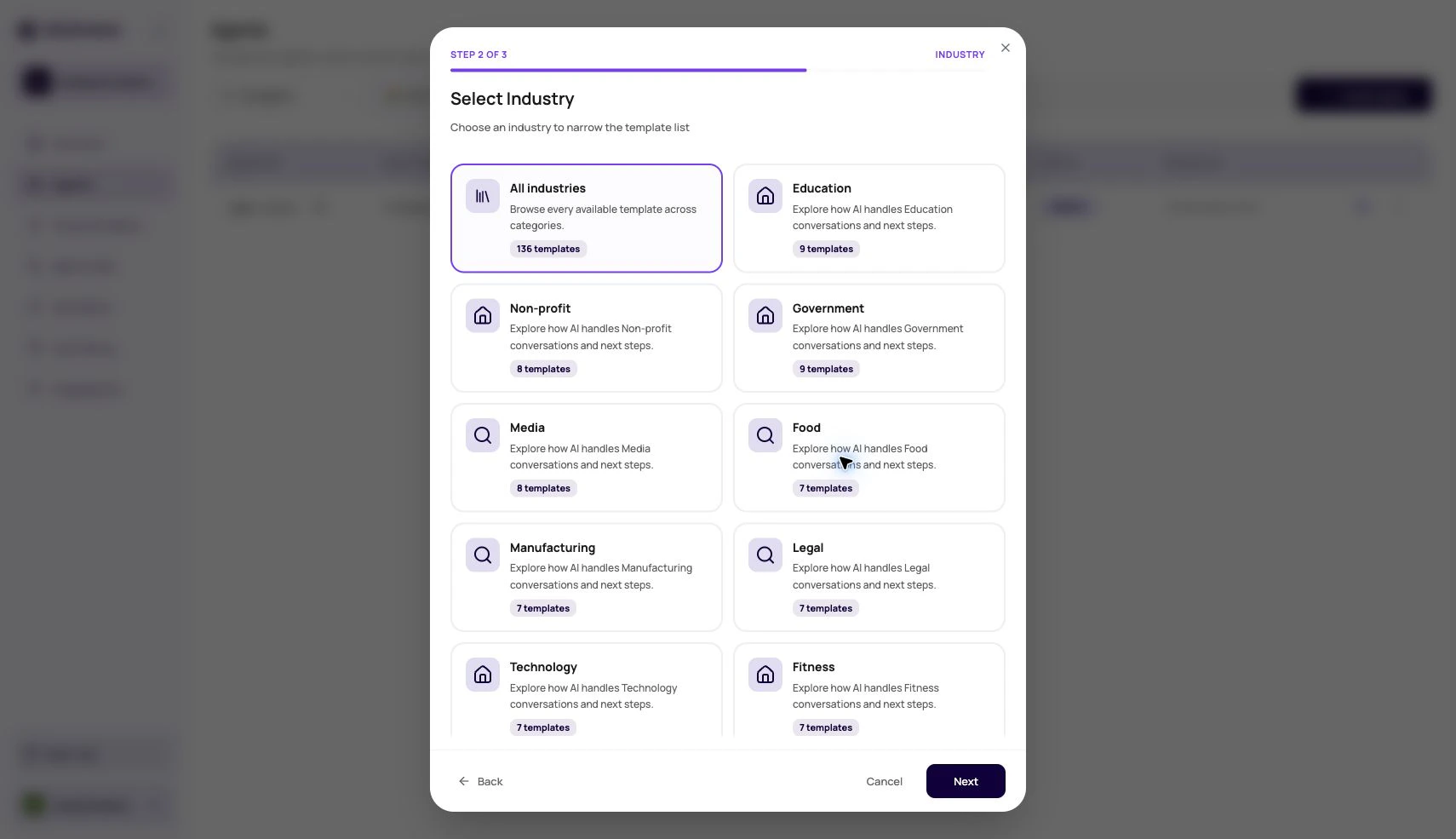
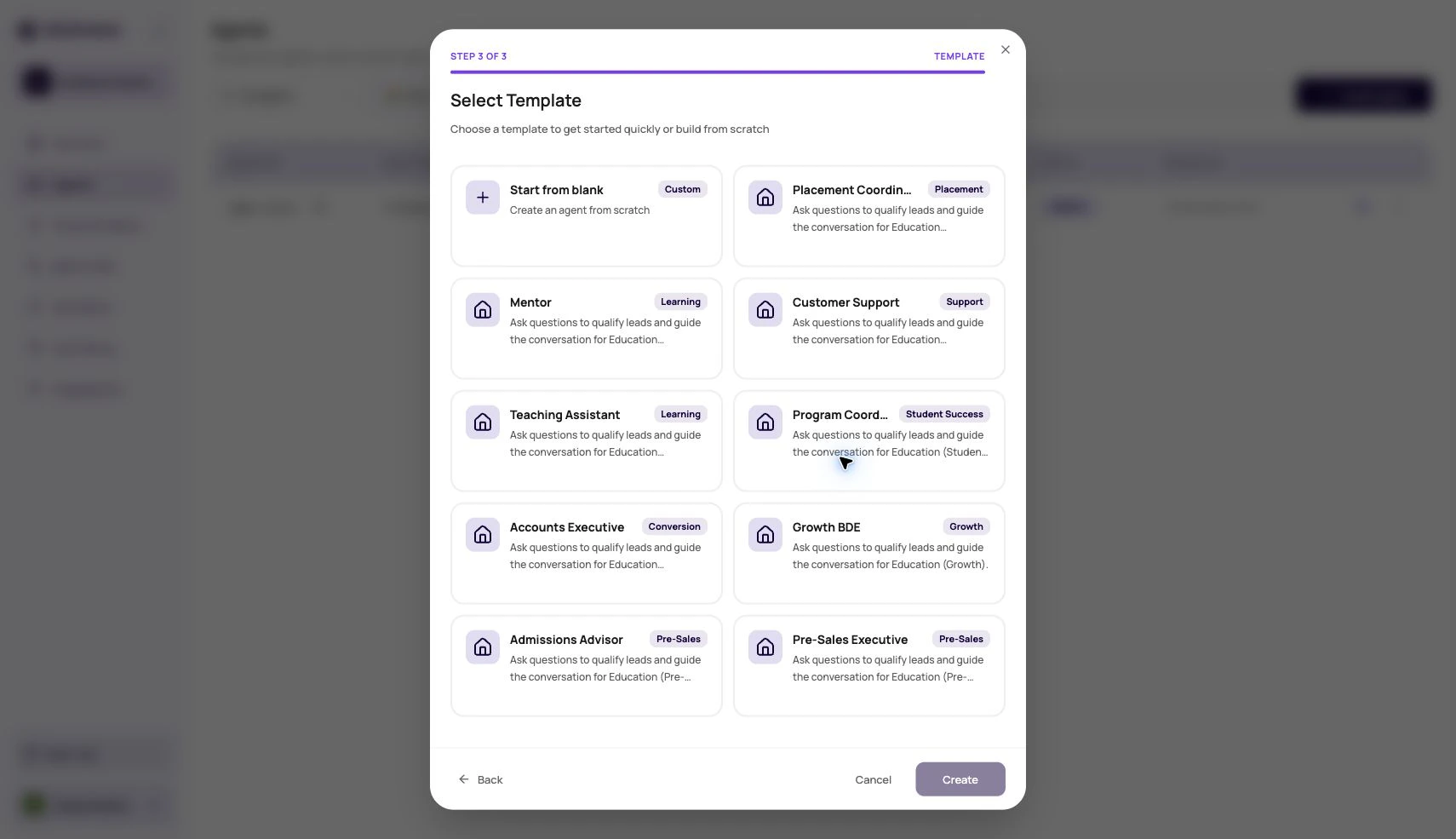
DialNexa agent templates help users create agents faster by starting from a prebuilt configuration. A template can speed up setup, but users still need to review the prompt, voice, model, transcriber, variables, settings, phone routing, and post-call fields before publishing.
 A template is a head start, not a signed contract with reality.
## Before You Begin
Choose a template that matches one call objective. Prepare your business name, caller context, required questions, boundaries, and success criteria before applying it.
## What To Review After Using A Template
Templates can carry useful structure, but your use case owns the details.
| Area | Review question |
| ------------------ | ----------------------------------------------------------------------------------------- |
| Prompt | Does it match your actual product, caller, tone, compliance rules, and success condition? |
| Welcome message | Does the first sentence sound natural for your caller and language? |
| Dynamic variables | Do all placeholders have call-time values or safe defaults? |
| Functions | Should every tool still be available to this agent? |
| Post-call analysis | Are extracted fields named and described for your reporting needs? |
| Phone routing | Is the correct published version attached to the correct phone number? |
## When Templates Help Most
Use templates when structure is more valuable than blank-page freedom.
Lead qualification, reminders, support intake, and surveys often share repeatable structure.
Create a draft quickly, then edit it into your real script and settings.
Give teams a common starting point for tone, fields, and safety rules.
Show new users what a complete agent setup looks like.
## Template To Production
Pick the closest starting point.
Give the agent a name that identifies the specific use case.
Update prompt examples, variables, and field names.
Do not route real traffic until a tested version is published.
## Template Misuse Patterns
A caller should never hear generic sample values.
Unused tools increase confusion and may allow actions the agent should not take.
Exports become hard to use when fields do not match the real outcome.
## Verify The Template-Based Agent
Remove sample values, confirm provider and variable settings, publish a test version, and review one normal and one difficult conversation in Call History.
## Related Reading
Return to the agent list.
Test template-based agents.
Rewrite the caller-facing behavior.
Watch how to create a single prompt agent from a template.
A template is a head start, not a signed contract with reality.
## Before You Begin
Choose a template that matches one call objective. Prepare your business name, caller context, required questions, boundaries, and success criteria before applying it.
## What To Review After Using A Template
Templates can carry useful structure, but your use case owns the details.
| Area | Review question |
| ------------------ | ----------------------------------------------------------------------------------------- |
| Prompt | Does it match your actual product, caller, tone, compliance rules, and success condition? |
| Welcome message | Does the first sentence sound natural for your caller and language? |
| Dynamic variables | Do all placeholders have call-time values or safe defaults? |
| Functions | Should every tool still be available to this agent? |
| Post-call analysis | Are extracted fields named and described for your reporting needs? |
| Phone routing | Is the correct published version attached to the correct phone number? |
## When Templates Help Most
Use templates when structure is more valuable than blank-page freedom.
Lead qualification, reminders, support intake, and surveys often share repeatable structure.
Create a draft quickly, then edit it into your real script and settings.
Give teams a common starting point for tone, fields, and safety rules.
Show new users what a complete agent setup looks like.
## Template To Production
Pick the closest starting point.
Give the agent a name that identifies the specific use case.
Update prompt examples, variables, and field names.
Do not route real traffic until a tested version is published.
## Template Misuse Patterns
A caller should never hear generic sample values.
Unused tools increase confusion and may allow actions the agent should not take.
Exports become hard to use when fields do not match the real outcome.
## Verify The Template-Based Agent
Remove sample values, confirm provider and variable settings, publish a test version, and review one normal and one difficult conversation in Call History.
## Related Reading
Return to the agent list.
Test template-based agents.
Rewrite the caller-facing behavior.
Watch how to create a single prompt agent from a template.