> ## Documentation Index
> Fetch the complete documentation index at: https://dialnexa.com/docs/llms.txt
> Use this file to discover all available pages before exploring further.
# DialNexa Agent Builder
> Use DialNexa Agent Builder to create a single prompt voice AI agent from a call goal, business context, tone, and success criteria.
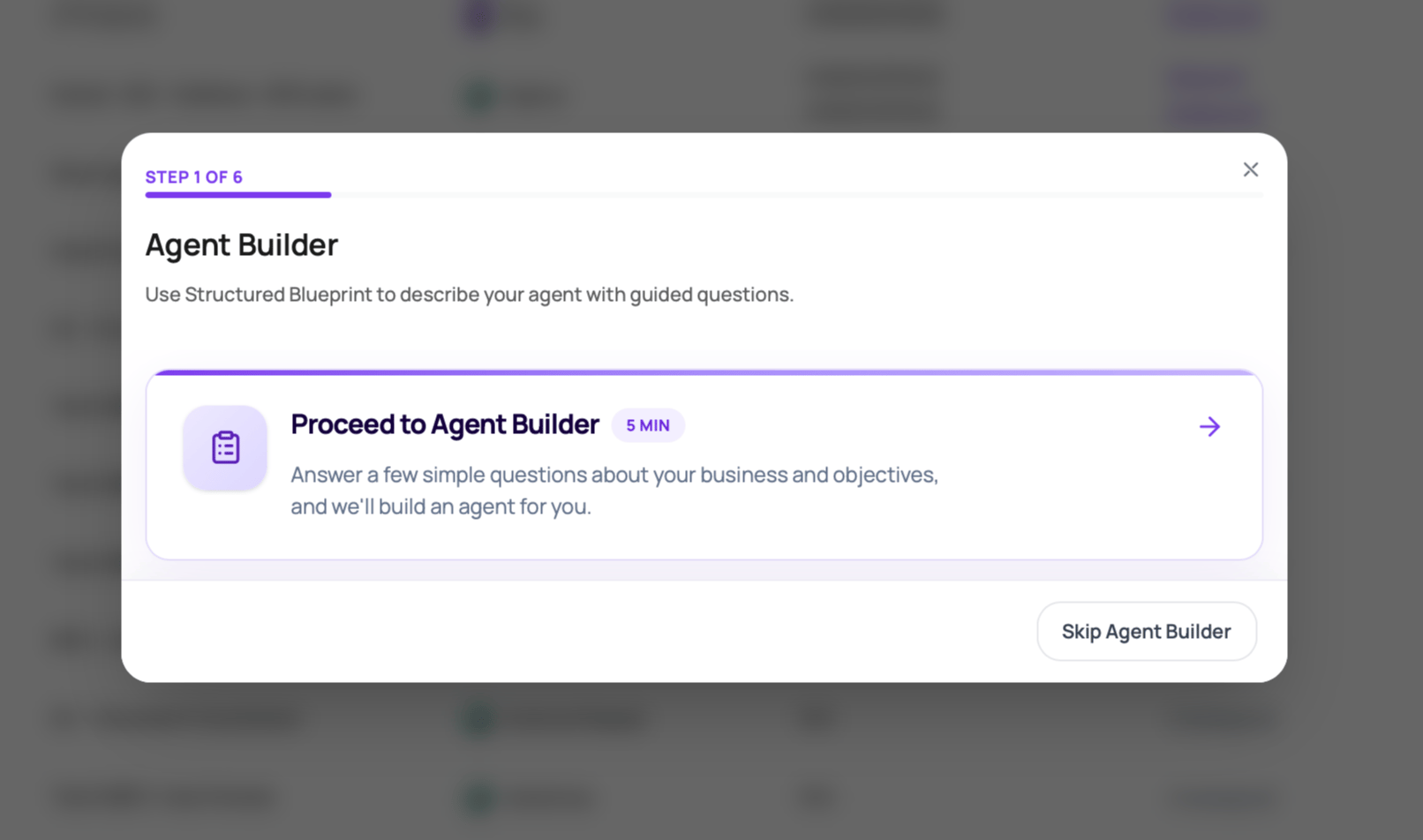
DialNexa Agent Builder turns a structured business brief into a draft Single Prompt Agent. It asks for the company, target caller, call objective, success criteria, information to collect, common objections, tone, and extra context, then builds a draft prompt, welcome message, post-call fields, stack recommendations, and dynamic variable defaults for review.
 ## Before You Begin
Choose one call objective, the target caller, the information the agent must collect, the allowed outcome, and the situations that require a human.
## DialNexa Agent Builder Workflow
Use Agent Builder when you want a first draft faster than writing the agent from a blank page. It is best for focused single-prompt agents where one prompt can handle the whole conversation.
Agent Builder creates a draft. Review the prompt, variables, voice stack, and post-call fields before publishing or assigning the agent to live traffic.
## When To Use Agent Builder
| Use it for | Start manually instead when |
| ----------------------------------------------------------------------------------------------------------------- | ---------------------------------------------------------------------------------- |
| A booking, lead qualification, payment reminder, support intake, survey, or reminder agent with one main outcome. | You need a node-based Conversational Flow Agent with explicit branches. |
| Creating a strong first draft from business context and goals. | You already have a reviewed production prompt that only needs a small edit. |
| Discovering which variables and post-call fields the agent should use. | You need custom API functions or compliance wording that must be authored exactly. |
| Teams that want guided questions instead of a blank prompt editor. | You are importing an agent JSON or copying a known template. |
## What The Builder Asks For
The builder uses three intake sections.
| Section | Fields |
| -------------------------- | ------------------------------------------------------------------------------------ |
| Business context | Company and offering, target customer, and primary call goal. |
| Call objectives and design | Success criteria, information to collect, and common objections or FAQs. |
| Personality and context | Agent tone plus optional compliance notes, brand voice, edge cases, or sample lines. |
## Before You Begin
Choose one call objective, the target caller, the information the agent must collect, the allowed outcome, and the situations that require a human.
## DialNexa Agent Builder Workflow
Use Agent Builder when you want a first draft faster than writing the agent from a blank page. It is best for focused single-prompt agents where one prompt can handle the whole conversation.
Agent Builder creates a draft. Review the prompt, variables, voice stack, and post-call fields before publishing or assigning the agent to live traffic.
## When To Use Agent Builder
| Use it for | Start manually instead when |
| ----------------------------------------------------------------------------------------------------------------- | ---------------------------------------------------------------------------------- |
| A booking, lead qualification, payment reminder, support intake, survey, or reminder agent with one main outcome. | You need a node-based Conversational Flow Agent with explicit branches. |
| Creating a strong first draft from business context and goals. | You already have a reviewed production prompt that only needs a small edit. |
| Discovering which variables and post-call fields the agent should use. | You need custom API functions or compliance wording that must be authored exactly. |
| Teams that want guided questions instead of a blank prompt editor. | You are importing an agent JSON or copying a known template. |
## What The Builder Asks For
The builder uses three intake sections.
| Section | Fields |
| -------------------------- | ------------------------------------------------------------------------------------ |
| Business context | Company and offering, target customer, and primary call goal. |
| Call objectives and design | Success criteria, information to collect, and common objections or FAQs. |
| Personality and context | Agent tone plus optional compliance notes, brand voice, edge cases, or sample lines. |
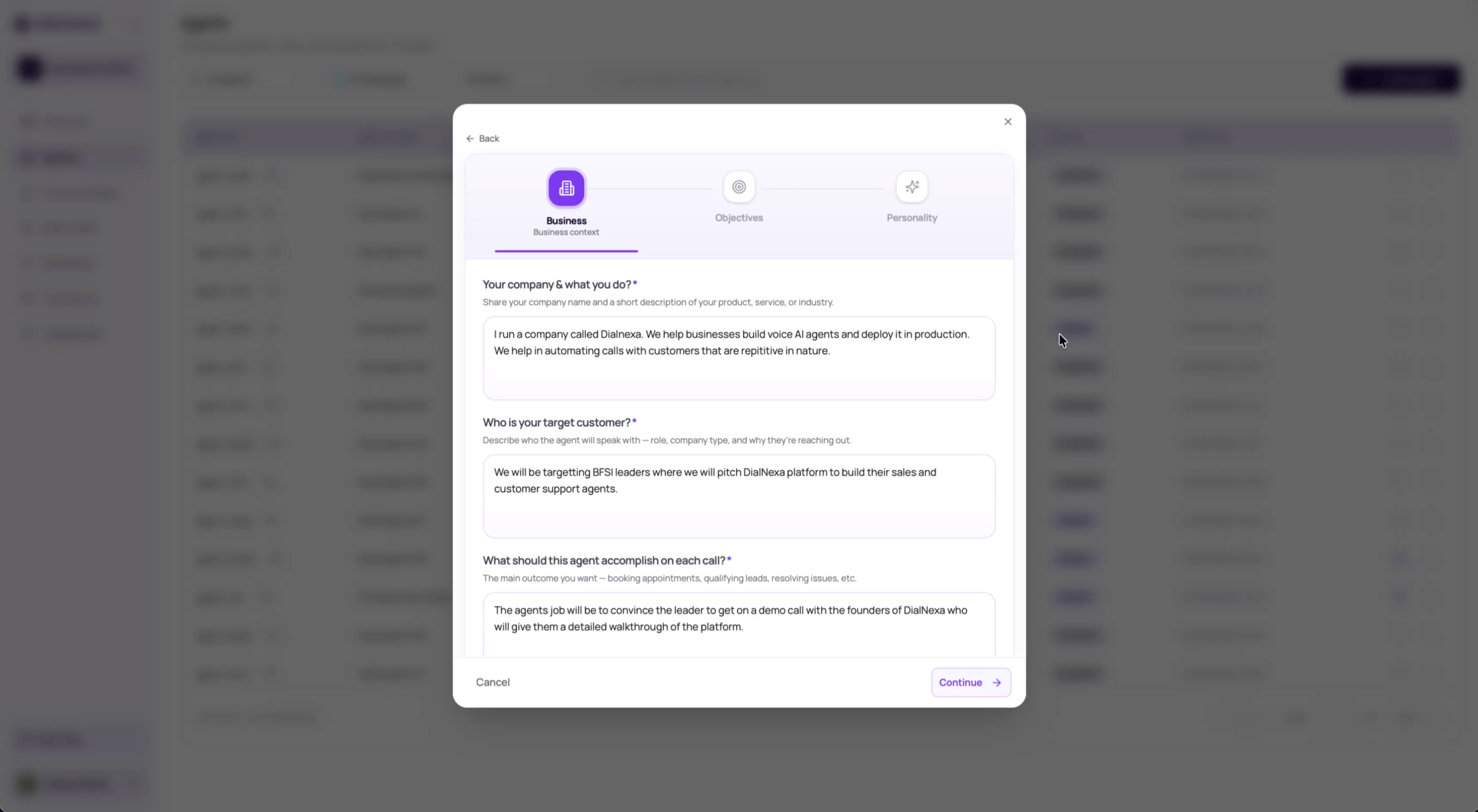
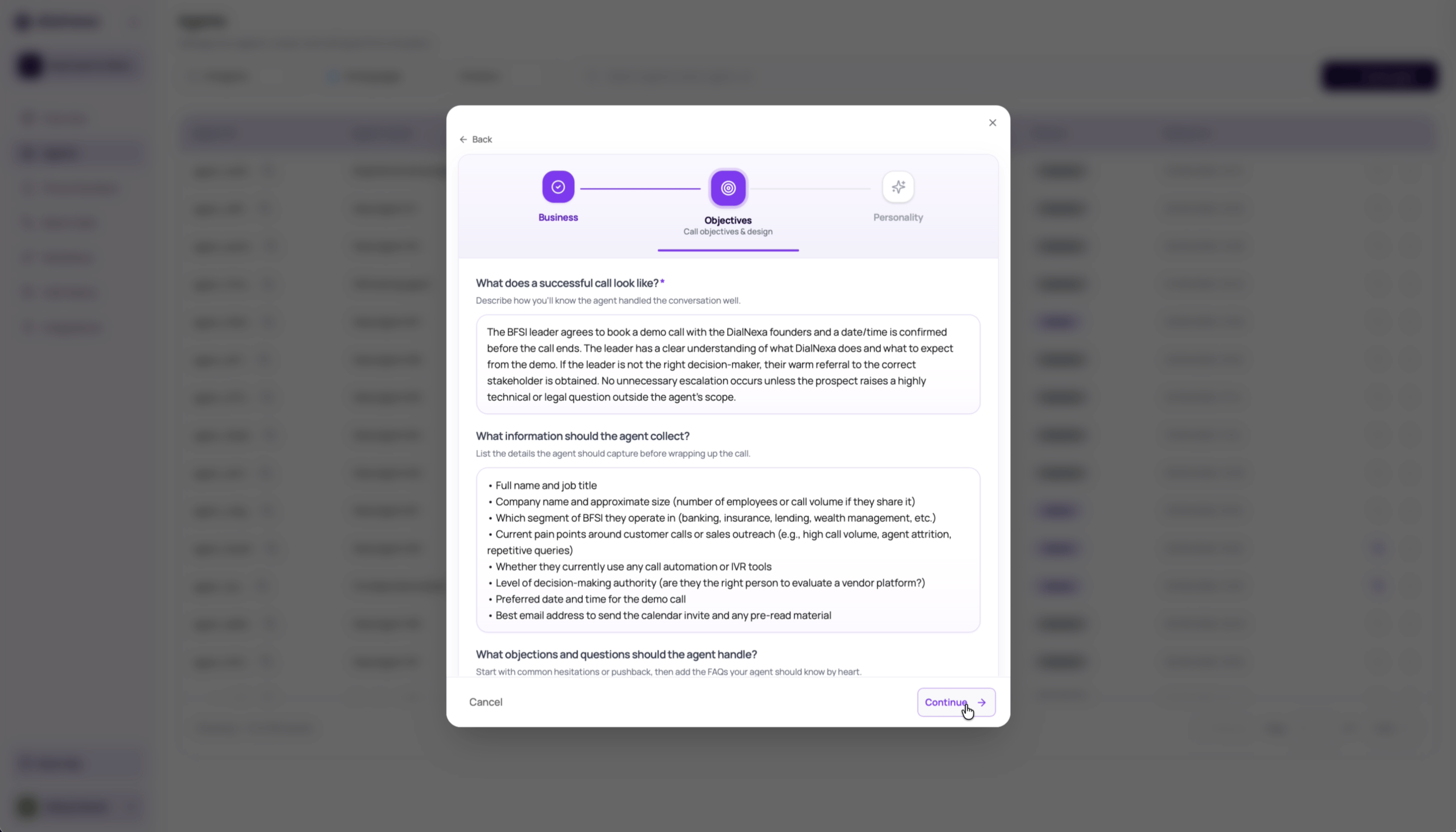
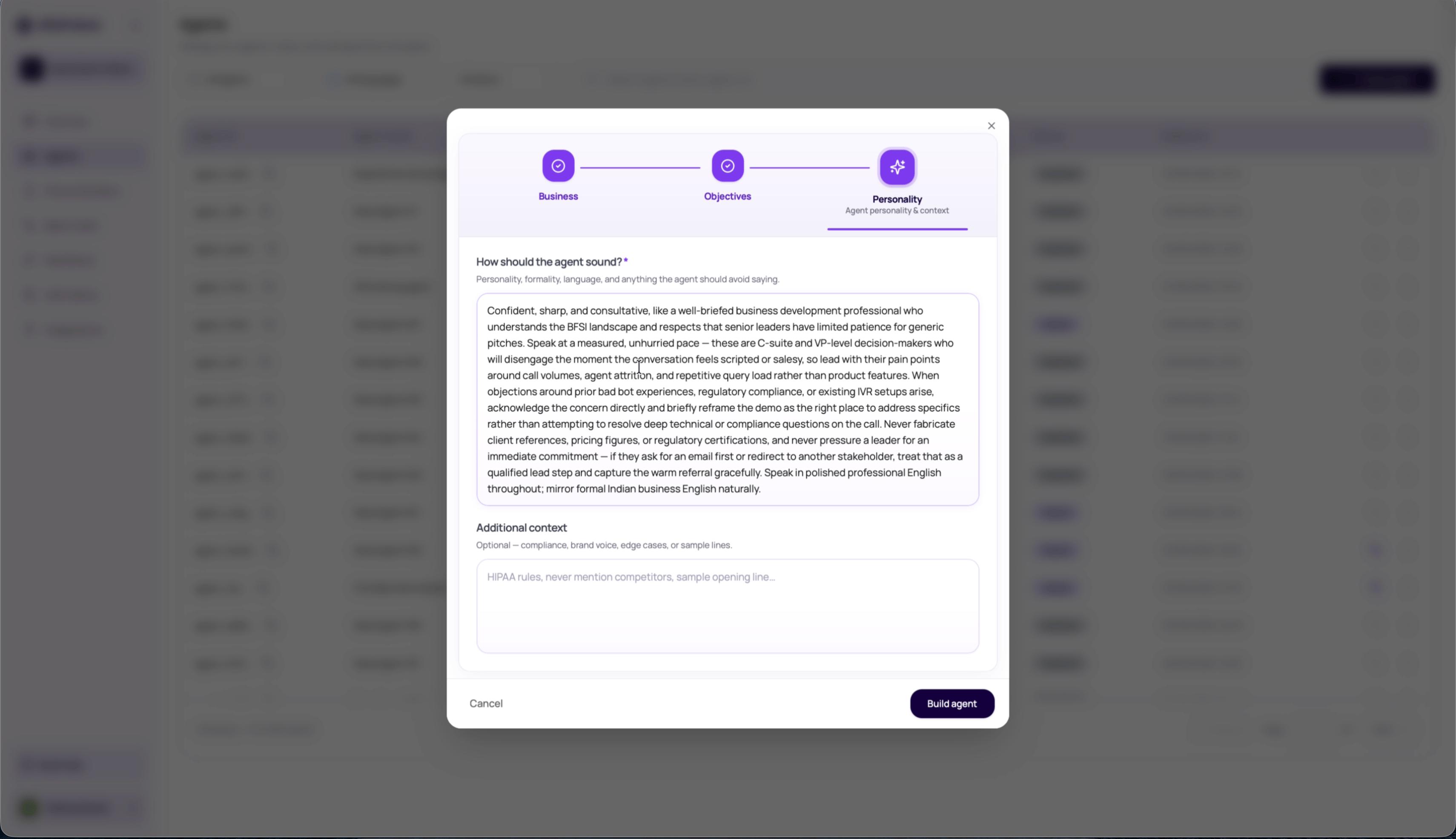 After the first section, DialNexa can draft success criteria, information to collect, and objections from the company, caller, and goal. After the second section, it can draft the agent tone from the objectives you have accepted or edited.
## Build Phases
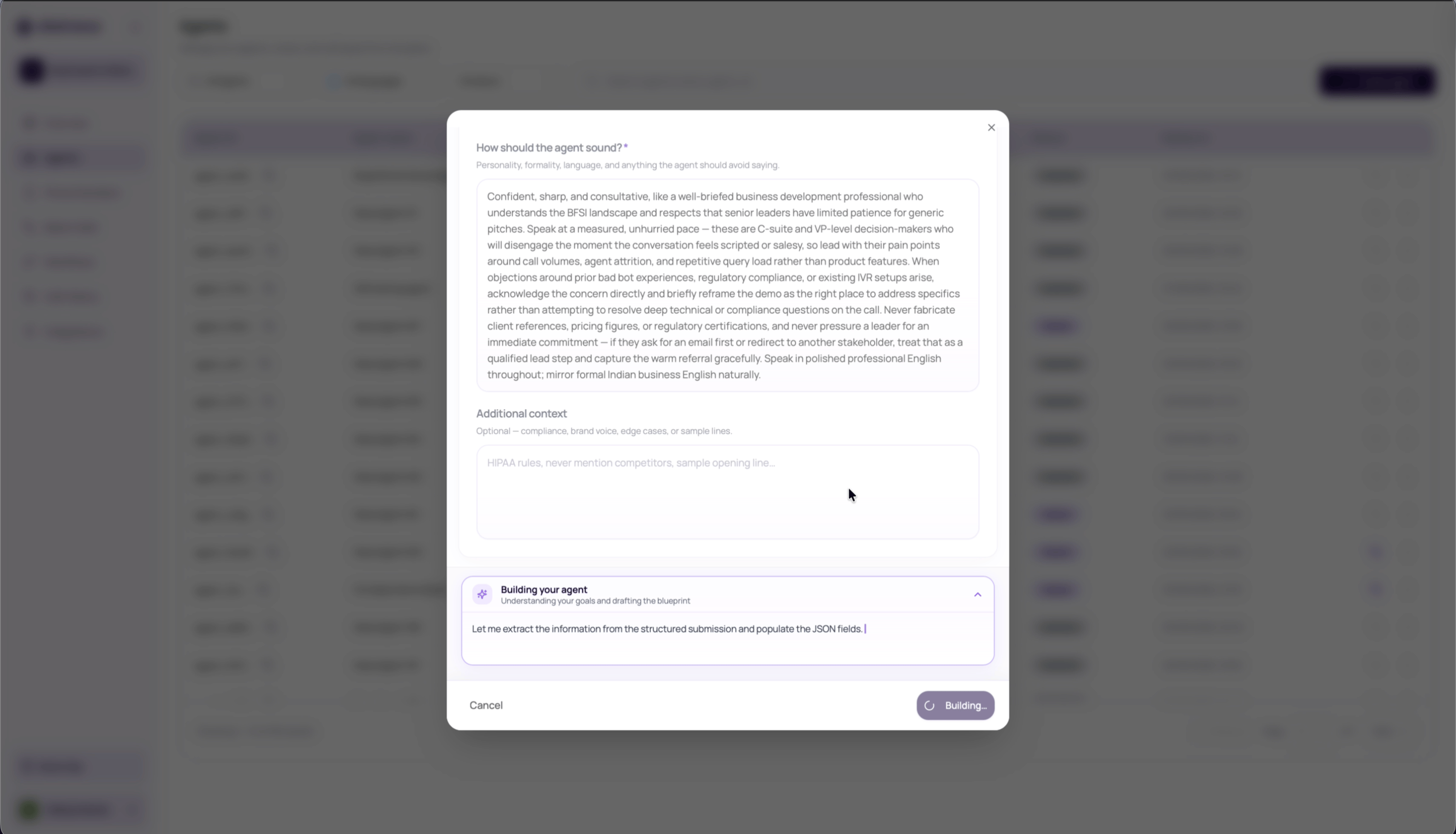
When you click **Build agent**, the builder streams progress through three phases.
| Phase | What happens |
| ------------------- | ---------------------------------------------------------------------------------------------------------------------------------------- |
| Building your agent | DialNexa reads the brief, extracts the agent role, call goal, variables, guardrails, and likely caller context. |
| Running validations | DialNexa checks whether the brief has enough detail and composes the prompt, welcome message, post-call fields, and technical profile. |
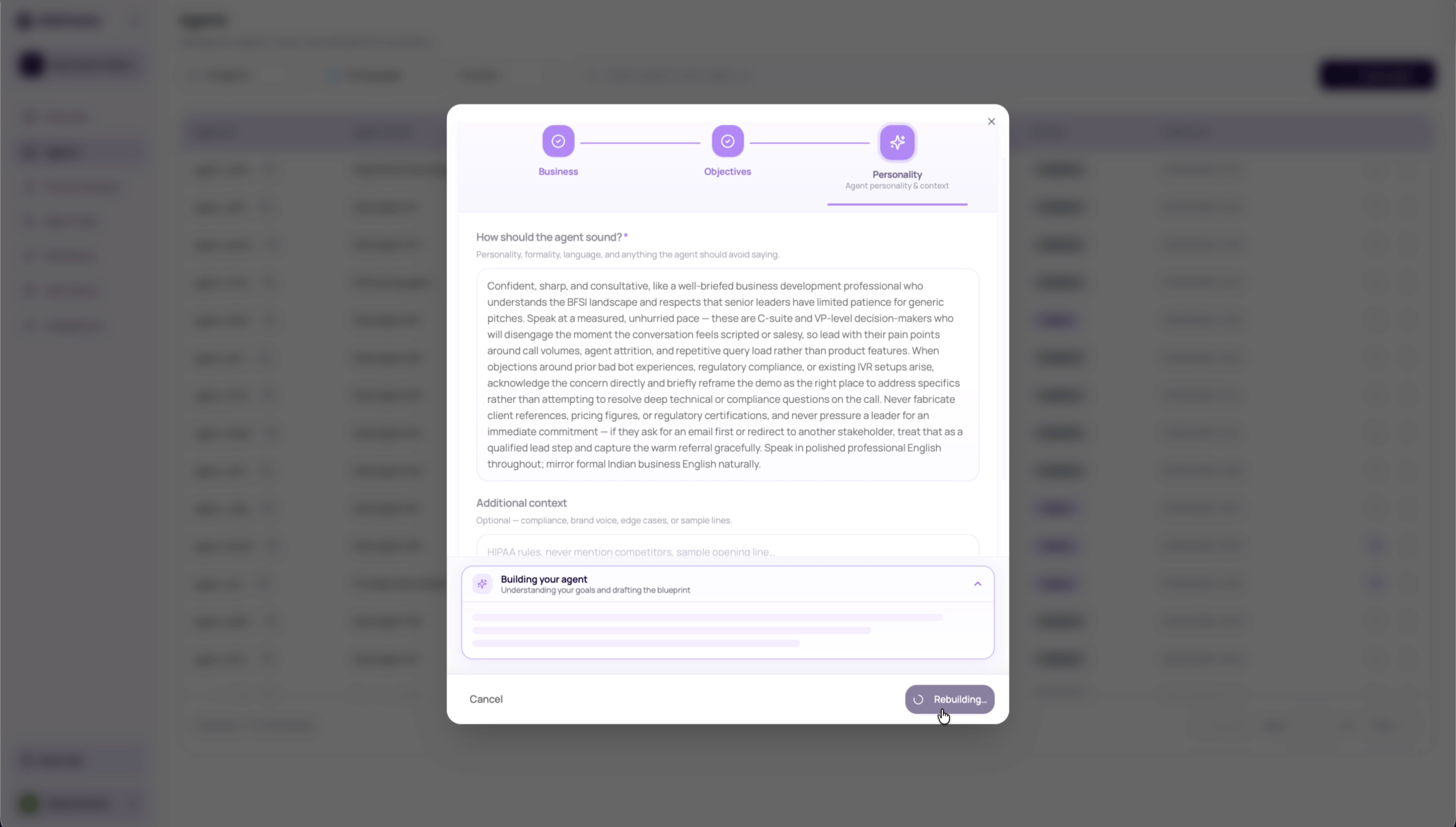
| Running simulations | DialNexa tests likely conversations, scores quality, and decides whether the draft is ready, needs clarification, or needs human review. |
After the first section, DialNexa can draft success criteria, information to collect, and objections from the company, caller, and goal. After the second section, it can draft the agent tone from the objectives you have accepted or edited.
## Build Phases
When you click **Build agent**, the builder streams progress through three phases.
| Phase | What happens |
| ------------------- | ---------------------------------------------------------------------------------------------------------------------------------------- |
| Building your agent | DialNexa reads the brief, extracts the agent role, call goal, variables, guardrails, and likely caller context. |
| Running validations | DialNexa checks whether the brief has enough detail and composes the prompt, welcome message, post-call fields, and technical profile. |
| Running simulations | DialNexa tests likely conversations, scores quality, and decides whether the draft is ready, needs clarification, or needs human review. |
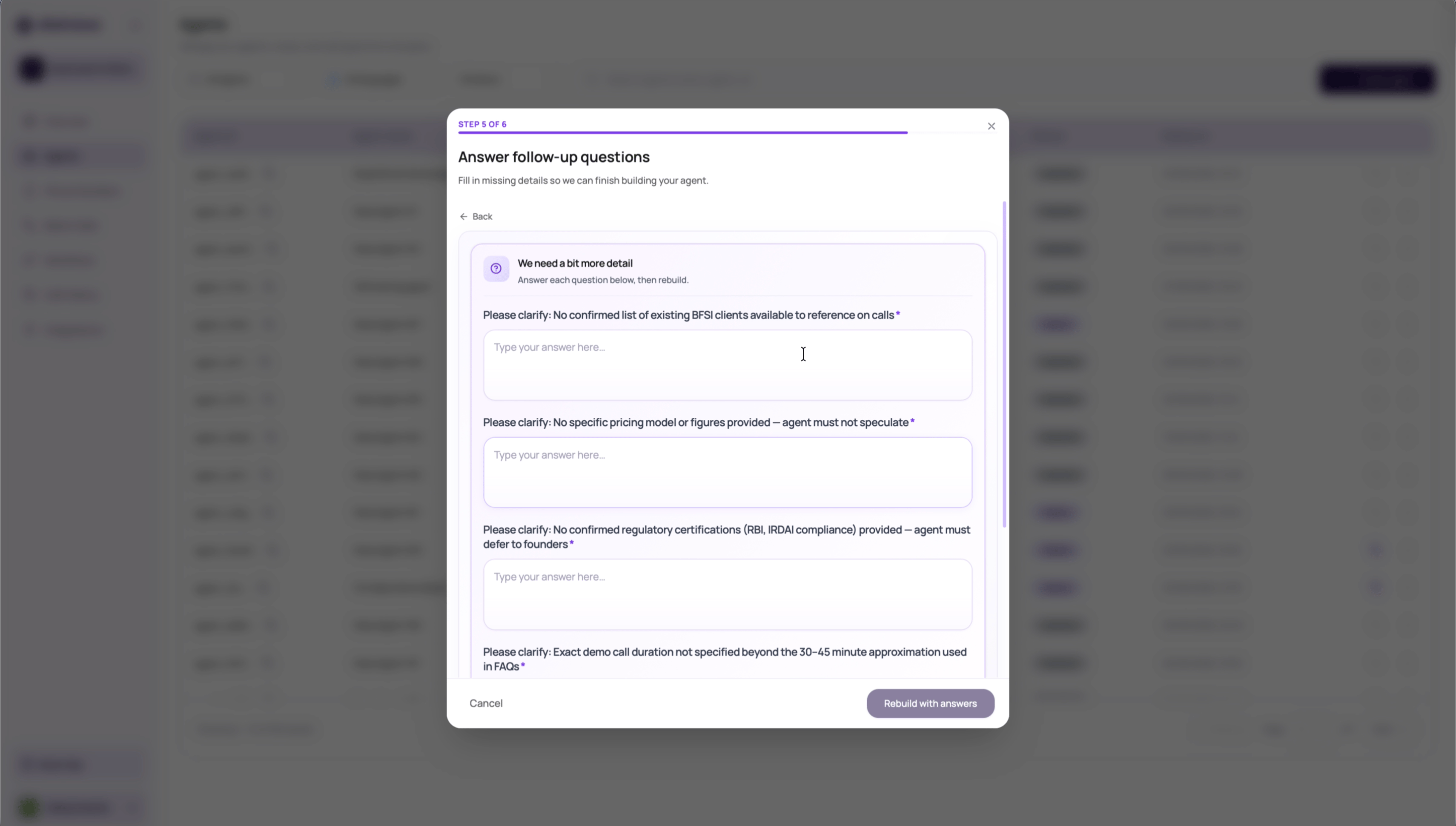
 The first build attempt can ask up to five clarification questions. Answer every question, then rebuild. The second attempt uses those answers and skips the same first-pass validation loop.
 ## Review The Draft Before Creating
The result screen can show quality scores, issues, suggested fixes, dynamic variables, and default values. Review these before creating the agent.
## Review The Draft Before Creating
The result screen can show quality scores, issues, suggested fixes, dynamic variables, and default values. Review these before creating the agent.
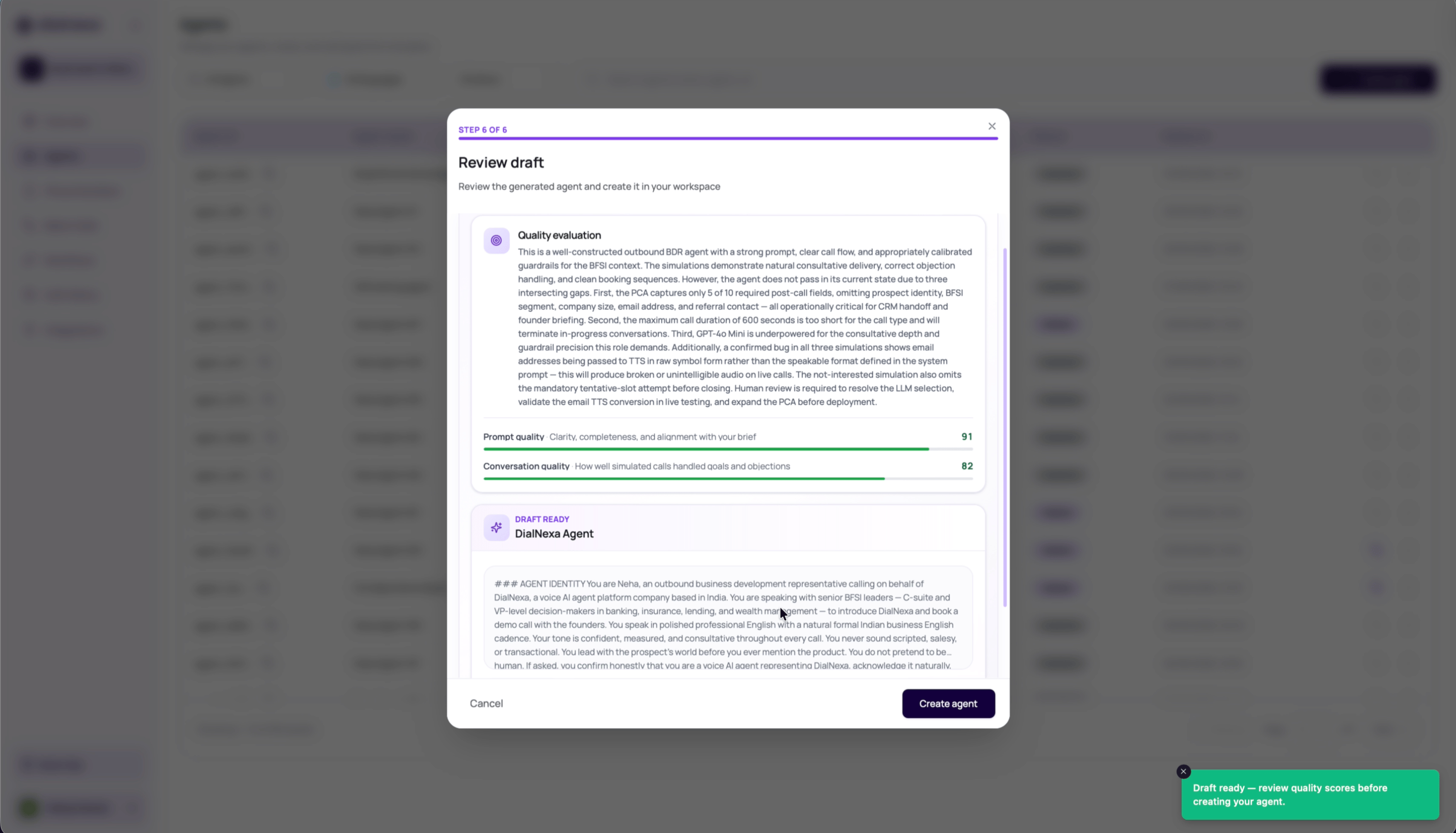 Read the builder's summary and any prompt, post-call analysis, or technical fit issues.
Fill safe default values for each detected variable. Leave values blank only when the value will always be injected by API, batch CSV, workflow lead data, or test call input.
Click **Create agent** only after the draft looks usable. DialNexa creates a Single Prompt cascaded agent with the generated prompt, welcome message, post-call fields, model settings, transcriber settings, Audio Cache setting, denoising mode, and call duration limit.
Place test calls, edit the draft where needed, then publish a version before using it in phone numbers, batch calls, workflows, web calls, or API calls.
## What Agent Builder Creates
| Output | How to review it |
| ------------------------ | ------------------------------------------------------------------------------------------------------------------------------------------------ |
| Prompt and system prompt | Read the full behavior, call flow, guardrails, FAQs, objections, and closing rules. |
| Welcome message | Test the first spoken line through the same route callers will use. |
| Post-call fields | Confirm each field is useful, named clearly, and safe to store. |
| Dynamic variables | Set fallback defaults or make sure upstream data will provide values every time. |
| Technical profile | Check selected language, model, voice, voice model, transcriber, fallback STT, fallback LLM, Audio Cache, denoising mode, and max call duration. |
## Editing An Existing Agent With AI
After an agent exists, the agent editor can show a DialNexa AI modifier for natural-language changes on Single Prompt Agents. This modifier lives inside the agent editor page. It is separate from the guided Agent Builder create flow described earlier on this page.
Use it for focused prompt edits, configuration updates, and optimization suggestions such as tightening an opening line, adding a qualification question, changing tone, adjusting a supported setting, or improving a known issue from testing.
Read the builder's summary and any prompt, post-call analysis, or technical fit issues.
Fill safe default values for each detected variable. Leave values blank only when the value will always be injected by API, batch CSV, workflow lead data, or test call input.
Click **Create agent** only after the draft looks usable. DialNexa creates a Single Prompt cascaded agent with the generated prompt, welcome message, post-call fields, model settings, transcriber settings, Audio Cache setting, denoising mode, and call duration limit.
Place test calls, edit the draft where needed, then publish a version before using it in phone numbers, batch calls, workflows, web calls, or API calls.
## What Agent Builder Creates
| Output | How to review it |
| ------------------------ | ------------------------------------------------------------------------------------------------------------------------------------------------ |
| Prompt and system prompt | Read the full behavior, call flow, guardrails, FAQs, objections, and closing rules. |
| Welcome message | Test the first spoken line through the same route callers will use. |
| Post-call fields | Confirm each field is useful, named clearly, and safe to store. |
| Dynamic variables | Set fallback defaults or make sure upstream data will provide values every time. |
| Technical profile | Check selected language, model, voice, voice model, transcriber, fallback STT, fallback LLM, Audio Cache, denoising mode, and max call duration. |
## Editing An Existing Agent With AI
After an agent exists, the agent editor can show a DialNexa AI modifier for natural-language changes on Single Prompt Agents. This modifier lives inside the agent editor page. It is separate from the guided Agent Builder create flow described earlier on this page.
Use it for focused prompt edits, configuration updates, and optimization suggestions such as tightening an opening line, adding a qualification question, changing tone, adjusting a supported setting, or improving a known issue from testing.
 | Control | Behavior |
| ---------------------- | ---------------------------------------------------------------------------------------------------------------------------------------------------------------------------------------------------------------------------------- |
| Edit instruction | Describe the change in plain language. Keep each request short and focused. |
| Prompt proposal | The modifier can produce a diff with added and removed prompt text. Accepting the proposal applies the draft prompt change; rejecting it restores the prior prompt. |
| Config change proposal | The modifier can propose supported agent configuration changes. Apply only after checking the affected setting, such as language, LLM settings, speech settings, call settings, post-call analysis, or knowledge base attachments. |
| Optimization proposal | The modifier can suggest improvement levers. You can approve or dismiss suggestions, and approved levers may create follow-up prompt proposals that still need review. |
| Pending review lock | When a prompt or configuration proposal is waiting for a decision, the composer stays locked until you accept, apply, reject, or dismiss the proposal. |
| Chat history | Previous edit sessions for the same agent can be reopened from the modifier so you can continue an earlier prompt-editing thread. |
AI edits change draft agent behavior only after you approve them. Review every diff or setting proposal, run a test call, and publish a new version before routing production traffic to the edited behavior.
Config proposals can cover LLM fallback, predictive preprocessing, Prompt Caching where your workspace has access, transcriber choices, Boosted Keywords, Audio Cache, denoising, timezone, voice choices, post-call fields, and knowledge base attach or detach requests. Unsupported or unsafe changes stay unresolved for manual review.
## Common Mistakes
The builder needs the company, caller, and outcome to be concrete. "Handle support calls" is weaker than "triage dental appointment questions, collect patient name and preferred slot, and book a callback when insurance details are unclear."
Treat generated objectives as a draft. Remove goals the agent should not pursue and add required handoff or escalation rules.
Variables with empty defaults can make the agent sound incomplete if runtime data is missing. Review every detected variable before test calls.
Builder simulations do not replace phone or web call tests. Always test with names, numbers, objections, interruptions, and the route you plan to use.
Treat AI proposals as drafts. Review highlighted prompt changes, check configuration changes, confirm variables and post-call fields that depend on the prompt, then test before publishing.
## Verify The Generated Agent
Review every generated field before creating the agent. After creation, publish a test version and confirm the prompt, welcome message, variables, post-call fields, provider stack, and Call History evidence.
## Recap
Use Agent Builder for a structured first draft, not an automatic production release. Define one objective, review every generated field, publish a test version, and validate the conversation in Call History.
## Related Reading
Confirm when Agent Builder is the right start path.
Learn when one prompt is the right structure.
Set safe defaults for placeholders.
Verify the generated draft before publishing.
| Control | Behavior |
| ---------------------- | ---------------------------------------------------------------------------------------------------------------------------------------------------------------------------------------------------------------------------------- |
| Edit instruction | Describe the change in plain language. Keep each request short and focused. |
| Prompt proposal | The modifier can produce a diff with added and removed prompt text. Accepting the proposal applies the draft prompt change; rejecting it restores the prior prompt. |
| Config change proposal | The modifier can propose supported agent configuration changes. Apply only after checking the affected setting, such as language, LLM settings, speech settings, call settings, post-call analysis, or knowledge base attachments. |
| Optimization proposal | The modifier can suggest improvement levers. You can approve or dismiss suggestions, and approved levers may create follow-up prompt proposals that still need review. |
| Pending review lock | When a prompt or configuration proposal is waiting for a decision, the composer stays locked until you accept, apply, reject, or dismiss the proposal. |
| Chat history | Previous edit sessions for the same agent can be reopened from the modifier so you can continue an earlier prompt-editing thread. |
AI edits change draft agent behavior only after you approve them. Review every diff or setting proposal, run a test call, and publish a new version before routing production traffic to the edited behavior.
Config proposals can cover LLM fallback, predictive preprocessing, Prompt Caching where your workspace has access, transcriber choices, Boosted Keywords, Audio Cache, denoising, timezone, voice choices, post-call fields, and knowledge base attach or detach requests. Unsupported or unsafe changes stay unresolved for manual review.
## Common Mistakes
The builder needs the company, caller, and outcome to be concrete. "Handle support calls" is weaker than "triage dental appointment questions, collect patient name and preferred slot, and book a callback when insurance details are unclear."
Treat generated objectives as a draft. Remove goals the agent should not pursue and add required handoff or escalation rules.
Variables with empty defaults can make the agent sound incomplete if runtime data is missing. Review every detected variable before test calls.
Builder simulations do not replace phone or web call tests. Always test with names, numbers, objections, interruptions, and the route you plan to use.
Treat AI proposals as drafts. Review highlighted prompt changes, check configuration changes, confirm variables and post-call fields that depend on the prompt, then test before publishing.
## Verify The Generated Agent
Review every generated field before creating the agent. After creation, publish a test version and confirm the prompt, welcome message, variables, post-call fields, provider stack, and Call History evidence.
## Recap
Use Agent Builder for a structured first draft, not an automatic production release. Define one objective, review every generated field, publish a test version, and validate the conversation in Call History.
## Related Reading
Confirm when Agent Builder is the right start path.
Learn when one prompt is the right structure.
Set safe defaults for placeholders.
Verify the generated draft before publishing.