> ## Documentation Index
> Fetch the complete documentation index at: https://dialnexa.com/docs/llms.txt
> Use this file to discover all available pages before exploring further.
# DialNexa Fallback Settings
> Understand DialNexa fallback settings for default dynamic variables, missing launch values, transfer destinations, and safe variable defaults.
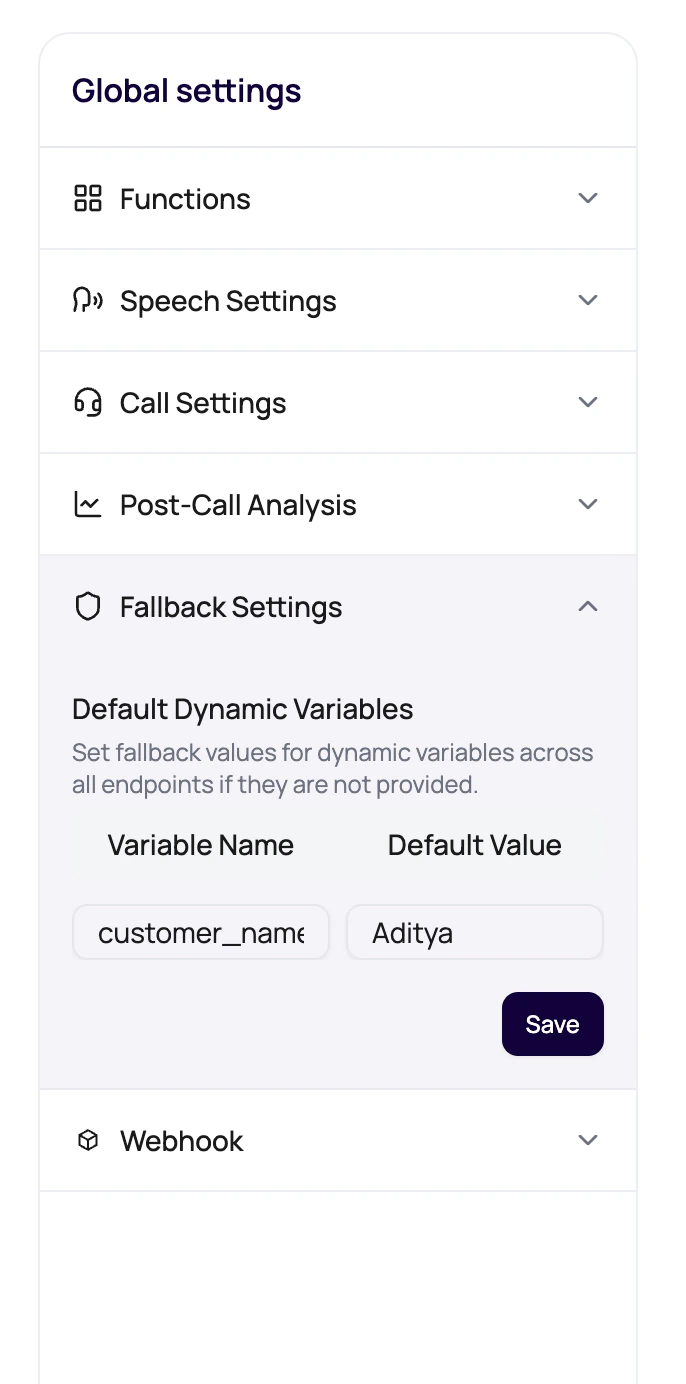
DialNexa fallback settings let users define default dynamic variable values for an agent version. These defaults are used when a prompt, welcome message, voicemail message, batch file, workflow lead, or API call references a variable but no call-specific value is supplied.
 A default value should be safe to say out loud. If you would not want the caller to hear it, do not use it as a fallback.
## What The Panel Does
The builder detects placeholders such as `{{first_name}}` in prompt-related text and lists them as default dynamic variables. Users can enter fallback values, save them to the agent version, and use those values when the launch surface does not provide a replacement.
## Default Variable Sources
Fallback settings protect multiple launch paths.
| Variable appears in | Why fallback matters |
| ------------------------ | ---------------------------------------------------------------------- |
| Prompt text | Prevents awkward missing personalization during the main conversation. |
| Welcome message | Protects the first spoken sentence. |
| Voicemail message | Prevents voicemail from containing unresolved placeholders. |
| Call transfer path | Transfer destinations may require a formatted default value. |
| Batch or workflow launch | Protects against incomplete CSV rows or lead variables. |
## Transfer Destination Defaults
Transfer settings deserve extra validation.
Use a format such as `+1234567890|+1098765432` when a transfer variable expects multiple destinations.
Check that each destination belongs to the intended handoff team.
Fallback changes must be on the version that traffic actually uses.
Review transfer results after testing.
## Fallback Mistakes
The dashboard can block saving when detected variables have empty defaults.
Replace examples with safe generic fallback values.
Bad recipient files happen. Defaults are insurance.
The voicemail message is scanned too. Add defaults for those placeholders.
## Related Reading
Understand placeholders.
See the data concept.
Configure transfer destinations.
A default value should be safe to say out loud. If you would not want the caller to hear it, do not use it as a fallback.
## What The Panel Does
The builder detects placeholders such as `{{first_name}}` in prompt-related text and lists them as default dynamic variables. Users can enter fallback values, save them to the agent version, and use those values when the launch surface does not provide a replacement.
## Default Variable Sources
Fallback settings protect multiple launch paths.
| Variable appears in | Why fallback matters |
| ------------------------ | ---------------------------------------------------------------------- |
| Prompt text | Prevents awkward missing personalization during the main conversation. |
| Welcome message | Protects the first spoken sentence. |
| Voicemail message | Prevents voicemail from containing unresolved placeholders. |
| Call transfer path | Transfer destinations may require a formatted default value. |
| Batch or workflow launch | Protects against incomplete CSV rows or lead variables. |
## Transfer Destination Defaults
Transfer settings deserve extra validation.
Use a format such as `+1234567890|+1098765432` when a transfer variable expects multiple destinations.
Check that each destination belongs to the intended handoff team.
Fallback changes must be on the version that traffic actually uses.
Review transfer results after testing.
## Fallback Mistakes
The dashboard can block saving when detected variables have empty defaults.
Replace examples with safe generic fallback values.
Bad recipient files happen. Defaults are insurance.
The voicemail message is scanned too. Add defaults for those placeholders.
## Related Reading
Understand placeholders.
See the data concept.
Configure transfer destinations.